
Amazon EBS is widely used for block storage in AWS environments, but data-intensive applications often face challenges with performance, cost efficiency, and flexibility. That’s where simplyblock comes in.
By combining Amazon EBS with simplyblock, you can create scalable logical volumes, manage them more effectively, and ensure your workloads run at peak performance. Together, they provide a powerful and efficient solution for optimizing data storage and application performance across AWS.
Why Use Simplyblock with Amazon EBS?
Amazon EBS provides elastic block storage for AWS, but when workloads demand lower latency, higher throughput, or more cost control, simplyblock extends its capabilities. By leveraging NVMe-over-TCP, simplyblock reduces latency and delivers higher IOPS compared to using raw EBS volumes alone.
It also allows you to create logical volumes on top of EBS devices, giving you more flexibility in managing workloads through the simplyblock CLI and APIs. If you’re focused on cost control, techniques to optimize Amazon EBS volumes cost and AWS storage tiering pair well with simplyblock’s approach.
Scalability is another key benefit. You can expand storage seamlessly as application needs grow without interrupting services. Finally, redundancy and data protection built into simplyblock ensure workloads keep running even in the event of hardware failures, making your EBS-backed storage more resilient.
🚀 Simplify Storage Management on AWS
Use simplyblock to create logical volumes, optimize performance, and lower your cloud storage costs.
👉 Use simplyblock for AWS Storage →
Step 1: Install Simplyblock on AWS
Before integrating Amazon EBS with simplyblock, make sure both are set up in your AWS environment. Begin by downloading the latest release from the simplyblock documentation and follow the setup instructions to complete installation and configuration. Once installed, simplyblock will be ready to manage volumes that use Amazon EBS as the underlying storage layer.
Step 2: Create an Amazon EBS Volume
Next, create a standard EBS volume using the AWS CLI.
For example:
aws ec2 create-volume \
–availability-zone us-east-1a \
–size 100 \
–volume-type gp3
After the volume has been created, attach it to your instance (see the official Amazon EBS documentation):
aws ec2 attach-volume \
–volume-id vol-xxxxxxxx \
–instance-id i-xxxxxxxx \
–device /dev/nvme1n1
At this point, the EBS volume is available to be managed by simplyblock.
Step 3: Create a Simplyblock Logical Volume
With the EBS device attached, you can now create a logical volume using simplyblock. Run the following command:
sbctl volume add ebs-volume 100G pool1
Then connect the volume:
sbctl volume connect ebs-volume
The command will return a connection string. Use this string to mount the volume on your client machine. This pattern also supports disaggregated storage across environments.
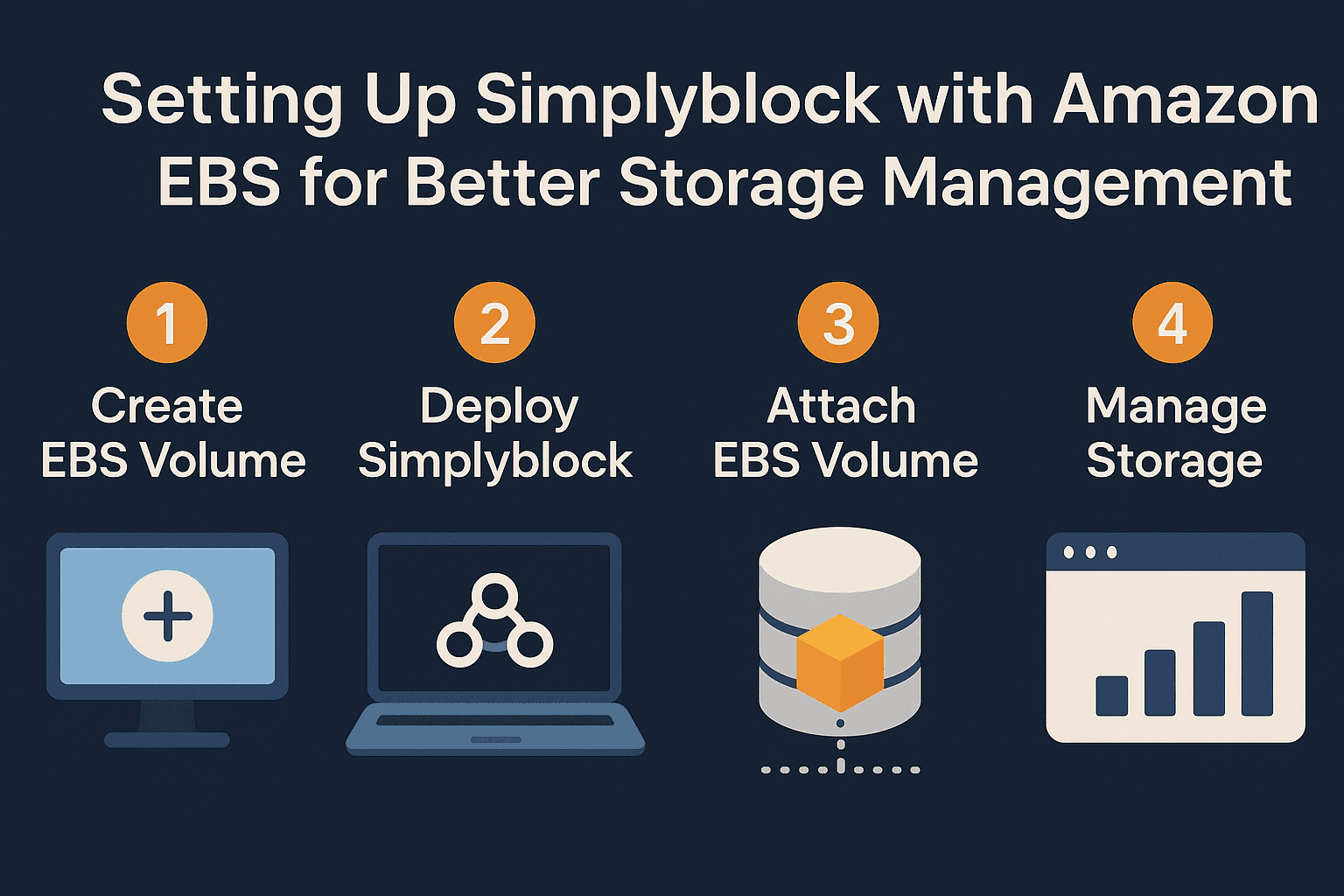
Step 4: Configure Applications to Use Simplyblock + EBS
Once the volume is connected, format and mount it so your applications can use it. For example:
mkfs.ext4 /dev/nvme0n1
mkdir /mnt/ebs
mount /dev/nvme0n1 /mnt/ebs
From here, your applications running on AWS can access the EBS-backed volume through simplyblock.
Step 5: Troubleshooting Common Issues
If you run into issues, the most common problems are straightforward to resolve. If the volume is not recognized, use lsblk to confirm that the EBS device is attached, and re-run sbctl volume connect if necessary.
If you notice performance bottlenecks, check throughput and IOPS with iostat and compare them against EBS limits. Simplyblock can also aggregate multiple volumes to boost performance when needed. For connection issues, reviewing the configuration and networking steps in the documentation is recommended.
Step 6: Performance Optimization
To get the best performance when using Amazon EBS with simplyblock, consider using higher-performance EBS types such as gp3 or io2. You can also stripe multiple EBS volumes into a single logical volume using simplyblock to increase throughput.
Regular monitoring is important as well, and simplyblock provides built-in tools for tracking performance. Fine-tuning workloads and adjusting write-block size within your application settings can further improve storage performance, depending on the workload.
Maintaining Simplyblock and Amazon EBS Integration
Once the setup is complete, ongoing management ensures storage remains reliable and scalable. Monitoring disk utilization regularly will help determine when to adjust the size of your EBS volumes. If you need more capacity, you can use the resize command to expand a logical volume without downtime:
sbctl volume resize ebs-volume 200GB
As your data platform evolves, you might also plan for migration from Amazon RDS to PostgreSQL, where simplyblock’s consistent storage layer helps keep transitions smooth. In addition, backing up your volume configurations and following best practices outlined in the documentation will help maintain a secure and efficient environment.
Other supported platforms
If you’re running cloud compute or virtual machine workloads alongside Amazon EBS, Simplyblock also strengthens storage for:
Questions and Answers
Amazon EBS is critical for enterprise workloads because it delivers persistent, low-latency block storage for EC2 instances with built-in scalability. It supports databases, analytics, and containerized applications while ensuring durability. When combined with simplyblock, EBS can be optimized for both performance and cost, reducing overhead for large-scale deployments.
Simplyblock enhances Amazon EBS by consolidating volumes, reducing overprovisioning, and optimizing performance. With cloud storage cost optimization, simplyblock helps lower expenses while ensuring efficient resource usage, making EBS easier to manage and scale.
Yes, Amazon EBS volumes can be optimized by monitoring usage patterns, resizing volumes, and leveraging storage tiering. Simplyblock automates many of these tasks, reducing manual effort while ensuring workloads always use the most cost-efficient and high-performing storage tier available.
Amazon EBS can support Kubernetes workloads through persistent volumes, but managing scale and efficiency can be challenging. With simplyblock’s Kubernetes integration, EBS volumes can be optimized for containerized environments, providing better scalability and flexibility.
To set up simplyblock with Amazon EBS, deploy the simplyblock platform in your AWS environment and connect it to existing EBS volumes. Simplyblock automatically manages storage allocation, performance tuning, and cost optimization while maintaining seamless integration with EC2 and Kubernetes workloads.