Kubernetes Node Affinity
Terms related to simplyblock
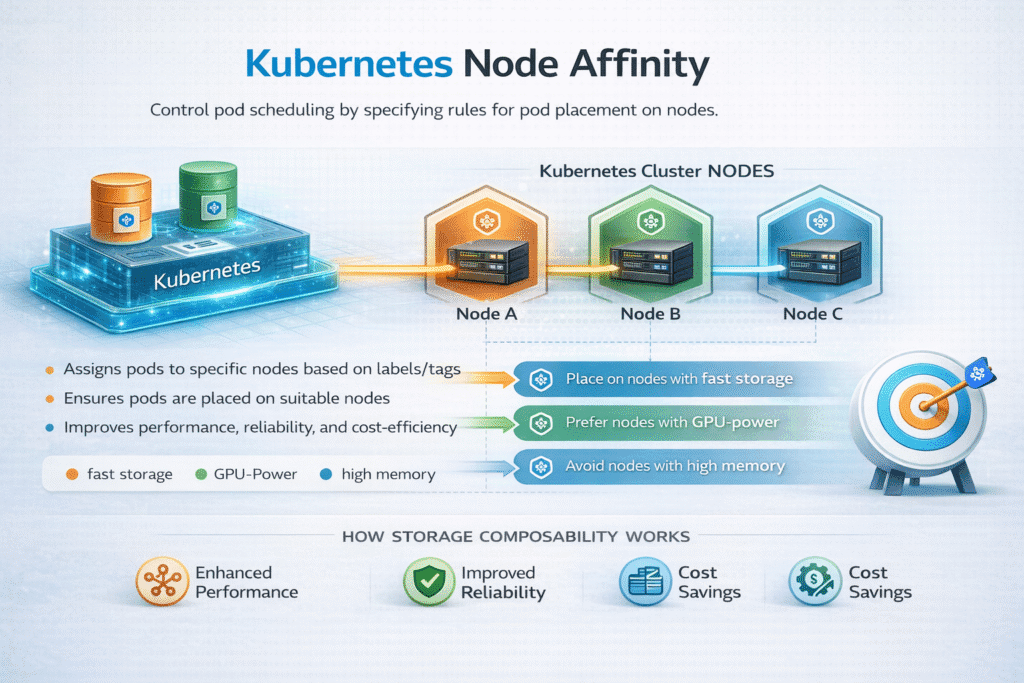
Kubernetes Node Affinity is a scheduling rule that tells the Kubernetes scheduler which nodes a Pod should prefer or must use, based on node labels. Teams use it to keep workloads close to special hardware, align workloads to failure domains, and control placement for cost and performance.
For stateful systems, Node Affinity becomes a storage decision. If a Pod lands on a node that cannot reach its volume with the expected path, startup slows, failover gets messy, and tail latency spikes. When you run Kubernetes Storage at scale, Node Affinity needs to match storage topology, not just compute topology. Pairing it with Software-defined Block Storage helps you keep the placement rules strict where needed and flexible where you can.
Designing Placement Rules That Scale
Node Affinity works best when you treat labels as an API contract. Keep labels stable across node pools, and avoid one-off naming. Use “preferred” rules first, then add “required” rules only after you confirm the workload truly needs a hard pin.
Node Affinity also competes with other controls. Taints and tolerations gate access to nodes, while topology spread constraints balance replicas across zones and racks. When the rules collide, pods stay Pending, and storage teams end up debugging scheduling instead of improving performance.
🚀 Make Kubernetes Node Affinity Work for Stateful Kubernetes Storage
Use simplyblock to align placement with NVMe/TCP paths and keep Software-defined Block Storage steady at scale.
👉 Use Simplyblock for Kubernetes Storage →
Kubernetes Node Affinity for Kubernetes Storage Topology
In Kubernetes Storage, topology shows up in three places: where compute runs, where data lives, and how the fabric connects them. If you pin a Pod to a node pool but provision volumes in a different zone, you build latency and risk into the default path.
Teams often combine Node Affinity with storage behaviors such as “wait for first consumer,” which delays provisioning until Kubernetes selects a node. That approach reduces wrong-zone volumes and cuts rework during reschedules.
Kubernetes Node Affinity and NVMe/TCP Data Paths
Node Affinity can either reduce I/O hops or force extra hops. That difference matters more when storage runs over the network. With NVMe/TCP, you can disaggregate storage as a SAN alternative on standard Ethernet, but you still need to keep the path predictable.
If you run a hyper-converged pool, Node Affinity can keep a stateful Pod near the node that hosts the fastest local NVMe media. If you run a disaggregated pool, Node Affinity can keep Pods aligned with the right network segment, zone, or rack to protect latency. In both models, a consistent data path plus Software-defined Block Storage controls typically beats ad hoc pinning.
Benchmarking Placement and Storage Outcomes
To benchmark Node Affinity, measure scheduling outcomes and I/O outcomes together. Start with Pod startup time, reschedule time, and attach/mount time. Then measure IOPS, throughput, and p95/p99 latency under steady load and during disruptions like node drain.
Use a workload-shaped test. For databases, smaller blocks and mixed reads/writes reveal queue effects. For analytics, larger blocks expose bandwidth and network contention. Also track CPU cost per I/O, because an inefficient data path can burn cores and lower effective throughput even when storage looks “fast.”
Hardening Kubernetes Node Affinity Under Operational Drift
Node Affinity rules often break after a routine change. Node pool rebuilds, label drift, zone expansion, and mixed hardware generations can all invalidate old assumptions. These practices usually reduce incidents without forcing rigid placement everywhere:
- Keep node labels minimal, stable, and tied to real hardware or topology signals.
- Prefer soft affinity first, and only lock to hard affinity for true locality needs.
- Align provisioning with scheduler intent, and avoid pre-binding volumes to the wrong zone.
- Validate affinity behavior during node drains, rollouts, and autoscaling events.
- Use per-tenant limits and QoS controls in the storage layer to prevent noisy-neighbor effects.
Scheduling and Storage Placement Trade-Offs
Teams usually compare Node Affinity with other scheduling tools because each tool solves a different part of the placement problem. The table below summarizes common choices and their storage impact.
| Mechanism | What it controls | Best fit | Storage impact |
|---|---|---|---|
| Node Affinity | Node selection by labels | Hardware locality, zone/rack alignment | Can reduce hops, or cause cross-zone mounts if misaligned |
| Taints/Tolerations | Who may run on a node | Dedicated pools, noisy-neighbor control | Keeps storage-heavy workloads off shared nodes |
| Topology Spread | Replica distribution | HA across zones/racks | Improves resilience, can increase networked storage fan-out |
| Pod Affinity/Anti-Affinity | Pod-to-pod placement | Service locality or separation | Helps tier alignment, may restrict scheduling too much |
Deterministic Node Placement and Storage QoS with Simplyblock™
Simplyblock™ supports flexible placement for stateful workloads by combining Kubernetes Storage integration with Software-defined Block Storage controls. That mix lets platform teams avoid brittle “pin everything” policies while still meeting latency and availability targets.
Because simplyblock uses an SPDK-based, user-space data path, teams can focus on policy and topology instead of spending cycles on kernel-path tuning. Simplyblock also supports NVMe/TCP, which helps when you want disaggregated storage on standard Ethernet, plus clear performance isolation for multi-tenant clusters.
Next Steps – Topology Awareness, Offload, and Fabric Choices
The next wave of scheduling ties placement rules to storage policy, not just node labels. CSI topology signals and topology-aware provisioning reduce wrong placements. DPUs and IPUs can offload parts of the data path and reduce CPU overhead on busy nodes. On the fabric side, NVMe/TCP remains a practical default for many environments, while some teams add RDMA tiers for select workloads.
When you keep Node Affinity aligned with storage topology, you reduce reschedule drama, and you stabilize tail latency.
Related Terms
Teams often review these glossary pages alongside Kubernetes Node Affinity when they set placement rules for Kubernetes Storage and Software-defined Block Storage.
Local Node Affinity
Storage Affinity in Kubernetes
Dynamic Provisioning in Kubernetes
Network Storage Performance
Node Taint Toleration and Storage Scheduling
Questions and Answers
Kubernetes Node Affinity is essential for controlling workload placement in production environments. It ensures pods run on nodes with the right hardware, locality, or compliance attributes. This is especially important for performance-sensitive or stateful workloads, where predictable scheduling improves stability, latency, and resource efficiency.
NodeSelector offers simple, hard constraints using exact label matches. Node Affinity adds expressive scheduling rules with both required and preferred conditions. This flexibility allows smarter placement decisions, gradual rollouts, and better balancing across nodes—making it more suitable for complex Kubernetes deployments.
Node Affinity ensures that pods consuming high-performance or software-defined storage are scheduled on nodes with the correct storage access. This avoids unnecessary cross-node traffic, reduces latency, and improves throughput for databases and other I/O-heavy workloads.
Yes, node affinity works seamlessly with CSI-compatible storage. It allows workloads and their persistent volumes to be aligned on the same nodes, which is critical for performance, data locality, and predictable behavior in Kubernetes clusters.
Required node affinity should be used when workloads must run on specific nodes, such as those with local NVMe or compliance constraints. Preferred affinity is better for optimization scenarios, where Kubernetes can choose the best available node without blocking scheduling if constraints cannot be met.