OpenShift StorageClass Templates
Terms related to simplyblock
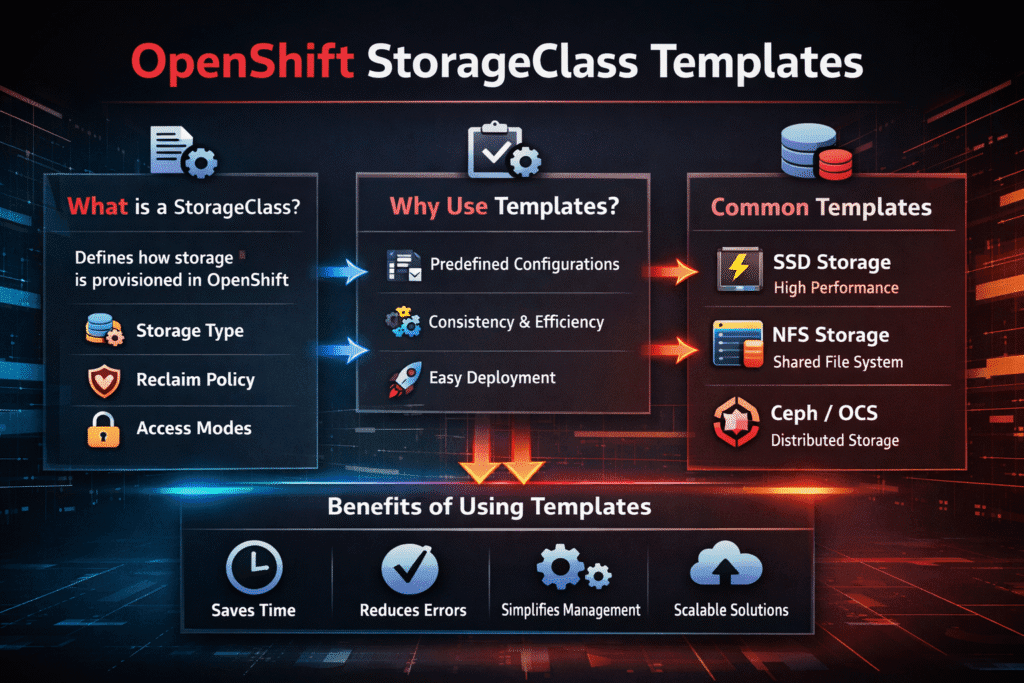
OpenShift StorageClass Templates are repeatable StorageClass definitions that platform teams use as a baseline for provisioning persistent volumes in OpenShift. A good template turns storage into a product: developers pick a class, and the cluster delivers the right behavior without tickets, manual steps, or one-off YAML edits.
These templates matter most when OpenShift runs shared, stateful workloads. A database team wants stable latency. A platform team wants smooth upgrades and fast recovery after node drains. A security team wants encryption and clear boundaries. StorageClass templates help you meet those goals with a small, controlled set of options.
Why OpenShift StorageClass Templates Reduce Day-2 Risk
OpenShift operators upgrade clusters often, and they drain nodes during routine work. Storage touches every rollout, because a slow attach or a noisy neighbor can stall a deployment. Templates reduce that risk by forcing consistency across projects and by setting defaults that match your SLOs.
A template also prevents drift. Without one, teams copy examples from old repos, tweak parameters, and create hidden tiers that no one owns. With a template, you publish “golden” classes, you document the expected behavior, and you measure each class in a repeatable way.
🚀 Standardize OpenShift StorageClass Templates Across Teams
Use simplyblock guidance to define StorageClass tiers that keep NVMe/TCP Kubernetes Storage predictable with Software-defined Block Storage.
👉 Read What a StorageClass →
OpenShift StorageClass Templates in Kubernetes Storage Workflows
In Kubernetes Storage, a StorageClass acts as the contract that links a PVC request to backend actions. OpenShift follows the same model, but enterprise clusters magnify the impact of small errors. One bad parameter can create Pending Pods across many namespaces.
Templates work best when you map each class to a clear purpose, such as “low-latency block,” “general purpose,” or “protected tier.” Keep the set small. Three classes usually cover most needs, and they are easier to test.
Also, plan for multi-zone behavior. Zonal placement rules can limit where a Pod can run, especially for stateful sets. Your template should match your failure-domain plan, so the scheduler and the storage layer agree on where volumes belong.
OpenShift StorageClass Templates and NVMe/TCP Performance Tiers
NVMe/TCP fits OpenShift environments that need fast block storage over standard Ethernet. It helps you scale performance without adding special network gear, and it keeps the storage path consistent across clusters.
Templates can turn NVMe/TCP into a clean set of tiers. One class can target low latency for databases. Another can favor capacity for less strict services. When you pair NVMe/TCP with an efficient data path, you reduce CPU overhead and keep tail latency steadier under load.
Software-defined Block Storage makes this approach easier to run. It lets you set policy at the class level, and it supports isolation controls that protect critical workloads from noisy neighbors in shared Kubernetes Storage.
Testing OpenShift StorageClass Templates Under Real Cluster Events
Test templates the same way you operate the cluster. Start with a steady I/O workload, and then run a node drain. Next, roll out an update that restarts Pods across namespaces. Finally, scale a stateful setup up and down. Those steps show whether the attach, mount, and reschedule times stay stable.
Measure what apps feel. Track p95 and p99 latency, retry spikes, and time-to-ready for stateful Pods. Add storage-side signals too, such as throttling and queue depth. If a template causes jitter during normal events, it will cause larger pain during incidents.
Settings That Improve StorageClass Template Results
- Limit the number of templates, and publish a clear purpose for each one.
- Match each template to a performance tier, and enforce that tier with QoS in the storage layer.
- Use safe defaults for expansion, snapshots, and reclaim behavior, so teams do not guess.
- Align templates with the zone strategy, so scheduling and volume placement do not fight each other.
- Re-test templates after OpenShift upgrades, driver changes, and hardware swaps.
Comparing Template Strategies for OpenShift StorageClasses
The table below compares common ways teams build StorageClass templates, with a focus on predictability for stateful apps.
| Template strategy | What you gain | What can break first | Best fit |
|---|---|---|---|
| “One class for everything” | Simple UX | Noisy neighbor impact, unclear SLOs | Small clusters, low risk apps |
| “Tiered classes” (latency, general, capacity) | Clear intent, easier SLOs | Too many variants if not governed | Shared clusters with mixed apps |
| “Namespace-specific classes” | Tight control per team | Sprawl, drift, hard upgrades | Regulated teams with strong ops |
| “Policy-driven classes” in Software-defined Block Storage | Strong isolation, stable QoS | Needs disciplined defaults | Multi-tenant Kubernetes Storage at scale |
Operationalizing Templates with Simplyblock™
Simplyblock™ supports Kubernetes Storage with Software-defined Block Storage, so platform teams can publish a small set of StorageClass templates and keep behavior consistent across clusters. Simplyblock supports NVMe/TCP and uses an SPDK-based user-space data path to reduce overhead, which helps keep latency steadier during drains, rollouts, and reschedules.
Multi-tenancy and QoS controls help protect tier-1 services when many projects share the same storage pool. That makes templates more than YAML. They become an enforceable platform policy.
Next Changes in Template Design for OpenShift
Teams want fewer hidden defaults and better guardrails. Expect more automation around template validation, tighter policy checks in CI, and stronger signals that explain why a PVC lands in a given tier.
Storage platforms that expose clear knobs for QoS, topology, and protection will keep template sets small and usable.
Related Terms
Teams pair OpenShift StorageClass Templates with these terms when they set the Kubernetes Storage policy.
- Kubernetes StorageClass Parameters
- QoS Policy in CSI
- CSI Driver Basics
- Dynamic Provisioning in Kubernetes Storage
- OpenShift Elastic Block Storage Integration
Questions and Answers
StorageClass templates in OpenShift define how persistent volumes are provisioned, including backend type, reclaim policy, volume expansion, and encryption. They streamline storage provisioning for developers and are essential in production-grade OpenShift storage setups.
Templates can be tuned with parameters like fsType, volumeBindingMode, and IOPS settings to suit workload needs. For example, using a template backed by high-performance NVMe storage ensures low latency for stateful applications running in OpenShift.
Yes. You can configure templates to enable encryption at rest via CSI driver parameters. Simplyblock supports DARE-enabled volumes that can be seamlessly provisioned in OpenShift through properly configured StorageClasses.
StorageClass templates act as blueprints for the CSI driver during dynamic provisioning. When a PersistentVolumeClaim is made, the driver references the selected template to create the volume. This automation supports cloud-native storage provisioning workflows at scale.
Use separate StorageClass templates for different workload profiles—e.g., performance vs. archival. Tag templates clearly and align them with tenant or namespace policies. This approach, supported by Simplyblock’s multi-workload architecture, helps ensure consistent, secure provisioning.