Proxmox Storage Solutions
Terms related to simplyblock
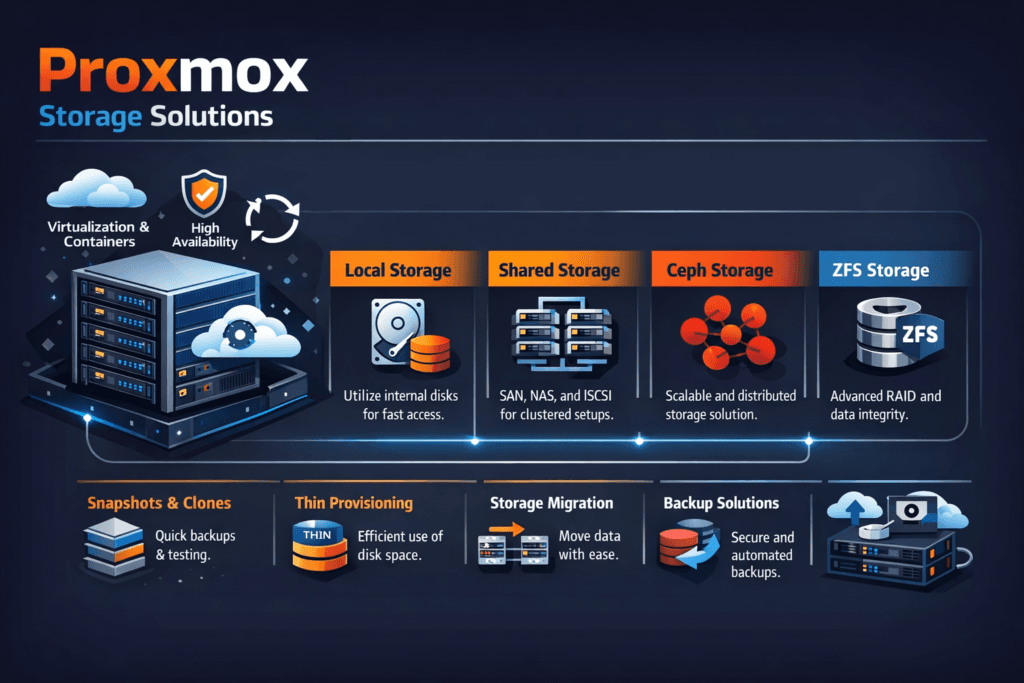
Proxmox Storage Solutions typically refers to storage choices used with Proxmox VE for VM disks, templates, snapshots, and backups. Teams usually pick between local media, shared file storage, or shared block storage. Each option changes how fast a VM boots, how long migrations take, and how stable latency stays under load.
Storage becomes the bottleneck when many VMs hit the same backing store. That pressure shows up as long guest I/O waits, slow backups, and noisy-neighbor issues. A strong design keeps latency tight, keeps rebuild work controlled, and avoids surprise “cliff drops” during node maintenance.
For executives, the real question is simple: how quickly can the platform scale without turning operations into a full-time tuning effort? For operators, the question becomes: how do you keep VM I/O predictable during churn, resync, and expansion? Software-defined Block Storage can help because it applies policy and isolation at the volume layer instead of relying on manual storage zoning.
Optimizing Proxmox Storage Solutions with Modern Solutions
Traditional shared storage often centers on a fixed array and a fixed fabric. That model can work, but it can limit scale and add cost fast. Modern approaches move toward scale-out pools, standard Ethernet, and policy-driven performance.
You also want a clean separation between compute growth and storage growth. When storage scales as a shared service, you can add hypervisor nodes without reworking the storage plan each quarter. Disaggregated storage supports that model and often acts as a practical SAN alternative for teams that want simpler operations.
Kubernetes Storage matters here, even in VM-heavy shops. Many teams run platforms side by side: VMs for legacy apps and Kubernetes for newer services. A storage strategy that spans both reduces tool sprawl and reduces risk during migrations.
🚀 Upgrade Proxmox VE Storage Without a SAN Refresh
Use simplyblock to run NVMe/TCP Software-defined Block Storage and keep VM latency steady as you scale.
👉 Use Simplyblock for Proxmox Storage →
Proxmox Storage Solutions in Kubernetes Storage
VM platforms and Kubernetes Storage solve different problems, yet they share the same storage physics. Both need fast random I/O, low tail latency, and stable throughput under multi-tenant load. If you run VMs and containers in one environment, storage becomes the common layer that either stabilizes the platform or amplifies every spike.
A unified approach usually relies on Software-defined Block Storage that can serve both patterns. For Kubernetes, that means dynamic provisioning and clear performance limits per workload. For VMs, that means predictable VM disk latency during backups, snapshots, and migrations. When the same storage layer supports both, teams reduce duplicated monitoring, duplicated tuning, and duplicated incident response.
Proxmox Storage Solutions and NVMe/TCP
NVMe/TCP lets you extend NVMe semantics across standard TCP/IP networks. It supports shared access to fast media without forcing specialized fabrics in every rack. That makes it attractive for disaggregated designs where compute nodes stay lean, and storage nodes carry the flash.
In Proxmox-style clusters, NVMe/TCP helps most when you want consistent VM latency during parallel activity. Examples include many VMs booting at once, backup windows, and rolling upgrades. NVMe/TCP also fits environments that want to scale with familiar network operations.
Software-defined Block Storage on top of NVMe/TCP can add the control plane features Proxmox operators care about, like isolation, quotas, and predictable rebuild behavior.
Measuring and Benchmarking Platform Performance
Benchmarks should look like VM reality, not a single ideal test. VM fleets generate mixed I/O: metadata reads, random writes, bursty sync, and background work from snapshots or backups. A useful plan measures both peak and steady state.
Focus on four outputs: IOPS, throughput, p95 latency, and p99 latency. Then run the same load while you trigger real events like a node drain, a resync, and a snapshot cycle. Those conditions reveal whether performance stays stable or collapses under internal housekeeping.
Also, watch CPU cost per I/O on storage nodes. If the system burns too much CPU to move bytes, latency rises during busy windows. Efficient data paths matter more as VM density increases.
Approaches for Improving VM Disk Throughput and Latency
The fastest improvements come from removing hidden contention and setting clear limits. Start with the storage path, then lock behavior in with policy.
- Map workloads to the right medium, and keep hot VM disks on NVMe.
- Use NVMe/TCP when you need shared flash over Ethernet and want clean scale.
- Set per-VM or per-volume QoS so one tenant cannot flood the pool.
- Test rebuild and resync under load, and tune until p99 stays steady.
- Prefer Software-defined Block Storage when you need fast growth without array lock-in.
Side-by-side comparison of common Proxmox storage backends
The table below compares common backend patterns and highlights how they behave under VM churn, parallel backups, and mixed workloads.
| Storage pattern | Typical deployment | Performance profile | Operations profile | Best fit |
|---|---|---|---|---|
| Local ZFS / LVM-thin | Per node | Fast for single node, limited sharing | Simple, but migration needs extra work | Small clusters, edge sites |
| NFS share | Central filer | Varies by filer and network | Easy to adopt, can bottleneck | Stable, depends on the array |
| Ceph (RBD) | Scale-out | Can scale, depends on tuning | More moving parts | Larger clusters with storage skills |
| iSCSI SAN | Central array | Fast for a single node, limited sharing | Strong vendor tooling, higher lock-in | Existing SAN estates |
| NVMe/TCP SDS block | Disaggregated pool | Low latency with strong scale | Policy-driven, simpler growth | Performance-focused, modern stacks |
Proxmox Storage QoS and Multi-Tenancy with Simplyblock™
Simplyblock™ targets predictable VM I/O by combining NVMe/TCP with Software-defined Block Storage controls. That approach supports shared flash pools without forcing proprietary arrays. It also helps teams keep latency stable during busy windows like backup runs and node maintenance.
Because simplyblock uses an SPDK-based user-space data path, it can reduce overhead in high-I/O environments. Lower overhead often translates into more consistent tail latency when the cluster pushes hard. Teams can also apply multi-tenant controls and QoS so that “noisy neighbors” stop turning into incidents.
For organizations that run both VM platforms and Kubernetes Storage, a consistent storage layer also reduces tool sprawl and makes migrations less risky.
Trends Shaping VM Storage Performance
VM platforms will keep moving toward faster fabrics and simpler scale-out patterns. Standard Ethernet keeps improving, and NVMe/TCP continues to mature as a practical transport for shared flash. More shops will also standardize on policy-driven storage, because manual tuning does not scale with VM count.
Hardware offload will matter more as well. DPUs and similar devices can shift parts of the storage and network work away from host CPUs. That shift can protect VM latency during peak contention and help operators run denser hosts with fewer surprises.
Related Terms
Teams often review these glossary pages alongside Proxmox Storage Solutions when they set measurable targets for Kubernetes Storage and Software-defined Block Storage.
Storage Virtualization
RADOS Block Device (RBD)
Storage High Availability
QoS Policy in CSI
Questions and Answers
Proxmox supports local disks, shared storage like NFS, and advanced setups with Ceph or ZFS. For high-performance workloads, integrating NVMe over TCP enables low-latency block storage across nodes with commodity hardware.
Yes, Simplyblock integrates easily with Proxmox via iSCSI or NVMe/TCP. It offers software-defined storage with snapshotting, encryption, and high availability—ideal for scaling virtual machines across your cluster.
Key features include shared storage, replication, snapshots, and HA support. Solutions like Simplyblock offer instant volume provisioning with low latency, enabling fast VM failover and efficient backups in clustered environments.
ZFS is powerful for single-node setups, but in clustered Proxmox environments, external storage like Simplyblock brings better scalability, incremental backup, and multi-node performance via NVMe/TCP or iSCSI.
To boost performance, use fast backend storage like NVMe disks and low-latency protocols. NVMe over TCP provides near-local speed over Ethernet, making it perfect for Proxmox VMs running databases or other I/O-heavy workloads.