NVMe over TCP vs NVMe over RDMA
Terms related to simplyblock
NVMe over Fabrics lets hosts access remote NVMe devices across a network while keeping the NVMe command set. NVMe/TCP and NVMe over RDMA both fall under NVMe-oF, but they behave very differently in production.
NVMe/TCP runs NVMe over standard Ethernet and the TCP/IP stack. It favors simple rollout, broad hardware choice, and easier operations across mixed data centers. NVMe over RDMA uses RDMA-capable networks, such as RoCE or InfiniBand, to move data with less CPU work and lower latency. It often delivers tighter tail latency when the network is tuned and stable.
For most teams, the real question is not “which is faster.” The real question is “which stays predictable” under load, failure, and change in Kubernetes Storage.
Key Differences That Shape Real-World Results
NVMe/TCP usually wins on day-one speed to deploy. Teams can run it on common Ethernet, reuse tooling, and avoid a dedicated RDMA fabric. That matters when you scale across racks, sites, and cloud-like patterns.
NVMe over RDMA usually wins on raw latency and host CPU efficiency. RDMA moves data with fewer copies and less kernel work, so hosts spend fewer cycles per I/O. That advantage shows up most when workloads push high IOPS and strict p99 goals.
Network discipline often decides the outcome. RDMA expects consistent loss behavior, congestion control, and careful tuning. TCP handles loss and congestion in a more forgiving way, but it can add CPU overhead and jitter when the stack works hard.
🚀 Pick the Right NVMe-oF Transport for Your Kubernetes Storage Tiers
Use Simplyblock to run NVMe/TCP broadly, add RDMA where p99 latency matters, and keep one control plane.
👉 Compare NVMe/TCP and RDMA with simplyblock →
NVMe over TCP vs NVMe over RDMA for Kubernetes Storage
Kubernetes Storage adds churn that storage teams do not see in classic SAN designs. Pods move, nodes drain, and controllers restart. Storage must keep up without turning every routine event into a latency spike.
NVMe/TCP fits many Kubernetes clusters because it keeps the network model familiar. Teams can standardize on one fabric across general workloads, then grow capacity without reworking the network for every new rack.
NVMe over RDMA can shine for latency-sensitive tiers, such as high-rate databases, streaming pipelines, and tight SLA services. It also demands more network planning, because small mistakes can create noisy tail latency that looks like “random” app stalls.
Software-defined Block Storage matters here because it can hide transport choices behind a consistent volume model. Teams can expose one Kubernetes interface while they run different fabrics under the hood for different service levels.
Deployment and Operations Tradeoffs
Operations leaders often pick NVMe/TCP for broad adoption, then add RDMA where the business needs every microsecond. That plan keeps the main platform stable while still allowing performance tiers.
NVMe/TCP tends to reduce the number of “special cases” in the runbook. It also makes it easier to standardize across bare metal and virtualized nodes. NVMe over RDMA tends to increase the need for network guardrails, strong observability, and tight change control.
Your team’s skill set matters as much as the protocol. A strong RDMA team can keep RDMA stable at scale. A small team often prefers NVMe/TCP to avoid fragile tuning debt.
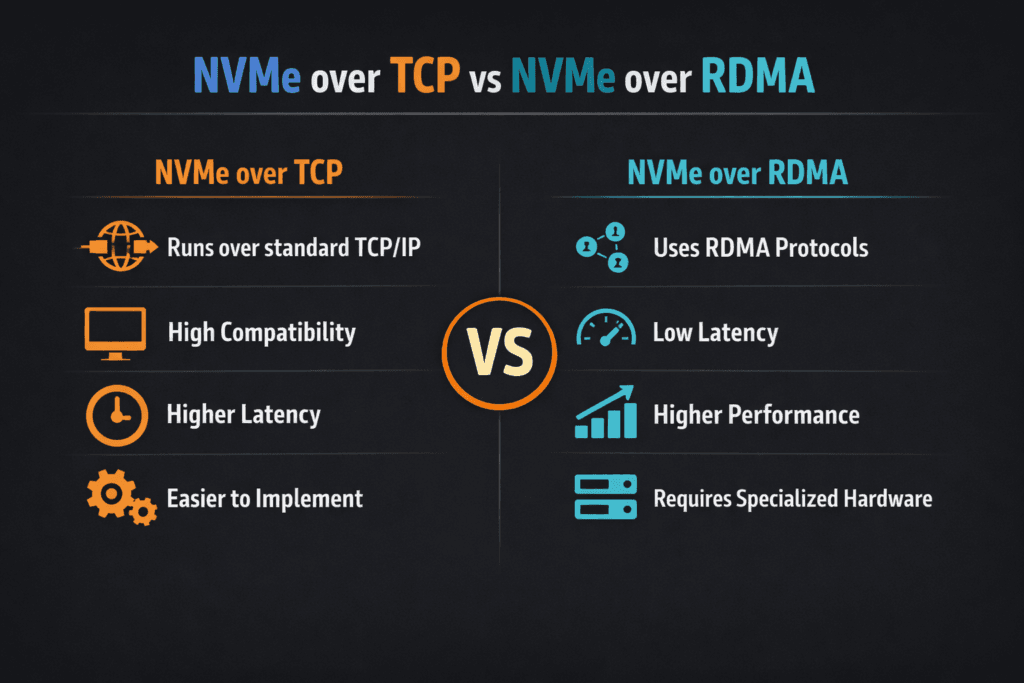
Benchmarking NVMe over TCP vs NVMe over RDMA
Benchmarks should match how your apps behave. Start with a small set of repeatable profiles, then run them at different node counts and load levels. Track IOPS, throughput, and p95/p99 latency, and record host CPU use.
Do not trust “best run” results. Run long enough to see jitter. Include background noise that mirrors production, such as rebuild traffic, resync work, and mixed tenants.
Keep one variable per test. Change block size, or change queue depth, but not both at once. This habit makes root cause work faster when results drift.
Tuning Moves That Usually Pay Off
Most wins come from reducing variance, not chasing peak numbers. Use this checklist as your starting point.
- Keep the I/O path lean, and avoid extra copies where the stack allows it.
- Set clear QoS limits per workload to prevent queue takeover.
- Validate network basics early, including MTU, link speed, and congestion signals.
- Tune queue depth to match the app, not the lab.
- Measure p99 latency and CPU per I/O after every change.
Side-by-Side Comparison for Decision-Making
The table below summarizes what teams typically see when they compare both transports in enterprise Kubernetes Storage.
| Factor | NVMe/TCP | NVMe over RDMA |
|---|---|---|
| Rollout speed | Fast on common Ethernet | Slower without RDMA-ready fabric |
| Network requirements | Standard TCP/IP | RDMA-capable NICs and tuned fabric |
| Host CPU cost | Higher under heavy load | Lower, especially at high IOPS |
| Tail latency | Good, can vary with CPU load | Often lower when tuned well |
| Operations burden | Lower, fewer special cases | Higher, needs tighter guardrails |
| Best fit | Broad workloads, mixed clusters | Higher needs tighter guardrails |
Choosing NVMe over TCP vs NVMe over RDMA with Simplyblock™
Simplyblock™ supports NVMe/TCP and RDMA-based options, so teams can build tiers without splitting platforms. This approach helps when one cluster runs mixed services, and each service needs a different latency budget.
Simplyblock also aligns well with Kubernetes Storage operations because it keeps the volume model consistent while the fabric varies under the surface. Teams can standardize automation, policy, and observability across both transport paths.
For performance, simplyblock leans on SPDK-style user-space design principles to reduce overhead in the data path. That focus helps keep CPU use under control and supports steadier latency as concurrency rises.
What Teams Should Watch Next
More environments will push toward disaggregated designs, where compute and storage scale on their own cycles. That trend increases the need for clear fabric choices and stable tail latency under change.
DPUs and IPUs will also affect the choice. Offload can reduce host CPU cost, which narrows the gap between TCP and RDMA for some workloads. The winning designs will keep operations simple while still meeting strict p99 targets.
Related Terms
Teams check these pages when they plan NVMe/TCP and RDMA tiers.
- NVMe-oF (NVMe over Fabrics)
- RDMA (Remote Direct Memory Access)
- SPDK (Storage Performance Development Kit)
- Zero-copy I/O
Questions and Answers
NVMe over TCP uses standard Ethernet and the TCP/IP stack, while NVMe over RDMA relies on Remote Direct Memory Access over Infiniband or RoCE for ultra-low latency. TCP offers flexibility and simpler networking, while RDMA delivers slightly lower latency at higher hardware complexity and cost.
NVMe over RDMA can achieve marginally lower latency and higher throughput than TCP, especially in environments with RoCEv2 or Infiniband. However, NVMe over TCP often delivers near-equivalent performance with easier deployment and broader compatibility using standard Ethernet.
Yes. NVMe over TCP scales more easily because it runs over existing TCP/IP infrastructure. RDMA requires specialized NICs and lossless networks, making it harder to deploy across distributed or cloud-native environments. Simplyblock leverages TCP to enable scale-out storage across commodity hardware.
NVMe over RDMA is best in tightly controlled data center environments requiring ultra-low latency, like financial trading or HPC workloads. For most modern enterprises, Kubernetes and cloud-native setups, NVMe over TCP offer better flexibility and ease of management.
Simplyblock is built around NVMe over TCP, offering high-performance, secure storage over standard networks without requiring RDMA hardware. This ensures easier adoption and scalability across Kubernetes, VMs, and distributed workloads.