Storage Scalability Limits
Terms related to simplyblock
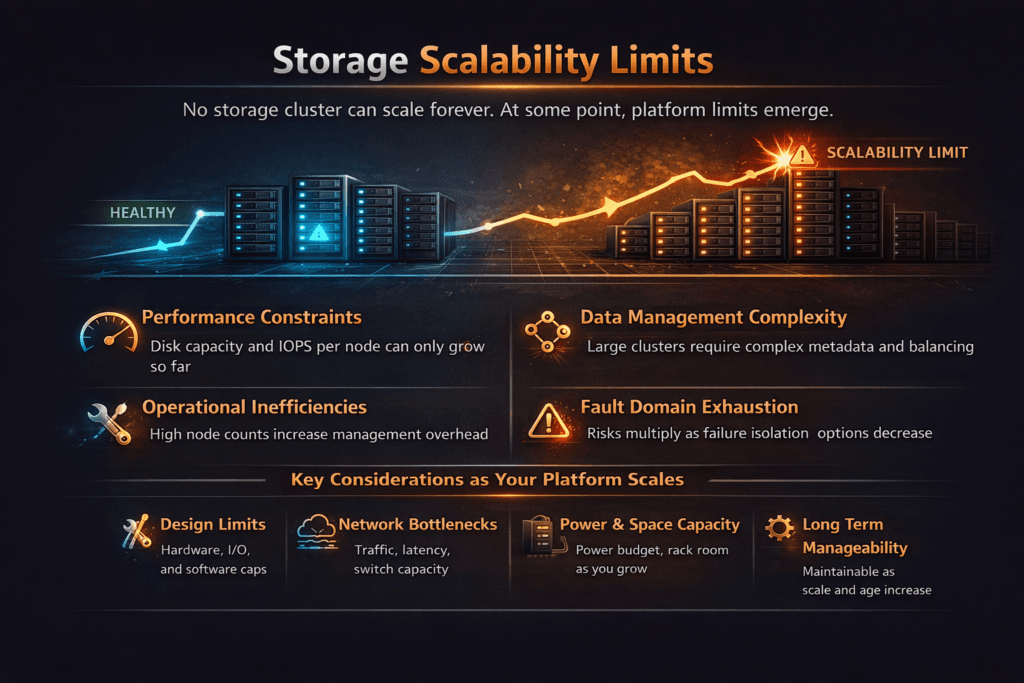
Storage scalability limits describe the point where more nodes, more drives, or more bandwidth stop improving IOPS, throughput, or latency in a steady way. Many teams spot the problem first in p99 latency. The average still looks fine, but the slow tail grows and breaks SLOs. Cost also rises because teams add hardware just to hold the same user experience.
Several forces trigger these limits. CPU often becomes the first wall when the I/O path burns cycles on interrupts, context switches, and extra data copies. Network contention can flatten scaling when east-west traffic runs through oversubscribed links. Metadata and control traffic can steal time during volume churn, snapshots, and rebuilds. A strong Software-defined Block Storage design keeps the hot path short, and it stops background work from taking over the latency budget.
Designing for Scale With Modern Storage Solutions
Modern storage stacks raise headroom by cutting work per I/O and keeping queues under control. User-space data paths help because they avoid a heavy kernel fast path under high concurrency. SPDK follows that model and targets low latency and high throughput on NVMe devices and NVMe-oF targets.
Kubernetes Storage adds its own pressure. CSI gives Kubernetes a standard way to provision and attach volumes, but the back-end design still decides whether performance stays stable at scale. For that reason, platform teams test the full path, from pod I/O to the network and back-end queues, not only raw device speed.
🚀 Remove Storage Scalability Limits in Kubernetes
Use Simplyblock to scale NVMe/TCP volumes with stable p99 latency as nodes and tenants grow.
👉 Use Simplyblock for NVMe/TCP Kubernetes Storage →
Storage Scalability Limits in Kubernetes Storage
Kubernetes Storage can hit scaling walls faster than classic environments because it changes more often. Pod reschedules move I/O to new nodes. Autoscaling increases churn. Multi-tenancy adds contention when several teams share the same pool. Those changes shift queue depth and CPU pressure even when the application load stays flat.
Topology-aware storage classes help, and so does clear placement logic. A cluster also needs guardrails that limit the blast radius when one workload spikes. QoS and tenant isolation matter most when you run databases and shared services side by side. The storage layer should hold steady during node drains, rolling upgrades, and rebuilds, because those events expose real limits.
Storage Scalability Limits and NVMe/TCP
NVMe/TCP extends NVMe-oF over standard Ethernet and TCP/IP networks, which makes it easier to scale without specialized fabrics. It also fits many data center ops models because teams already monitor and automate IP networks.
NVMe/TCP can still hit limits when the stack wastes CPU or when the packet rate becomes the bottleneck. Small-block I/O, high queue depth, and many connections can drive the CPU up before the media saturates. SPDK targets improve that picture by running the hot path in user space and by reducing context switches and extra copies.
Measuring and Benchmarking Storage Scalability Limits Performance
A useful benchmark shows how performance changes as you add clients and nodes. Start with workloads that match production, then increase concurrency in steps. Track p50, p95, and p99 latency, plus IOPS, throughput, CPU per IOPS, and network utilization. fio helps here because it supports repeatable job files and mixed workloads.
Failure testing matters as much as steady-state testing. Rebuild and resync traffic often sets the true ceiling because it competes with foreground I/O. Capture results during degraded mode, then compare them to normal mode to see where the curve breaks.
Operational Tactics to Raise Scaling Headroom
Use these actions to raise headroom without hiding the real issue behind over-provisioning.
- Size the network for packet rate and east-west traffic, not only bandwidth.
- Cut CPU cost per I/O with user-space paths where it fits your risk and support model.
- Apply QoS by tenant or volume tier to prevent queue domination.
- Keep placement consistent across racks and failure domains, and align it with scheduling.
- Test upgrades and failures, then tune rebuild speed so it does not crush p99 latency.
Scaling Breakpoints Across Common Storage Architectures
The table below shows where scaling usually breaks first, the symptoms teams see, and the common fit.
| Architecture pattern | First scaling constraint | Common symptom | Typical fit |
|---|---|---|---|
| Legacy SAN | Controller or storage silo | Flat IOPS, rising latency | Stable workloads, low churn |
| Scale-out SDS on Ethernet | Oversubscription, noisy neighbors | p99 spikes during bursts | Mixed workloads, fast growth |
| NVMe-oF using NVMe/TCP | CPU per I/O, packet pressure | High CPU%, tail latency | Standard Ethernet scale |
| SPDK user-space fast path | Network or media before CPU | Better IOPS per core | High-performance Software-defined Block Storage |
Simplyblock™ Operating Model for Consistent Cluster Growth
Simplyblock™ focuses on predictable scaling by reducing hot-path overhead and controlling contention. Simplyblock uses SPDK to run a user-space, zero-copy style data path, which helps cut CPU cost per I/O under concurrency. It also supports NVMe/TCP, so teams can scale NVMe-oF on standard Ethernet while keeping deployment and automation simple.
Kubernetes Storage teams also need repeatable outcomes during churn. Simplyblock supports multi-tenancy and QoS, so one namespace does not steal the queue. It also supports flexible deployment models, including hyper-converged, disaggregated, and mixed layouts, which help match topology to workload needs.
Emerging Patterns in High-Scale NVMe-oF and Kubernetes Storage
Teams now plan around tail latency because p99 governs user-facing timeouts and database commit stalls. More platforms also add deeper telemetry for queues and jitter, so operators can spot the exact layer that triggers the scaling wall.
Expect more work to move protocol overhead off the host CPU through DPUs and similar offload paths, especially in dense bare-metal clusters. NVMe and NVMe-oF also keep evolving in the ecosystem, so designs that keep the hot path simple will adapt faster.
Related Terms
Teams use these related glossary pages to spot bottlenecks and raise Storage Scalability Limits.
p99 Storage Latency
SPDK (Storage Performance Development Kit)
NVMe/RDMA (Accelerating Data with NVMe/RDMA)
Asynchronous Storage Replication Overview
Questions and Answers
In many scale-out systems, the storage control plane hits limits first because placement, membership, and metadata decisions must stay consistent as nodes and volumes grow. When control-plane work backs up, you’ll see slower provisioning, longer attach times, and “PVC-to-ready” delays even if raw NVMe bandwidth looks fine. Designing around a healthy storage control plane and clean control plane vs data plane separation avoids hidden ceilings.
Replication, erasure coding, and rebalancing can multiply traffic across nodes, so the network becomes the limiter long before media. The tell is rising p99 latency and throughput flattening when adding nodes, because every write fans out and competes for the same fabric. If you’re scaling and performance stops improving, validate storage network bottlenecks in distributed storage and tune placement to reduce cross-node chatter.
Scaling out adds space, but it also triggers data movement to fix skew. If rebalancing runs too aggressively, background I/O steals queue depth and bandwidth from apps, so p99 spikes and workloads time out during “successful” expansions. The fix is rate limits, staged placement changes, and policies that treat storage rebalancing impact as a first-class SLO, not an afterthought.
Multi-tenant environments often fail on latency isolation before they fail on raw capacity. One bursty tenant can consume shared queues and inflate tail latency for everyone unless the storage layer enforces per-volume or per-namespace controls. Strong performance isolation in multi-tenant storage, plus a clear multi-tenant storage architecture, is how you keep scaling without surprise regressions.
Scale-up systems can look great early, then hit ceilings from controller CPU, bus limits, or failure-domain blast radius. Scale-out designs distribute I/O and capacity so growth is incremental, but only if placement and operations are designed for it. If you’re approaching a forklift upgrade, compare scale-up vs scale-out storage and validate the platform supports storage scaling without downtime during real load.