SPDK for NVMe over Fabrics
Terms related to simplyblock
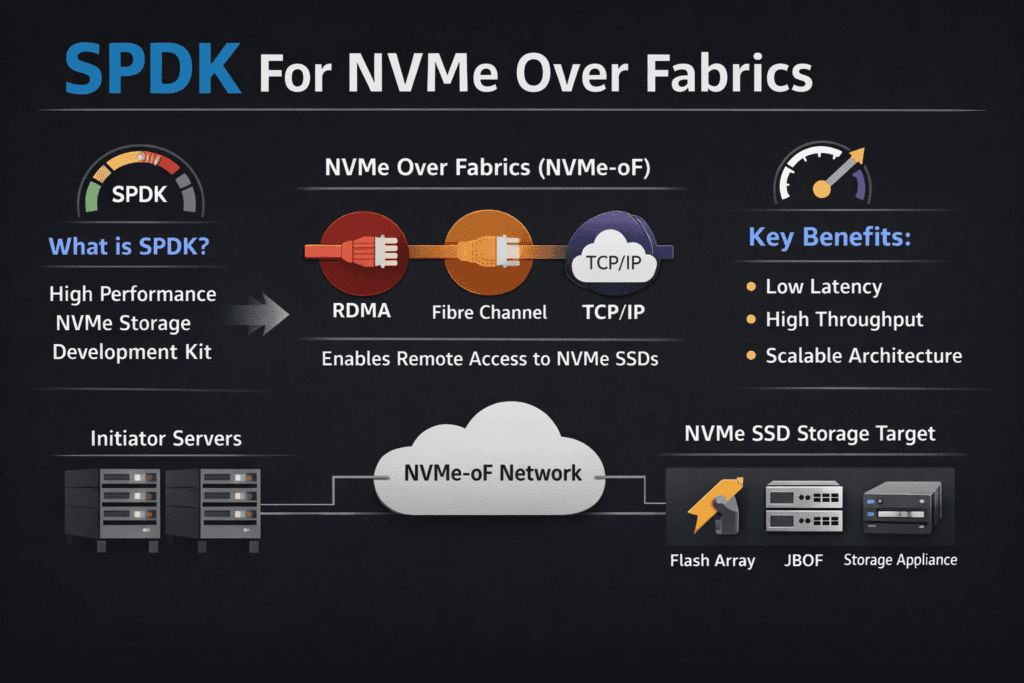
SPDK for NVMe over Fabrics means you run the NVMe-oF data path in user space with the Storage Performance Development Kit (SPDK). This design avoids much of the kernel I/O path, so the system spends fewer CPU cycles per I/O and stays steadier under heavy load. Many teams choose it when they need high IOPS and tight tail latency across a network, not just inside one server.
This approach supports disaggregated designs where compute nodes connect to shared NVMe pools. It also fits latency-sensitive apps such as databases, analytics, and streaming pipelines. With good CPU pinning, NUMA alignment, and sane queue sizing, teams get repeatable performance instead of tuning drills.
Optimizing SPDK for NVMe over Fabrics with User-Space Data Planes
SPDK rewards careful setup. You control core pinning, NUMA placement, queue sizing, and memory behavior. Those choices shape the outcome more than any single “magic” knob, so teams should treat design as a first-class task.
Many organizations use a platform that embeds SPDK instead of building every piece in-house. A platform can standardize upgrades, health checks, and metrics while keeping the fast path lean. That approach lowers ops load and reduces rollout risk.
🚀 Scale SPDK NVMe-oF Without Kernel Overhead
Use Simplyblock to run NVMe/TCP on commodity Ethernet with consistent latency and multi-tenant isolation.
👉 Use Simplyblock for Software-defined Block Storage →
How User-Space NVMe-oF Fits into Kubernetes Storage
Kubernetes Storage adds churn: pods move, nodes drain, and clusters scale. Your storage layer must keep up without latency spikes. User-space NVMe-oF helps by reducing I/O jitter, but Kubernetes still needs solid CSI behavior, fast attach paths, and clear failure handling.
Most teams run one of these layouts. Hyper-converged keeps data services close to apps. Disaggregated pools’ capacity and scales cleanly. Hybrid mixes both so teams can match workload needs without changing app code. In every layout, a Software-defined Block Storage layer helps enforce policy, tenancy, and performance controls across namespaces.
SPDK for NVMe over Fabrics and NVMe/TCP in Real Networks
NVMe/TCP runs NVMe-oF over standard Ethernet, so many enterprises adopt it first. It also fits well across racks and sites where RDMA may not fit. NVMe/TCP can raise CPU cost at high I/O rates, so SPDK’s user-space model often matters even more in this transport.
Some teams reserve RDMA for a small set of ultra-low-latency jobs and use NVMe/TCP for everything else. That split works best when one Software-defined Block Storage layer manages both paths and keeps ops consistent.
Proving Results – Measuring NVMe-oF Performance the Right Way
Strong testing starts with real workload shapes. Use the same block sizes, read/write mix, and thread counts your apps use. Track IOPS, throughput, and p95/p99 latency in every run, not just average latency. Tail metrics show where apps will hurt first.
Kubernetes adds its own checks. Measure volume, create time, attach and mount delay, and stability during node drains and rolling updates. Watch CPU per I/O as well, because wasted cores turn into wasted budget.
Practical Tuning Moves for Lower Latency and Higher Throughput
Change one thing at a time, then re-test with the same workload profile. These steps often bring quick gains:
- Pin poll threads to set CPU cores, and match them to NUMA zones on both sides of the link.
- Size the queue depth and queue counts to fit the drive, the NIC, and the app’s real parallelism.
- Use hugepages and fixed memory pools to cut stalls in hot code paths.
- Set QoS limits and tenant controls to prevent one workload from crushing another.
- Tune the Ethernet path for NVMe/TCP with the right MTU, congestion control, and NIC offloads, then validate p99 again.
Architecture Options for User-Space NVMe-oF
The table below compares common paths teams take when they want user-space NVMe-oF in production.
| Approach | What you gain | What you trade off | Best fit |
|---|---|---|---|
| DIY SPDK + custom NVMe-oF | Full control and flexible design | High build and ops load | Labs, special appliances |
| Kernel NVMe-oF stack | Known tools and broad OS support | More overhead and more jitter | General needs, simpler ops |
| SPDK inside a storage platform | User-space speed plus managed ops | Platform choice matters | Scale-out Kubernetes Storage |
Running SPDK at Scale with Simplyblock™
Simplyblock™ uses an SPDK-based, user-space, zero-copy data path to keep NVMe-oF fast and steady. It also supports NVMe/TCP for wide use and ties into Kubernetes Storage with an ops-first approach. Teams can run hyper-converged, disaggregated, or hybrid layouts while keeping one Software-defined Block Storage layer for control, tenancy, and QoS.
Executives get clearer performance bounds and fewer late surprises during growth. Operators get fewer manual tuning loops, better guardrails, and more stable tail latency in shared clusters.
Where User-Space NVMe-oF Is Headed Next
Vendors will keep pushing CPU efficiency per I/O and tighter p99 control under mixed load. Hardware offload will also matter more as DPUs and IPUs spread into data centers. Transport-aware policy will become common, so the system can adapt to NVMe/TCP versus RDMA behavior without forcing app changes.
Kubernetes teams will also demand storage that behaves like an SLO-backed service. The best stacks will pair a fast user-space path with clear policy, strong isolation, and simple ops.
Related Terms
Teams often pair these terms with SPDK for NVMe over Fabrics when tuning NVMe/TCP and Kubernetes Storage.
Questions and Answers
SPDK keeps the NVMe-oF hot path in the user space, reducing context switches and extra copies that typically add jitter at high queue depth. This usually improves IOPS-per-core and stabilizes p99 for remote NVMe access. The core concepts are covered in SPDK, SPDK Architecture, and What is NVMe-oF.
The “best” transport depends on whether you’re optimizing for simplicity, lowest latency, or existing SAN infrastructure. NVMe/TCP is operationally simple on Ethernet, NVMe/RDMA targets lower latency but needs RDMA-capable gear, and NVMe/FC fits Fibre Channel environments. Compare them with NVMe over Fabrics Transport Comparison and NVMe over TCP vs NVMe over RDMA.
Start by validating discovery, reconnect behavior, and path redundancy, because “fast” means nothing if failover stalls I/O. Host-side pathing is a common blind spot, so confirm multipath design and test link/target loss under load. The key building blocks are SPDK Target and NVMe multipathing.
In practice, the ceiling often shows up as a fabric problem first: oversubscription, east–west contention, or packet-loss-driven retries raise p99 while NVMe media still has headroom. SPDK reduces software overhead, but it can’t outrun a saturated network. Validate this with Storage network bottlenecks in distributed storage and your NVMe over TCP Architecture.
Benchmark with production-like block sizes, read/write mix, and concurrency, then judge p95/p99 plus CPU-per-IOPS instead of peak throughput. Also test degraded conditions like reconnects and sustained background load. Use Storage performance benchmarking and targeted fio NVMe over TCP benchmarking.