Database Performance vs Storage Latency
Terms related to simplyblock
Database Performance vs Storage Latency describes a core tradeoff in production systems: the database may have free CPU, but it still slows down when storage replies late or with jitter. Each extra millisecond stretches commit time, increases lock hold time, and reduces steady throughput. Teams often add replicas or bigger nodes to recover speed, yet storage latency still sets the pace for many OLTP and mixed workloads.
Kubernetes Storage can amplify this effect. Pod moves, shared nodes, and shared network paths change queue depth and create jitter. A Software-defined Block Storage layer should protect latency first, then chase peak IOPS. NVMe/TCP helps when you need fast networked storage on standard Ethernet without an RDMA-only fabric.
What “Database Performance” Means in Real Workloads
Database performance measures how quickly the system completes user work under concurrency. Production traffic triggers reads, index updates, log writes, and flushes. Those waits stack up inside transactions.
Many engines link latency to correctness. They only confirm a commit after they persist the log record. When storage takes longer, commit time rises even if the CPU stays idle. As commit time rises, queues grow, and p99 gets worse.
🚀 Keep Database p99 Stable When Kubernetes Storage Gets Busy
Use simplyblock to run NVMe/TCP Software-defined Block Storage with tenant-aware QoS.
👉 Use simplyblock for Multi-Tenancy and QoS →
Database Performance vs Storage Latency in OLTP Systems
Database Performance vs Storage Latency shows up early in OLTP because OLTP issues many small, ordered IOs. A modest rise in write latency can cascade into slow commits, lock waits, and app timeouts.
The loop stays simple: a transaction writes the log, waits for durability, releases locks, and returns. Storage latency extends the wait. Longer waits reduce transactions per second because worker threads stay busy longer. Once the pool fills, the app reports a “slow database,” even when the query plan stays unchanged.
Database Performance vs Storage Latency in Kubernetes Storage
Database Performance vs Storage Latency becomes harder in Kubernetes Storage because the data path changes during normal ops. A reschedule can move IO to a node with different CPU pressure. A rolling upgrade can add background IO while user traffic runs. Multi-tenant clusters can add queueing even when the database workload stays steady.
Platform teams can reduce these swings when they standardize storage classes by tier, apply QoS limits, and keep background jobs from stealing the latency budget. This approach beats one-time tuning because clusters keep changing.
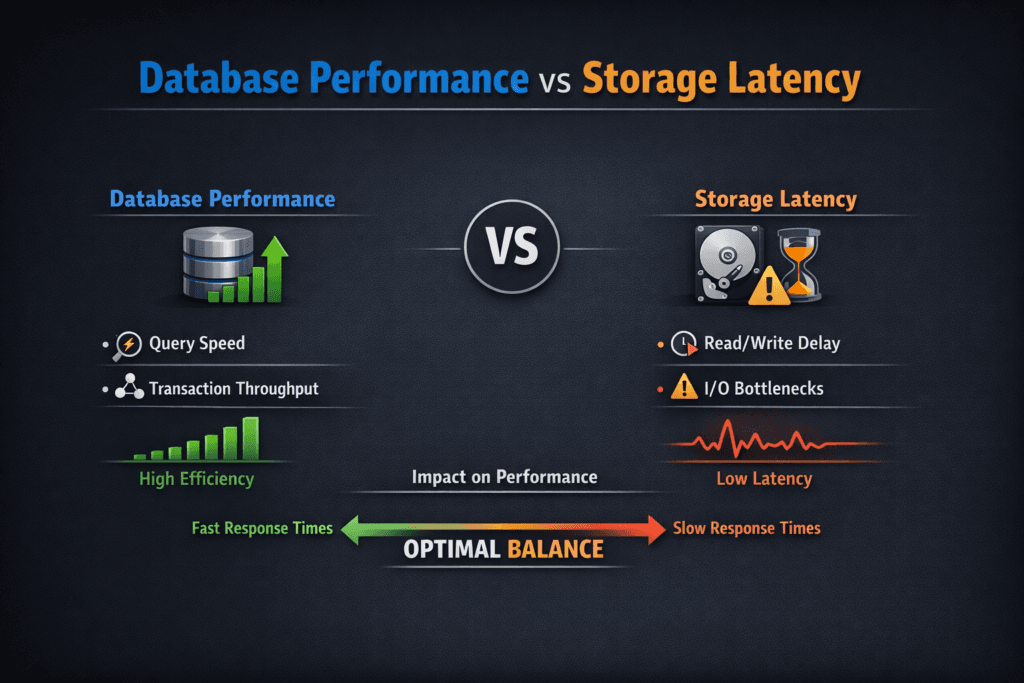
Database Performance vs Storage Latency With NVMe/TCP Data Paths
NVMe/TCP can improve consistency when teams replace older protocol stacks with an NVMe-oF transport that runs on standard Ethernet. Databases benefit when the block layer returns IO quickly and steadily under concurrency.
NVMe/TCP still depends on the full path. Network drops, retransmits, and CPU contention can add jitter. An efficient user-space data plane, such as an SPDK-based stack, can lower CPU cost per IO and reduce avoidable overhead. That helps protect p99 when the load rises and when multiple tenants share the same cluster.
How to Prove the Relationship With Simple Metrics
Start with percentiles. Average latency hides the pain that breaks databases. Track p95 and p99 for reads and writes, then line them up with database signals like commit time, lock wait time, and replication lag.
Use workload-shaped IO tests to set a baseline for the volume, then run a real database load test to confirm the effect. When p99 storage latency rises and commit time rises with it, storage becomes the limiter. When commit time rises without a matching latency jump, look at locks, CPU, and query shape.
Practical Moves That Improve Both Sides of the Tradeoff
Apply changes in small steps, retest, and keep what works as policy.
- Keep database Pods on stable nodes with enough CPU headroom, so IO handling does not fight the scheduler.
- Split latency tiers by storage class, so heavy batch jobs do not share queues with OLTP commits.
- Isolate tenants with QoS at the block layer, not only at the network layer.
- Cap rebuild, rebalance, and backup traffic during peak hours, so background work does not drown the log path.
- Tune NVMe/TCP networking for low drops and steady queueing, then validate with p99 under peak load.
- Shorten the IO path with an efficient, user-space storage target, so hosts spend fewer cycles per IO.
Database Performance vs Storage Latency Compared – What Changes First
The table below compares how database behavior shifts as storage latency changes, including what teams typically do to restore stable performance.
| Storage Latency Profile | What the Database Does | What You See in Production | What Helps Most |
|---|---|---|---|
| Low and steady (tight p99) | Commits complete quickly | High TPS, stable p99 query time | NVMe/TCP, short IO path, QoS |
| Low average, high jitter (spiky p99) | Threads wait longer on flush/read | Random timeouts, unstable p99 | Tenant isolation, rebuild limits |
| High but steady | Throughput drops predictably | Lower TPS, fewer spikes | Faster media, better protocol path |
| High and jittery | Queues grow under load | Lock waits, replica lag, stalls | QoS, clean network, SPDK path |
Keeping Database p99 Stable With Simplyblock™ Controls
Simplyblock™ targets predictable performance for Kubernetes Storage with Software-defined Block Storage controls that reduce latency swings. It supports NVMe/TCP and uses an SPDK-based approach to keep IO handling efficient under high concurrency. That design helps database platforms hold steady p99 latency without wasting CPU on storage overhead.
Simplyblock also supports multi-tenancy and QoS, which matters when several database teams share the same cluster. Those controls keep one tenant’s burst from turning into another tenant’s outage. Platform owners gain clearer SLO ownership and better cost control because they can set limits as policy.
What Changes Next for Database Latency Targets
Database teams now treat tail latency as an SLO, not a troubleshooting metric. Storage platforms will respond with more policy-driven QoS, clearer latency visibility, and smarter placement that accounts for storage locality.
DPUs and IPUs will also take on more network and storage work, which can free host CPU and reduce jitter in dense clusters. NVMe/TCP will stay a practical default for many teams because it scales on standard Ethernet while still delivering NVMe semantics.
Related Terms
These pages support troubleshooting alongside Database Performance vs Storage Latency.
Questions and Answers
Storage latency directly affects transaction processing, query times, and replication speed. Even small increases in latency can slow down high-IOPS databases. Using low-latency block storage like NVMe over TCP ensures databases stay responsive under load.
To maintain optimal performance, read/write latency should typically be below 1 ms. Simplyblock’s Kubernetes-native storage delivers sub-millisecond latency across NVMe/TCP volumes, making it ideal for production databases.
No. OLTP databases are especially sensitive due to frequent small I/O, while OLAP systems tolerate slightly higher latency. Simplyblock enables workload-specific tuning for both cases using flexible CSI-based provisioning.
Yes. Lower storage latency results in faster commit cycles and less replication lag. In distributed databases, this ensures better consistency and faster failover. Simplyblock supports high-performance persistent volumes for multi-node replication environments.
Use tools like pg_stat_io, iostat, or Prometheus exporters to monitor latency. Pairing these insights with a storage platform like Simplyblock’s scale-out architecture allows tuning per volume for optimal database performance.