Direct Attached Storage (DAS)
Terms related to simplyblock
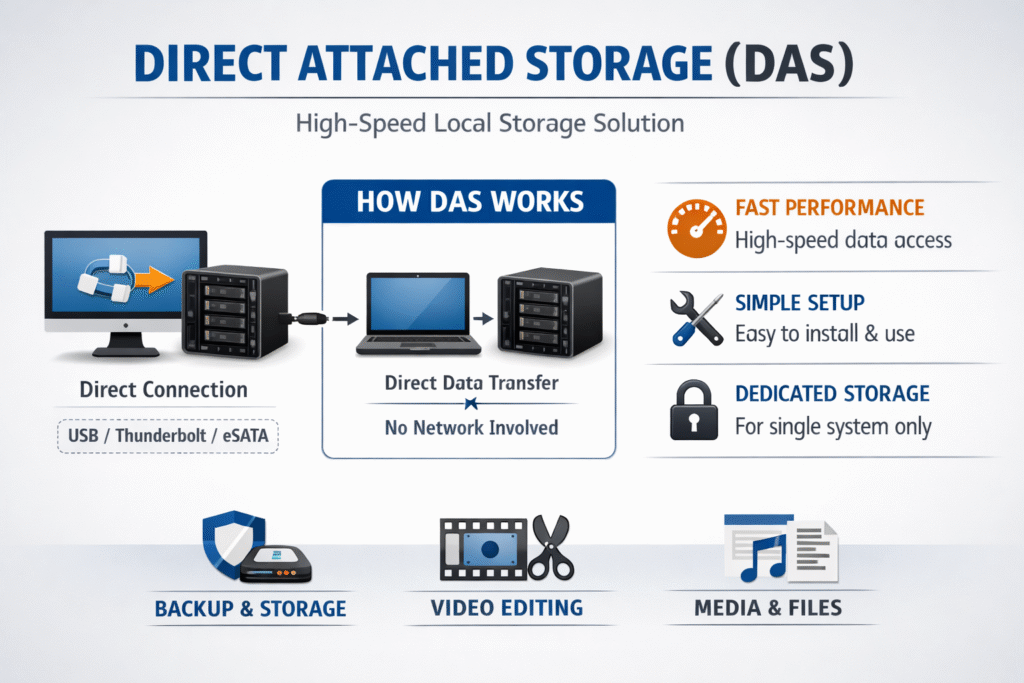
Direct Attached Storage (DAS) connects disks or SSDs straight to a single host, without a storage network in between. That setup can use SATA, SAS, or NVMe, and it often delivers strong latency because the I/O path stays short.
Teams pick DAS for cost, simplicity, and local-disk behavior. Teams also hit hard limits once they need shared access, fast failover, or consistent storage operations across many nodes.
Direct Attached Storage (DAS) ties storage to one server. A SAN provides shared, block-level storage over a storage network and can present remote volumes as local devices to hosts. A NAS provides file-level storage over a network.
How Direct Attached Storage (DAS) Works in Baremetal and Virtualization
DAS lives either inside the server (internal bays) or in an external enclosure that still attaches to one host. The host OS owns the disks, schedules I/O, and handles failures at the node boundary.
Virtualization platforms often like DAS because it keeps latency tight for a single host. The tradeoff shows up when you want live migration, shared datastores, or fast recovery after a host failure. Those workflows push teams toward shared block storage, such as a SAN, or toward clustered storage that exports volumes across the network.
When leaders evaluate DAS, they should separate fast for one box from fast for a fleet. The first is easy. The second needs pooling, policy, and automation.
🚀 Move Beyond Direct Attached Storage (DAS) with Shared NVMe/TCP Volumes in Kubernetes
Use simplyblock to pool NVMe devices across nodes, keep latency tight, and scale Software-defined Block Storage without host lock-in.
👉 Use Simplyblock Kubernetes Storage with NVMe/TCP →
Direct Attached Storage (DAS) Limits for Shared Platforms
DAS breaks down in shared environments for a simple reason: the storage sits on one node. That creates practical limits.
Capacity stays stranded on the node that owns it. Failover usually means you rebuild or restore data elsewhere. Scaling also forces lift-and-shift moves, not smooth expansion.
Operational risk rises when teams treat local disks like a shared service. Even when the drives stay healthy, the host becomes a single point of access. That risk drives many teams to SAN-style designs, or to software-defined pooling that behaves like a SAN alternative.
If you run multi-tenant systems, DAS also makes isolation harder. One loud workload can consume local queue depth, and other workloads on the same node pay the latency bill.
Direct Attached Storage (DAS) in Kubernetes Storage
Kubernetes Storage can use node-local disks, and local persistent volumes represent storage that attaches directly to one node. This approach can deliver consistent low latency, but it also ties the volume to that node’s lifecycle.
That node tie-in shapes how teams design stateful apps. StatefulSets often work well with local disks when the app can rebuild replicas, and when teams accept slower recovery after node loss. Databases that need fast failover, zonal resilience, or portable volumes usually need something beyond DAS.
Many platform teams standardize on a shared storage backend for most workloads, then use local disks for a narrow tier that truly needs local latency. This is where Software-defined Block Storage becomes useful: it provides shared pools with policy controls while keeping latency close to local for many workloads.
NVMe/TCP as a DAS-Like SAN Alternative
NVMe/TCP extends NVMe across standard Ethernet, which lets teams separate compute and storage while keeping an NVMe-style command set and queueing model.
That makes NVMe/TCP a practical bridge between DAS-like latency goals and shared-pool needs. You can build disaggregated storage pools and serve many Kubernetes nodes without forcing specialized fabrics on day one.
Data-path efficiency still matters. User-space, SPDK-based designs reduce kernel overhead and help platforms deliver high performance with better CPU efficiency, especially under mixed load.
DAS vs SAN vs Software-defined Block Storage
The table below compares common choices teams evaluate when they outgrow single-host local disks and need shared volumes for Kubernetes and baremetal.
| Option | Shared Access | Scaling Model | Typical Latency Profile | Best Fit |
|---|---|---|---|---|
| DAS | No | Scale “per node” | Lowest on one node | Single-host apps, edge tiers |
| SAN | Yes | Add arrays and fabric | Low to medium | Centralized block storage, virtualization |
| NVMe/TCP pooled storage | Yes | Scale-out pools | Low, often near-local | Disaggregated fleets, Kubernetes Storage |
| Software-defined Block Storage | Yes | Policy-driven scale-out | Low to medium | Multi-tenant platforms, SAN alternative designs |
How Simplyblock™ Delivers Shared Storage Without DAS Pain
Simplyblock™ targets teams that want local-like performance without tying data to a single host. Simplyblock provides Kubernetes Storage with NVMe/TCP volumes via CSI, which supports both hyper-converged and disaggregated layouts.
Simplyblock™ also leans on an SPDK-based, user-space architecture to reduce overhead in the I/O path, and it adds multi-tenancy and QoS to keep noisy neighbors from consuming shared performance.
This combination positions simplyblock as a SAN alternative for teams that want shared pools, clear policies, and scale-out behavior, without giving up NVMe/TCP performance characteristics.
What Changes Next for Local Disks and Shared Pools
Teams keep pushing more stateful systems into Kubernetes, and that trend increases pressure on storage portability and operations. Local disks will stay valuable for narrow tiers, but shared pools will keep gaining ground for general-purpose stateful services.
At the same time, disaggregated designs will keep improving as platforms tighten the I/O path and offload work to DPUs, which can reduce host CPU noise and keep latency steadier under load.
Related Terms
Teams often review these glossary pages alongside Direct Attached Storage (DAS) when they plan Kubernetes Storage and Software-defined Block Storage that balances latency, portability, and scale.
Storage Composability
Disaggregated Storage
Hyper-Converged Storage
Network Storage Performance
Questions and Answers
DAS connects storage directly to a server or host, unlike SAN or NAS, which use a network for access. While DAS offers lower latency, it lacks the scalability and remote accessibility of networked storage—making it ideal for local, high-speed workloads with simple deployment needs.
While DAS can deliver fast IO, it lacks the flexibility and resiliency needed for Kubernetes. Modern clusters benefit more from software-defined storage that supports container-native operations, dynamic provisioning, and remote volume access through protocols like NVMe over TCP.
Yes. DAS is often used in HPC workloads that require ultra-low latency and dedicated bandwidth. However, integrating it into cloud-native stacks can be challenging without abstraction layers or composable storage architectures that can expose DAS-like performance over the network.
DAS lacks isolation and dynamic provisioning, making it unsuitable for multi-tenant Kubernetes platforms. Unlike networked volumes, DAS can’t be easily reassigned or encrypted per tenant, which poses security and manageability issues.
Solutions like Simplyblock offer NVMe-backed storage with DAS-like performance but delivered via network fabrics. This combines the low-latency benefits of DAS with the flexibility, scalability, and multi-host support of distributed storage—ideal for modern cloud-native environments.