Fio Kubernetes Persistent Volume Benchmarking
Terms related to simplyblock
Fio Kubernetes Persistent Volume Benchmarking means running fio inside a Kubernetes pod to measure how a PersistentVolume (PV) and its backing storage behave under real app-style I/O. The goal is not “max IOPS at any cost.” The goal is repeatable numbers for latency, IOPS, and throughput that match what your workloads see through Kubernetes Storage and the CSI path.
Teams use this method to answer practical questions. How fast does a StorageClass stay at p99 when pods scale out? Does the platform keep latency steady during node drains? Does the storage layer enforce fair use across tenants in Software-defined Block Storage? When you run fio close to the workload, you capture the impact of cgroups, filesystem choices, kubelet behavior, and the network path.
Getting repeatable results with a current storage stack
You get clean benchmarks when you control the test shape, the pod placement, and the storage path. Start by fixing block size, queue depth, and runtime. Then pin the job to a node pool that matches production. Finally, keep the storage target consistent across runs so the results reflect change, not drift.
If your storage platform uses a user-space NVMe data path, you usually see tighter latency and better CPU use at higher load because the stack avoids extra kernel transitions. SPDK is a common base for this approach, and it fits NVMe and NVMe-oF designs well.
🚀 Benchmark Kubernetes Persistent Volumes with fio, Then Remove Storage Bottlenecks
Use Simplyblock to standardize tests on NVMe/TCP and keep p99 latency steady at scale.
👉 Use Simplyblock for Kubernetes Storage Benchmarks →
Fio Kubernetes Persistent Volume Benchmarking in Kubernetes Storage
Kubernetes Storage changes benchmarking in ways that host-based tests miss. The CSI driver, sidecars, and kubelet mount flow can add delay during pod restarts and scale events. Pod CPU limits can also throttle the initiator stack, which raises latency even when the storage media sits idle. That’s why fio-in-pod tests tend to match production better than “run fio on the node” shortcuts.
When you scope results, separate lifecycle timing from steady I/O. PVC provisioning and mount time affect rollout speed. Read and write latency percentiles affect user-facing SLOs. Kubernetes docs for PVs and PVCs provide the baseline terms for this workflow.
Fio Kubernetes Persistent Volume Benchmarking and NVMe/TCP
NVMe/TCP matters because it lets you run NVMe semantics over standard Ethernet and routable IP networks. That makes it a strong default for disaggregated designs that need scale without a fabric rebuild. NVM Express publishes the NVMe/TCP transport spec, which helps teams understand features that can affect performance and integrity.
In practice, NVMe/TCP benchmarks should track two things at the same time: storage latency percentiles and CPU use on both initiator and target. CPU headroom often becomes the hidden limiter before the NVMe media hits its ceiling.
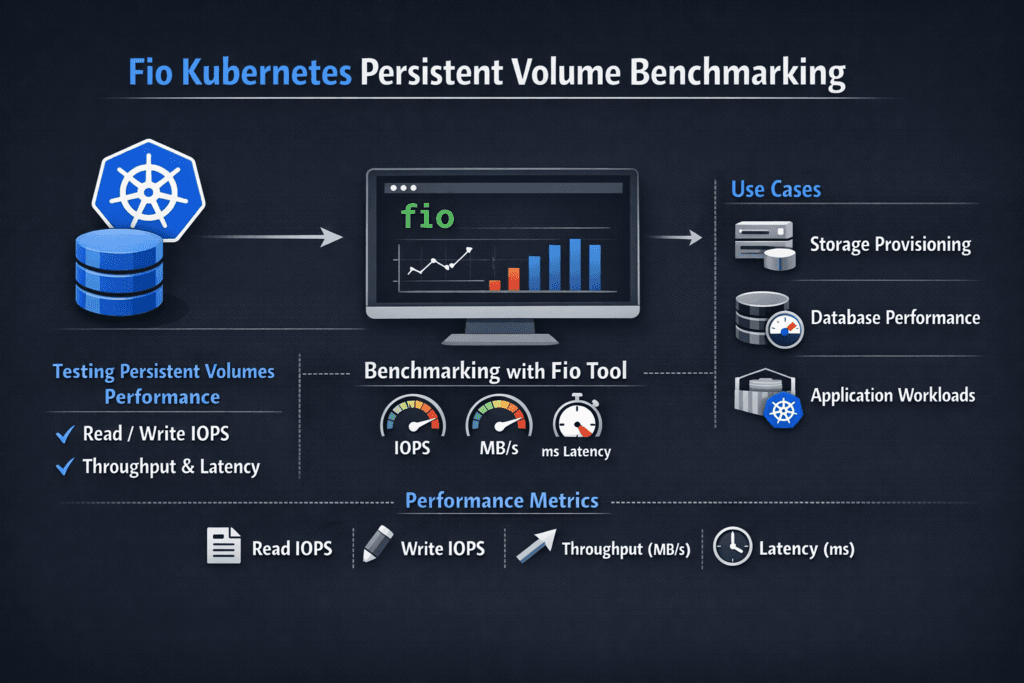
Measuring and Benchmarking Fio Performance for Kubernetes Persistent Volumes
Treat fio runs as a controlled experiment. Use the same StorageClass, the same volume size, and the same node placement rules across runs. Report percentiles, not only averages. Capture at least p50, p95, and p99 latency, plus IOPS and throughput.
Also, test the shapes your apps use. Small random writes stress metadata and journals. Mixed read/write patterns show fairness issues across tenants. Longer runs expose jitter from background work and compaction.
Practical ways to improve benchmark signal quality
Use one controlled list, so your team can follow the same playbook across clusters.
- Pin the fio pod to a dedicated node pool, and give it stable CPU to avoid throttling noise.
- Run separate jobs for the filesystem and the raw block, so you don’t mix two data paths in one number.
- Keep runtime long enough to see steady state, and discard early “warm-up” seconds.
- Record node CPU, network, and storage target CPU so you can spot the real bottleneck.
- Repeat the test during a node drain or rollout to capture lifecycle impact, not just steady I/O.
Storage stack trade-offs for fio-on-PV tests
The table below compares common PV backends and how they tend to behave under fio inside Kubernetes.
| PV backend approach | Typical strength in fio runs | Common risk | Best fit |
|---|---|---|---|
| Legacy SAN-style volumes | Familiar ops model | Tail latency drift under churn | Stable, low-change estates |
| Generic CSI network block | Easy onboarding | Sidecar and node CPU spikes | General workloads |
| NVMe/TCP-backed Software-defined Block Storage | Strong p99 stability at scale | Needs CPU-aware sizing | Databases, queues, analytics |
| RDMA-only NVMe-oF lane | Lowest latency in ideal cases | Higher fabric complexity | Ultra-low-latency pools |
Fio Kubernetes Persistent Volume Benchmarking with Simplyblock™
Simplyblock™ helps teams run fio benchmarks that stay consistent as clusters grow. Simplyblock provides Software-defined Block Storage for Kubernetes Storage with an NVMe-first design, and it supports NVMe/TCP as a primary transport. That lets you benchmark disaggregated storage without relying on specialized network gear.
Simplyblock also leans on an SPDK-based user-space data path, which improves CPU efficiency and reduces jitter under load. When you pair that with multi-tenant controls and QoS, you can keep test results repeatable across teams and environments. The simplyblock CSI driver repo shows how the platform integrates through standard CSI flows.
Future directions for Fio-driven PV benchmarking
Expect better automation around test scheduling, baselines, and regression alerts. Teams already treat benchmarks like unit tests for infrastructure. The next step adds policy: fail a change if p99 regresses, or if CPU-per-IO climbs past a threshold.
Hardware offload will also shape results. DPUs and IPUs can shift parts of networking and storage processing away from host CPUs, which can tighten latency at higher I/O rates. As that trend grows, fio-in-Kubernetes will remain the simplest way to validate what apps actually get.
Related Terms
Short links that help you interpret fio results and tie them to PV behavior.
Questions and Answers
To run Fio benchmarks in Kubernetes, create a pod with access to a PersistentVolumeClaim (PVC) and run Fio inside the container. Use direct I/O, appropriate block sizes, and a realistic iodepth to simulate production-like workload behavior on persistent storage.
Set Fio to use libaio or io_uring, test with block sizes like 4K (for OLTP) or 128K (for throughput), and configure iodepth between 16 and 128. These parameters reveal IOPS, bandwidth, and latency across different Kubernetes stateful workloads.
To reduce interference, run Fio on dedicated test nodes or use taints/tolerations. Also, ensure no other pods share the PVC or underlying volume. Simplyblock supports multi-tenant isolation, helping ensure clean, repeatable benchmark data.
Track read/write IOPS, average and 99th percentile latency, throughput, and queue depth. Use Fio output in JSON mode for easy integration with dashboards. This gives a full view of how the storage backend handles real load.
Yes. Simplyblock volumes are fully CSI-compatible and ideal for Fio-based benchmarking of persistent volumes. Users can validate NVMe/TCP performance under production-like conditions across Kubernetes deployments before going live.