Fio Queue Depth Tuning for NVMe
Terms related to simplyblock
Fio queue depth tuning focuses on iodepth and how many I/O requests stay in flight at the same time. With NVMe, queue depth shapes throughput, tail latency, and CPU load. Low depth keeps latency tight, but it can leave performance on the table. High depth can push more work through the device, yet it can also raise p99 latency and cause jitter during bursts.
Leaders care about this because queue depth changes the cost curve. The wrong setting burns CPU, drives timeouts, and makes performance look random across nodes. The right setting supports steady service levels across clusters and tenants.
How Queue Depth Fits Modern NVMe Stacks
Queue depth works best when the storage path stays short. If the I/O path spends too much time in overhead, higher depth only piles up more work behind the same bottleneck. A clean path gives you a clear tradeoff: add depth to increase concurrency until latency rises faster than IOPS.
Software-defined Block Storage platforms can help because they standardize the I/O path across nodes. When the platform also keeps CPU per I/O low, you gain room to scale depth without hitting a hard ceiling on cores.
🚀 Push Higher fio iodepth Without Burning CPU
Use Simplyblock’s SPDK-based engine to keep the I/O path lean as queue depth rises.
👉 See NVMe-oF + SPDK Storage Engine →
Fio Queue Depth Tuning for NVMe in Kubernetes Storage
Kubernetes Storage adds two constraints: shared tenancy and frequent lifecycle events. Pods restart, nodes drain, and volumes move. Those events do not stop I/O demand, so the queue depth needs to behave well under churn.
In-cluster fio testing should mirror how the app runs. A benchmark that ignores CPU limits, cgroup behavior, and noisy neighbors will overstate what production can sustain. Treat queue depth as part of your SLO plan. Set a p99 target first, then tune iodepth and concurrency to reach the best throughput inside that boundary.
Fio Queue Depth Tuning for NVMe and NVMe/TCP
NVMe/TCP changes the tuning math because the host CPU and the network path join the device in the critical path. Queue depth can lift throughput by keeping the pipeline full, but it can also turn small hiccups into visible tail spikes when the queues back up.
A practical rule holds in most environments: tune depth until you hit stable saturation, then stop. Past that point, the system often trades predictable latency for small throughput gains. In Kubernetes deployments that rely on NVMe/TCP, the best results come from balancing three limits at once: CPU headroom, network stability, and device capability.
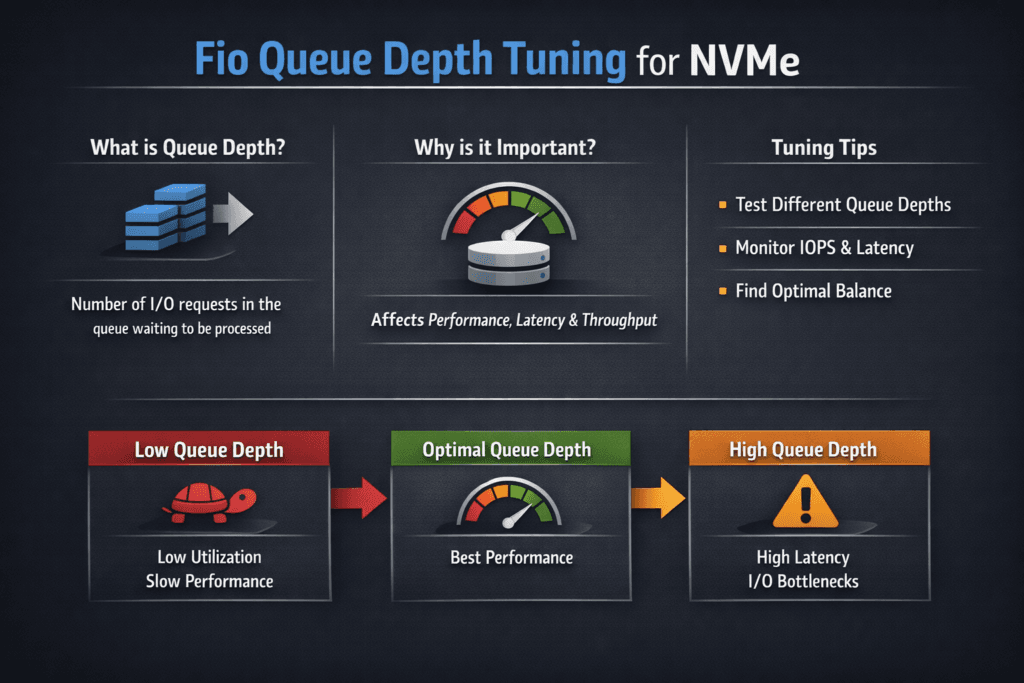
Benchmarking the Impact of Queue Depth
A strong test plan changes one variable at a time. Keep block size and read/write mix fixed, then sweep queue depth across a small range. Track more than peak IOPS. Capture p95 and p99 latency, plus CPU use, because CPU often becomes the real limiter before the media does.
Also, test under two conditions. First, run an isolated node test to learn the ceiling. Next, run during normal cluster load to expose contention. Those two runs often tell different stories, and the second story is the one that matters.
Practical Tuning Moves That Keep Latency in Check
Use this short playbook to tune quickly and avoid false wins:
- Start at
iodepth=1Then double it until p99 latency climbs faster than throughput. - Keep
numjobslow at first, then raise it only if one job cannot fill the device. - Match the pattern to the app: small random for OLTP, larger blocks for scans and backups.
- Watch CPU per I/O, because throttling can hide behind “good” IOPS.
- Repeat the sweep during a rolling restart or node drain to see real jitter.
Queue Depth Tradeoffs Across Common fio Patterns
The table below frames what most teams see when they tune queue depth. Use it as a guide, then validate on your own hardware, kernel, and network.
| Fio pattern | Low depth (1–4) | Mid depth (8–32) | High depth (64+) |
|---|---|---|---|
| Random read, small blocks | Tight latency, lower IOPS | Strong balance | Higher jitter risk |
| Random write, small blocks | Stable, slower | Often best point | Tail spikes show up |
| Sequential read/write | Leaves bandwidth unused | Near-peak throughput | Diminishing returns |
| Mixed read/write | Predictable | Good SLO tradeoff | Can hide contention |
Reducing Jitter During Peak Concurrency with Simplyblock™
Simplyblock™ supports Kubernetes Storage with NVMe/TCP volumes and a performance-first storage engine, which helps keep tuning results consistent across nodes.
When the platform controls multi-tenancy and QoS, one workload has a harder time pushing another workload into tail-latency trouble. That matters when you scale concurrency, raise queue depth, or run mixed tenants on the same fleet.
Trends That Will Shape Future fio Benchmarks
Teams now tune for p99 latency as a first-class metric. Offload paths, better NICs, and tighter user-space I/O designs will keep shifting where the bottleneck lives. As the stack evolves, queue depth stays a lever, but the best setting will depend more on CPU efficiency and network behavior than on raw drive specs.
Related Terms
Quick references for fio iodepth tuning and NVMe p99 latency in Kubernetes Storage and Software-defined Block Storage.
Storage Latency vs Throughput
NVMe Multipathing
NVMe over TCP Architecture
Storage Performance Benchmarking
Questions and Answers
Queue depths of 32 to 128 are common when benchmarking NVMe devices with Fio. Higher queue depths reveal how well the storage backend handles concurrent I/O, especially for NVMe over TCP setups where parallelism is critical to performance.
Lower queue depths reduce latency but limit maximum IOPS, while higher depths increase throughput at the cost of slightly higher average latency. Tuning this balance is key for workloads like databases or Kubernetes stateful applications.
Yes. Matching iodepth In Fio, the NVMe device’s submission queue capacity ensures full hardware utilization. Devices optimized for parallel I/O—like those used in Simplyblock’s NVMe-based volumes—respond best to higher queue depths.
You can script multiple Fio runs with increasing iodepth values (e.g., 1, 16, 32, 64, 128) to identify the saturation point of your NVMe device. This approach helps simulate real-world usage and find the optimal configuration for your block storage workloads.
While actual values depend on workload, Simplyblock’s NVMe over TCP platform is optimized for mid-to-high queue depths (32–128) to deliver low-latency, high-IOPS performance across distributed nodes in Kubernetes and VM environments.