Fio vs Elbencho
Terms related to simplyblock
Fio vs elbencho compares two popular storage benchmark tools that teams use to test block devices, file systems, and shared storage. Both can measure IOPS, throughput, and latency, but they shine in different ways.
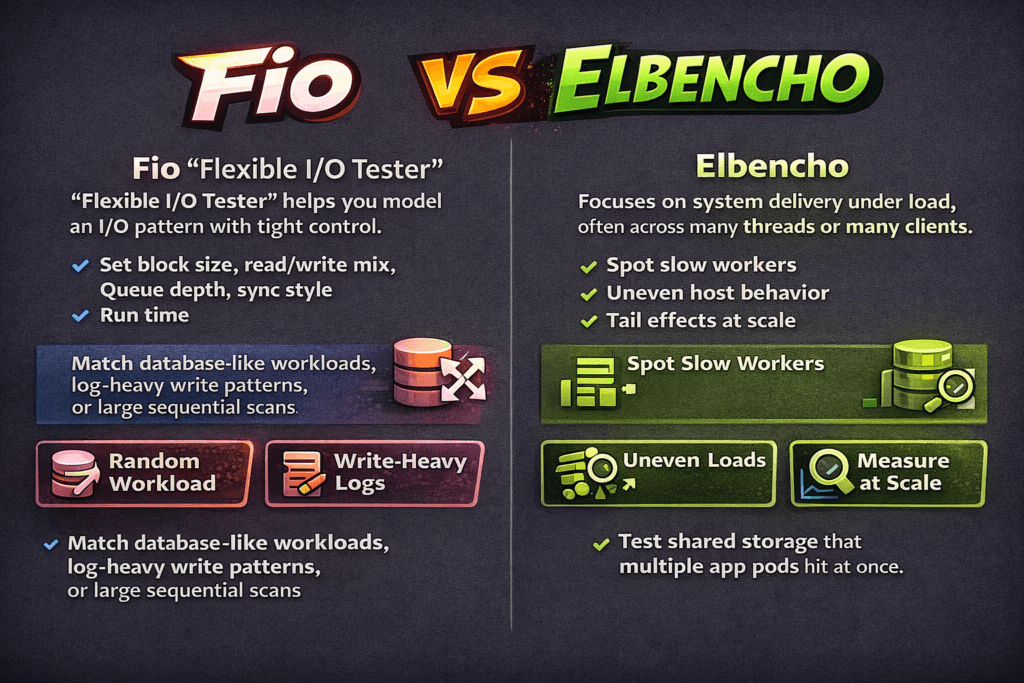
Fio (Flexible I/O Tester) helps you model an I/O pattern with tight control. You set block size, read/write mix, queue depth, sync style, and run time. That control makes fio useful when you want to match a database-like random workload, a log-heavy write pattern, or a large sequential scan.
Elbencho focuses on system delivery under load, often across many threads or many clients. It helps teams spot slow workers, uneven host behavior, and tail effects that appear when the platform runs at scale. That view matters when you test a shared storage target that many app pods hit at once.
A simple rule works well: use fio to shape the workload, then use elbencho to validate how the storage behaves across more clients and more paths.
Optimizing Benchmark Runs with Practical Platform Choices
Benchmarks only help when the test path matches production. If you test on a raw disk on a single node, you learn about that node, not your platform.
Kubernetes Storage adds scheduling, CPU limits, memory limits, and CSI logic. The storage network adds its own cost. For a fair test, run the tool inside a pod, point it at the same StorageClass that your app uses, and keep the pod resources stable. Lock CPU requests and limits so the scheduler does not reshape your run.
Software-defined Block Storage improves repeatability because it keeps policy and data services consistent across nodes. That consistency helps you compare baremetal to virtual machines, hyper-converged to disaggregated, and one cluster to another, without changing how the platform provisions volumes.
🚀 Run fio and elbencho Against Production-Grade PVCs
Use Simplyblock to remove storage bottlenecks and validate NVMe/TCP behavior under real Kubernetes Storage contention.
👉 Deploy Simplyblock on Your Cluster →
Fio vs Elbencho in Kubernetes Storage
Kubernetes Storage can change results even when the storage hardware stays the same. A pod can throttle CPU, which can raise latency. A node can share NIC queues across pods, which can add jitter. A filesystem layer can shift write patterns due to journal and flush behavior.
fio works best here when you want a clean, controlled run on a single PVC. Run one job, tune the queue depth, and map the I/O mix to what your app does. That approach helps you answer, “What does this volume deliver when I remove outside noise?”
Elbencho helps when you want to see platform effects. Run it from several pods across several nodes, and watch how the slowest node changes the total result. That setup often mirrors real service behavior, where one noisy neighbor can drag down p99 latency for everyone.
Fio vs Elbencho and NVMe/TCP
NVMe/TCP moves NVMe semantics over standard Ethernet, which makes it a strong SAN alternative for cloud-native clusters. It can also shift bottlenecks from the device to the host CPU, the network, or both.
fio can push high IOPS with the right queue depth, but you still need to watch CPU per I/O. If one core pins, your IOPS stop scaling even when the storage has headroom. Elbencho can reveal the “many clients” case, where host CPU, NIC queues, and network drops shape tail latency more than the SSD does.
Teams that run NVMe/TCP at scale often care more about p95 and p99 latency than about peak IOPS. When tail latency rises, apps see timeouts, retries, and long commit times. For that reason, track latency distribution and track CPU use on both client and storage nodes.
Measuring and Benchmarking fio vs elbencho Performance
Good results come from a tight test plan. Define the workload, lock the environment, run the test long enough to reach steady state, and report variance across runs.
Use the same core metrics across tools: IOPS, throughput, average latency, p95, p99, and CPU. Add storage policy details too, because replication and erasure coding change write cost and tail behavior.
Use this checklist to keep runs comparable:
- Set fixed block size, fixed read/write mix, fixed queue depth, fixed run time, and a short warm-up.
- Pin the benchmark pods to known nodes, and reserve CPU so the run does not fight other workloads.
- Choose cache behavior on purpose, and state it in the report.
- Run at least three times, and report the spread, not just the best number.
- Capture network stats for NVMe/TCP, including drops and retransmits.
When teams follow that process, Kubernetes Storage benchmarks become a platform test, not a one-off device test.
Approaches for Improving Benchmark Results
If numbers look “too good,” the test likely bypassed the real path. If numbers look “too bad,” the platform likely adds noise. Start with the basics, then tighten the scope.
First, confirm volume mode. Raw block volumes often behave differently from a filesystem on a PVC. Next, confirm the pod CPU. CPU throttling can mimic storage latency, especially with NVMe/TCP. Then check multi-tenancy. Without QoS, one workload can flood queues and raise tail latency for others.
After you remove obvious noise, focus on the scaling method. Hyper-converged layouts can reduce network hops, while disaggregated layouts can increase storage pool efficiency and simplify upgrades. Both can work well, but each changes how you size CPU, NIC bandwidth, and failure domains for Software-defined Block Storage.
Key Differences in Fio and Elbencho Results
The table below shows where each tool usually provides the clearest signal during storage evaluation.
| Category | Fio | Elbencho |
|---|---|---|
| Main strength | Workload shaping and tuning | End-to-end delivery under fan-out |
| Typical scope | Queue depth, block size, and I/O mix validation | Many threads and optional multi-client runs |
| Best for | Queue depth, block size, I/O mix validation | Stragglers, imbalance, and tail effects |
| What can mislead | Single-node “best case” runs | Mixing too many variables per run |
| Fit in exec reviews | Capacity planning inputs | Risk checks for scale and SLOs |
Consistent Results with Simplyblock™
Simplyblock™ targets the causes of benchmark drift that show up in production: shared contention, CPU overhead, and unstable tail latency under load. It delivers Software-defined Block Storage for Kubernetes Storage with controls that help teams keep results stable across clusters.
Simplyblock uses an SPDK-based, user-space, zero-copy design to reduce kernel overhead and improve CPU efficiency. That design matters for NVMe/TCP, where the CPU often limits scale before SSDs do. Simplyblock also supports multi-tenancy and QoS, so teams can test realistic mixed workloads without letting one tenant crush another.
Deployment flexibility also supports better tests. Simplyblock can run hyper-converged, disaggregated, or hybrid, so you can benchmark the same product across different operating models and hardware plans.
Future Directions and Advancements in Storage Benchmarking
Benchmarking is shifting from “peak IOPS” to “service behavior.” Teams now ask how p99 latency behaves under mixed load, how many cores the platform burns per I/O, and how the system reacts during failover.
Expect more packaged benchmark runs that include pinned pod specs, fixed node placement, and built-in telemetry capture. Expect more focus on tail latency, noisy-neighbor isolation, and CPU-per-IO tracking for NVMe/TCP. Also expect more use of DPUs and IPUs to offload data-path work, which can free host CPU for apps and stabilize results under concurrency.
Related Terms
Teams often review these glossary pages alongside fio vs elbencho.
Questions and Answers
Use fio when you need precise control over block I/O variables like iodepth, numjobs, engines, and mixed RW patterns to model a specific workload using a fio storage benchmark profile. Use elbencho when you need an easier distributed run across many clients (without MPI) or want one tool that can benchmark files, objects, and blocks with live stats and optional GPU support.
Fio is excellent for single-host (or orchestrated multi-host) workload modeling, but “cluster realism” depends on how you coordinate many fio runners and aggregate results. elbencho is built for distributed execution (including service mode) and is often simpler when you want to scale threads/nodes and observe system behavior under load, especially for shared filesystems or object gateways. Anchor both in a consistent storage performance benchmarking methodology so results stay comparable.
fio’s iodepth controls outstanding I/Os per job and is tightly coupled to block-layer queueing and completion behavior, which makes it great for saturation/latency “knee” testing. elbencho commonly expresses concurrency via threads and request patterns that can better match “many clients doing work,” but it won’t map 1:1 to fio’s queue-depth knobs. To avoid false conclusions, validate where time is spent with IO path optimization signals (CPU/IRQ, queues, RTT).
elbencho is often the more natural fit for directory trees, many files, and file-level patterns (create/read/write across paths) because it was designed to unify several “filesystem-style” benchmark behaviors under one interface. fio can test files too, but you’ll usually spend more effort configuring job files and ensuring you’re actually measuring the filesystem behavior you care about (cache effects, direct I/O, fsync patterns) instead of just page cache speed.
Match the fundamentals: direct vs buffered I/O, block size, access pattern (seq/random), working-set size, runtime, warmup, and concurrency target. Then compare the same outputs (IOPS, MB/s, p95/p99 latency) and repeat under steady state and during contention. If elbencho shows higher throughput but fio shows better tail latency, you may be trading queueing behavior for peak bandwidth—so interpret the numbers in the context of your production SLA.