Kubernetes Storage Performance Tuning
Terms related to simplyblock
Kubernetes Storage Performance Tuning is the discipline of keeping latency, IOPS, and throughput steady for stateful workloads by tuning the full I/O path, not a single knob. The “path” includes the application, filesystem, kubelet, and CSI behavior, node CPU and memory pressure, the network, and the storage backend.
Teams usually start this work after they see repeat patterns: p99 latency spikes during compactions or backups, PVs that attach slowly during node drains, and “fast in staging, unstable in production” performance drift. Averages rarely help because they hide queue buildup and contention. A better target is tail latency stability, then sustained throughput under the same burst patterns your cluster produces during reschedules and rolling updates.
This topic also sits at the center of Software-defined Block Storage decisions, because policy controls such as multi-tenancy and QoS determine whether performance stays consistent as tenants scale and churn.
From node tweaks to platform policy
Node-level tuning can help, but it often breaks as soon as Kubernetes moves the workload. A repeatable approach starts with workload classes and maps them to StorageClasses. One tier might favor low tail latency for databases, while another tier favors throughput for batch pipelines. Then the platform enforces those expectations through topology, quotas, and limits.
High-performance stacks also reduce overhead in the hot path. SPDK-based data planes, for example, can improve CPU efficiency by running storage processing in user space and avoiding interrupt-heavy paths. That CPU headroom matters in dense clusters, on bare-metal nodes, and in disaggregated deployments where the network and storage processing compete with the application.
🚀 Tune Kubernetes Storage performance for steady p99 latency at scale
Use Simplyblock to reduce noisy-neighbor impact, enforce QoS, and run Software-defined Block Storage on NVMe/TCP.
👉 Use Simplyblock for Kubernetes Storage →
Kubernetes Storage Performance Tuning in Kubernetes Storage
Kubernetes Storage changes tuning because the cluster never stays still. Pods reschedule, nodes drain, and autoscalers introduce churn. Those events stress both storage lifecycle operations and runtime I/O.
Placement decisions often decide results before the storage backend does. Cross-zone access increases latency and expands failure domains. Overpacking write-heavy pods onto one node increases CPU contention and increases I/O latency at the same time. A solid tuning posture separates workload tiers, uses topology-aware placement, and enforces fairness so one namespace cannot dominate shared capacity.
When you run Software-defined Block Storage, you also need consistent isolation. Without multi-tenancy and QoS, the noisiest tenant sets the latency profile for everyone, even when the backend has plenty of raw performance.
Kubernetes Storage Performance Tuning and NVMe/TCP
NVMe/TCP delivers NVMe semantics over Ethernet, which can scale well without specialized fabrics. It also makes CPU planning and queue discipline essential. When initiator nodes run hot, tail latency rises even if bandwidth looks available, because protocol handling and completion processing steal cycles from the workload.
For NVMe/TCP environments, tuning usually works best when you reserve CPU headroom, keep network behavior clean, and avoid “buffer your way out” patterns that inflate in-flight I/O. When you need more throughput, scaling out often beats pushing deeper queues because deeper queues can hide congestion until p99 breaks.
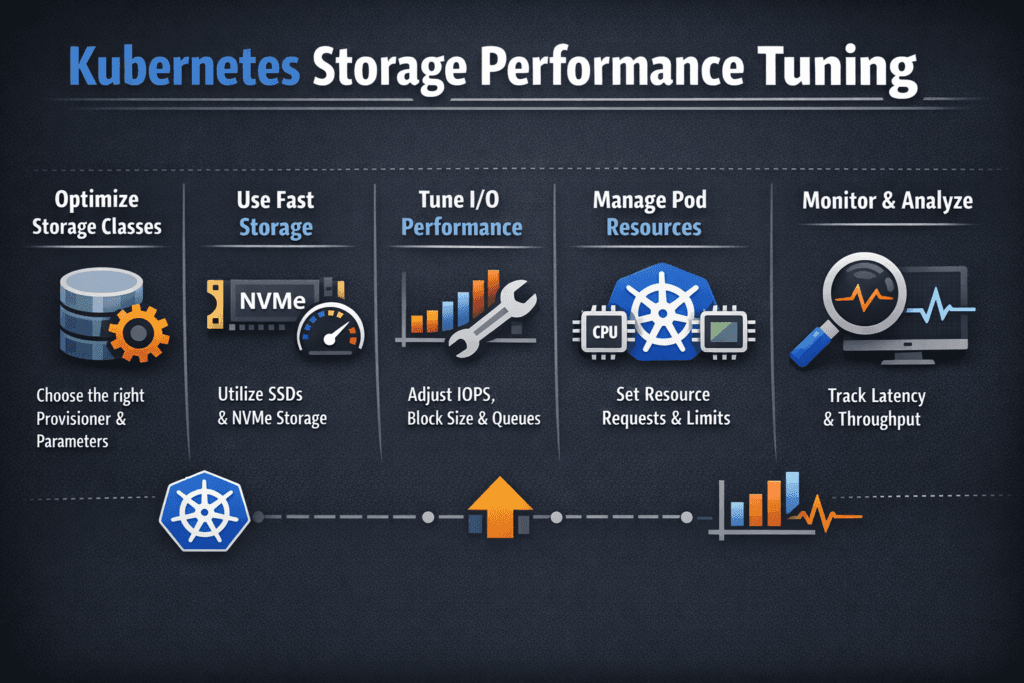
Measuring and Benchmarking Kubernetes Storage Performance Tuning Performance
Split measurement into lifecycle timing and runtime I/O. Lifecycle timing includes provision, attach, mount, resize, and behavior during node drains and rolling updates. Runtime I/O includes IOPS, bandwidth, and p50, p95, and p99 latency under realistic block sizes and mixes.
Benchmark under production-like conditions. Use the same node types, CPU limits, and network policies. Repeat runs while the cluster performs background work, because real clusters rarely sit idle.
When you review results, look for inflection points. If IOPS rise while p99 stays flat, the system still has headroom. If p99 accelerates while IOPS barely moves, another bottleneck already controls the path, often CPU saturation, network contention, or backend scheduling.
Techniques that move the needle
Most teams improve outcomes by tightening the full pipeline and enforcing policy, so performance stays stable when tenants spike. Use this single checklist to guide the first iteration:
- Define storage SLOs per workload tier, and align them to separate StorageClasses.
- Keep PVC placement topology-aware to avoid cross-zone latency and wide failure domains.
- Reserve CPU headroom for the storage path on nodes, especially with NVMe/TCP.
- Reduce contention by scheduling background I/O bursts, such as backups, rebuilds, or compactions, away from peak hours.
- Enforce multi-tenancy and QoS so one namespace cannot cause p99 spikes for others.
- Prefer efficient data planes, including SPDK-based designs, when you need higher throughput per core and steadier tail behavior.
Storage tuning trade-offs at a glance
The “best” tuning strategy depends on whether you optimize for lowest tail latency, simplest operations, or stable multi-tenant behavior. This table summarizes common approaches.
| Strategy | What it improves | Typical trade-off | Best fit |
|---|---|---|---|
| Node-only tuning | Quick gains on a single node | Drifts under churn and rescheduling | Small clusters, short-lived apps |
| StorageClass tiers + topology policy | Repeatable performance intent | Needs discipline and governance | Platform teams running shared clusters |
| QoS and tenant isolation | Stable p99 under mixed load | Requires consistent policy ownership | DBaaS, internal PaaS, multi-tenant fleets |
| NVMe/TCP + efficient data plane | Scale on Ethernet with strong latency control | Needs CPU and network planning | IO-intensive Kubernetes Storage estates |
Simplyblock™ controls that keep SLOs steady
Simplyblock™ supports Kubernetes Storage deployments that need consistent results under churn. Simplyblock focuses on Software-defined Block Storage controls such as multi-tenancy and QoS, so teams can limit noisy neighbors instead of chasing per-node fixes.
On the data path, simplyblock supports NVMe/TCP and uses an SPDK-based architecture to improve CPU efficiency and reduce overhead in the hot path. That combination helps teams hold p99 targets while scaling throughput, especially in disaggregated or hybrid deployments where CPU and network behavior often decide outcomes.
Where storage tuning goes next
Storage tuning is trending toward closed-loop control. Teams increasingly adjust policies based on SLO signals rather than static settings. Expect stronger integration between observability and provisioning, more topology-aware placement guardrails, and clearer controls for background work that triggers burst-driven tail latency.
As NVMe/TCP adoption grows, CPU efficiency, fairness, and telemetry will matter more than headline peak IOPS, because those factors decide whether a platform stays stable at fleet scale.
Related Terms
Often reviewed with Kubernetes Storage Performance Tuning.
- NVMe Queue Depth Tuning
- SPDK (Storage Performance Development Kit)
- Kubernetes Storage: Disaggregated or Hyper-converged
Questions and Answers
Start by measuring p95/p99 latency alongside IOPS and throughput, because higher concurrency often “improves” averages while hurting tail latency. Keep workload parameters stable (block size, read/write mix, sync behavior) and tune one lever at a time: volume mode, queue depth, and node CPU/IRQ headroom. If throughput plateaus while p99 climbs, you’ve hit queuing, not a media limit. Use p99 storage latency as the primary success metric.
Node pressure is a major driver: CPU starvation, softirq load, and filesystem work can delay I/O completion handling even when storage is healthy. Volume ops churn (repeated mount reconciliation, retries) can also cause jitter during deployments and reschedules. Make sure storage benchmarking happens on nodes with representative CPU/memory pressure, and validate the kubelet isn’t spending excessive time in volume management paths. The Kubelet Volume Manager is the key component behind many node-side storage slowdowns.
Raw block can reduce overhead and jitter when apps manage their own I/O patterns, while filesystem mode adds metadata/journaling behavior that can dominate small sync writes. Filesystem mode is often “fast enough” and simpler, but databases or log-heavy workloads may benefit from raw block if they are tuned for it. Validate with the same fsync/WAL settings you run in production, because the wrong mode can invert results. Kubernetes Volume Mode (Filesystem vs Block) is the decision pivot.
StorageClass parameters can control backend policies (replication, compression, QoS) that directly change latency and throughput under load. Mount options can also shift tail latency by changing write ordering, journaling behavior, and caching semantics. If two environments “use the same storage” but behave differently, the cause is often a hidden StorageClass difference rather than the hardware. Tune by locking configuration and only then comparing results.
Use a baseline workload profile that matches production concurrency, then run controlled sweeps of one variable at a time: block size, outstanding I/O, and backend policy. Record p95/p99 latency, throttling events, and node CPU/softirq during each run so you can attribute changes to node vs storage. Standardize the workflow so different clusters produce comparable results, and treat “best settings” as workload-specific, not universal. If you need an anchor metric, start with end-to-end storage latency and work backwards.