Kubernetes Volume Mode (Filesystem vs Block)
Terms related to simplyblock
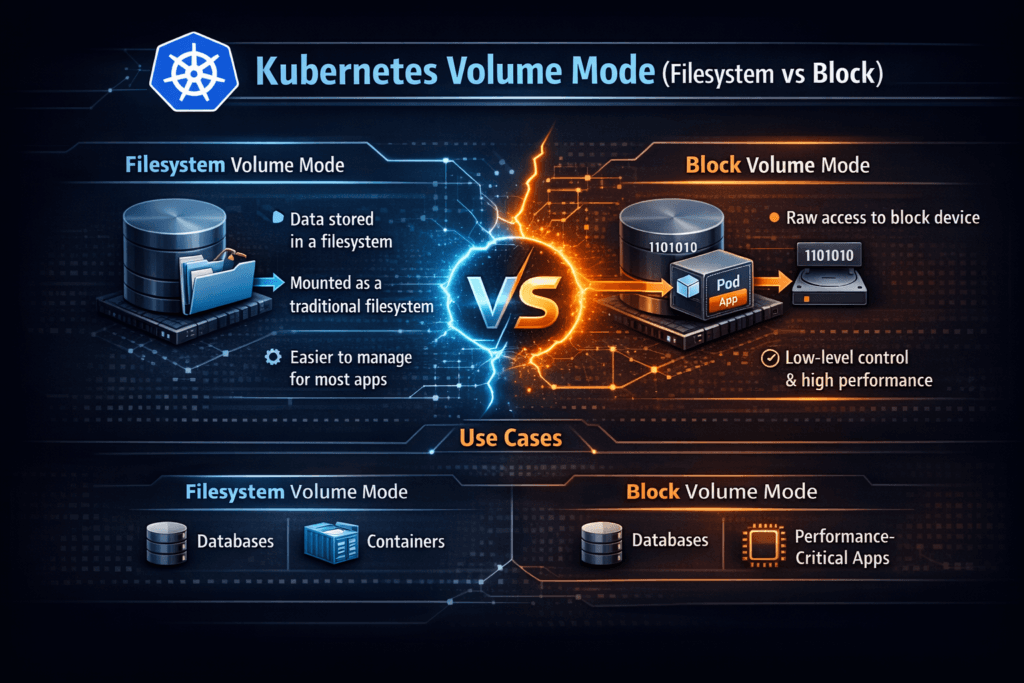
Kubernetes volume mode controls how a PersistentVolume appears inside a Pod. Filesystem mode mounts the volume at a path, and your app reads and writes files. Block mode presents a raw device, and your app talks to it like a disk. This choice changes the I/O path, the failure surface, and the operational playbook.
Most teams default to Filesystem because it fits typical app patterns and standard tooling. Block mode fits workloads that already manage their own layout and write patterns, such as databases, log-structured engines, and storage-aware middleware.
Aligning Volume Mode Choices with Modern Platforms
Treat volume mode as a workload decision, not a cluster-wide rule. Filesystem mode adds filesystem metadata work, mount behavior, and journaling, which can raise tail latency under bursty I/O. Block mode removes that layer, but it shifts responsibility to the application for formatting, flushing, and integrity checks.
A modern Kubernetes Storage stack works best when it combines Software-defined Block Storage with strong policy controls. That combination lets platform teams offer both modes safely, while keeping predictable guardrails for performance and tenant isolation.
🚀 Run Filesystem or Block Volumes, Predictably, in Kubernetes
Use Simplyblock to standardize volume modes and prevent storage jitter under mixed workloads.
👉 Use Simplyblock for Kubernetes Storage →
Kubernetes Volume Mode (Filesystem vs Block) in Kubernetes Storage
In Kubernetes Storage, volumeMode lives on the PV/PVC contract and flows through the CSI driver. Filesystem mode tells Kubernetes to mount the volume into the container filesystem. Block mode tells Kubernetes to pass a device node into the container, where the app can issue raw reads and writes.
Volume mode differs from access mode. AccessModes decide who can attach and write, while volumeMode decides how the app sees the data. When teams mix those concepts, they often pick the wrong StorageClass tier and then blame the protocol.
Kubernetes Volume Mode (Filesystem vs Block) and NVMe/TCP
NVMe/TCP moves NVMe-oF commands over standard Ethernet, and it can deliver strong latency and throughput without requiring RDMA hardware. Many organizations pair NVMe/TCP with Software-defined Block Storage to reduce overhead and keep the data path tight.
Block mode often matches NVMe/TCP well for latency-sensitive services because it avoids extra filesystem work on hot paths. Filesystem mode can still perform well on NVMe/TCP when your workload benefits from POSIX semantics and the platform keeps metadata churn under control. Either way, measure p95 and p99 latency, not only averages, because tail behavior drives user impact.
Measuring and Benchmarking Kubernetes Volume Mode (Filesystem vs Block) Performance
Benchmark with production-like patterns. File-based tests model the filesystem mode better because they hit metadata, directory behavior, and sync policies. Device-based tests model Block mode better because they focus on queue depth, block size, and flush behavior.
Use consistent test placement across nodes, AZs, and instance types. A fast node pool can hide problems that appear the moment the scheduler lands Pods on a slower pool. Track IOPS, throughput, average latency, and p95/p99 latency. Also track CPU cost per I/O, since high I/O with high CPU can break density goals.
Practical Tuning Paths for Higher Throughput and Lower Latency
- Match the mode to the application’s write model, and validate durability settings under load.
- Standardize filesystem type and mount options for Filesystem mode, and test metadata-heavy paths.
- For Block mode, tune I/O sizes and queue depth to avoid bursty tail latency.
- Enforce multi-tenant QoS so one namespace cannot starve another during peaks.
- Benchmark per node pool and per protocol so results stay comparable across upgrades.
Filesystem vs Block – Operational and Performance Trade-offs
This comparison summarizes how the two modes differ so executives and platform owners can set policy with fewer surprises.
| Attribute | Filesystem mode | Block mode |
|---|---|---|
| What the Pod sees | Mounted directory | Raw device node |
| Who handles layout | Filesystem handles it | App or init logic handles it |
| Best fit workloads | General apps, shared tooling | Databases, latency-critical engines |
| Typical overhead | Metadata and journaling work | App-side flush and integrity handling |
| Day-2 operations | Simple, familiar tools | Requires app-aware procedures |
| Common risk | Metadata stalls at scale | Misaligned flush patterns, jitter |
Consistent Latency and QoS for Kubernetes Volumes with Simplyblock™
Simplyblock™ targets stable performance in Kubernetes Storage by delivering Software-defined Block Storage with policy controls that operators can apply per workload. Simplyblock uses an SPDK-based user-space data path to reduce context switches and avoid extra copies, which helps both Filesystem and Block mode under load. Teams also use simplyblock with NVMe/TCP to keep latency tight while preserving standard Ethernet operations.
Multi-tenancy and QoS matter as much as raw speed. Simplyblock lets platform teams isolate noisy neighbors, set performance tiers, and keep steady behavior during contention. That approach reduces “it was fast yesterday” incidents and improves repeatability across clusters.
Where Volume Mode Is Heading in Cloud-Native Storage
Kubernetes continues to tighten storage primitives around topology control, lifecycle safety, and portability, which makes volume mode choices easier to standardize across clusters. CSI implementations also keep improving block-volume handling and observability, which helps teams debug tail latency faster.
Infrastructure trends push in the same direction. DPUs and IPUs can offload parts of the data plane, and that can stabilize latency in dense environments. When teams pair that hardware path with strong QoS and consistent benchmarking, they turn volume mode into a predictable knob instead of an ongoing argument.
Related Terms
Teams often review these glossary pages alongside volumeMode decisions when they set targets for Kubernetes Storage and Software-defined Block Storage.
NVMe-oF (NVMe over Fabrics)
SPDK (Storage Performance Development Kit)
Disaggregated Storage
Hyper-converged Storage
Kubernetes Raw Block Volume Support
Questions and Answers
Kubernetes Volume Mode defines how storage is exposed to a pod—either as a filesystem or a raw block device. When working with Kubernetes Stateful workloads, selecting the correct mode ensures proper storage performance and compatibility.
Filesystem mode formats the volume and mounts it into the container, while Block mode exposes the volume as a raw device. Block mode is ideal for databases or performance-intensive apps, like PostgreSQL on Simplyblock, that need direct disk access.
No, a PVC must declare either volumeMode: Filesystem or volumeMode: Block. The selected mode determines how Kubernetes provisions and mounts the volume. For flexible provisioning, Simplyblock supports both modes via its block storage replacement platform.
CSI drivers use the declared volume mode to decide whether to format the volume or expose it raw. A CSI-compliant solution like Kubernetes CSI must support both modes for full workload compatibility.
For low-latency and high-IOPS workloads, Block mode often provides better performance by skipping filesystem overhead. Filesystem mode is better for general-purpose apps. Simplyblock enables both modes, along with encryption at rest for secure, high-performance storage.