Kubernetes vs Virtual Machines
Terms related to simplyblock
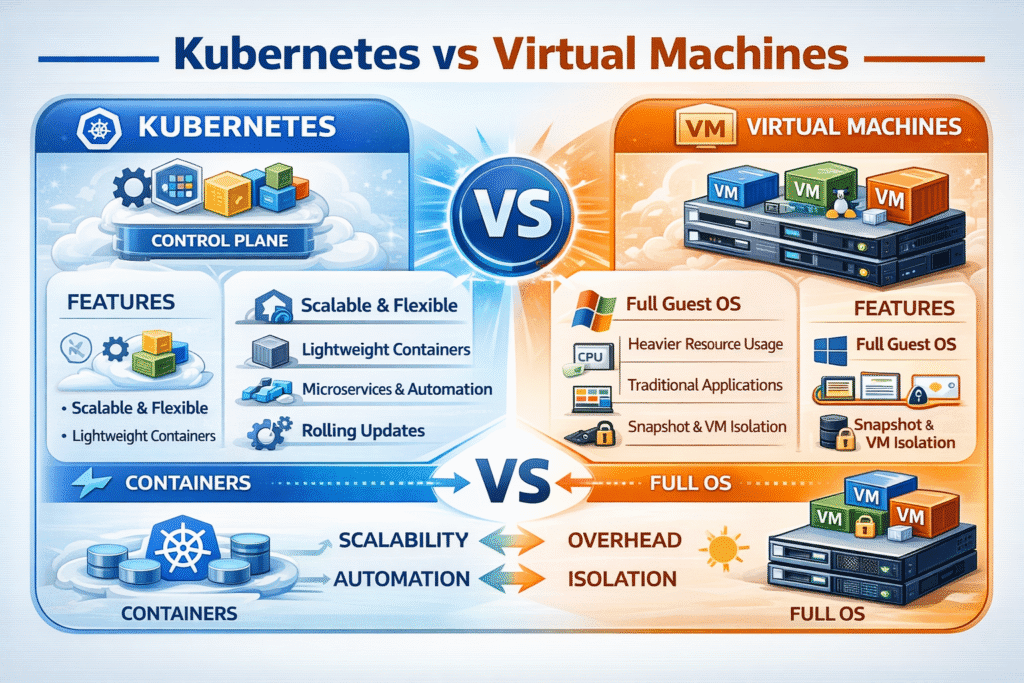
Kubernetes and virtual machines solve different problems, and the “Kubernetes vs Virtual Machines” decision usually comes down to packaging, isolation, and operations. Kubernetes schedules and manages containers as a distributed system, while virtual machines (VMs) run full guest operating systems on a hypervisor, with each VM behaving like a separate server.
A practical way to compare them is by the unit you operate in. With Kubernetes, the unit is typically a pod and its declared desired state; with VMs, the unit is the OS instance and its lifecycle (patching, configuration drift, images, and guest tooling).
Optimizing Hybrid Platforms with Production-Grade Solutions
Most enterprises do not replace VMs with Kubernetes overnight. They run both, then standardize “shared services” like identity, networking, observability, and storage. Storage becomes a make-or-break layer because noisy neighbors, inconsistent latency, and slow recovery workflows turn into application incidents regardless of whether the workload runs in a pod or a VM.
This is why teams often adopt Software-defined Block Storage as a common foundation across baremetal, Kubernetes, and VM-heavy clusters. With a consistent block layer, platform teams can align performance policy, replication strategy, multi-tenancy controls, and operational runbooks across both compute models.
🚀 Run Virtual Machines and Containers Together in Kubernetes
Use Simplyblock to simplify Kubernetes Storage and keep VM disk performance predictable with NVMe/TCP-backed Software-defined Block Storage.
👉 Use Simplyblock for KubeVirt Storage →
Kubernetes vs Virtual Machines in Kubernetes Storage
Kubernetes Storage is API-driven by design: applications request persistent volumes through objects like StorageClass and CSI-backed provisioning, then Kubernetes binds volumes to pods and nodes based on scheduling and topology rules. VMs typically consume virtual disks provided by the hypervisor stack, with established patterns surrounding templates, snapshots, and migrations.
The key operational difference is what happens during change. Kubernetes expects frequent rescheduling, rolling updates, and rapid scale events. That increases the importance of fast, reliable attach/mount workflows and predictable storage behavior during node drain or failure. VMs typically change less frequently per instance, but they often run mixed workloads on shared datastores, where contention and the “everything is fine until backup starts” pattern become a recurring issue.
For teams that want one storage standard, focusing on storage semantics that map cleanly into Kubernetes Storage (CSI-driven PV lifecycle) and VM disk expectations (stable, low-latency block) reduces long-term friction.
Fabric and Protocol Choices – NVMe/TCP in Container and VM Estates
NVMe/TCP matters in this comparison because it enables NVMe-oF semantics over standard Ethernet and TCP/IP, which can fit both Kubernetes clusters and VM environments without requiring RDMA everywhere. NVMe-oF is explicitly defined to extend NVMe over fabrics such as TCP and RDMA.
For Kubernetes Storage, NVMe/TCP-backed volumes can reduce protocol overhead compared to legacy SCSI stacks, and it aligns well with disaggregated storage designs where compute and storage scale independently. In VM-heavy platforms, NVMe/TCP can serve as a SAN alternative that scales on commodity networking, while still preserving a block-centric operational model.
Measuring and Benchmarking Platform Overhead
A credible Kubernetes vs Virtual Machines benchmark separates application behavior from platform overhead. For compute, measure startup time, steady-state CPU/memory efficiency, and scaling behavior under real traffic. For storage, measure more than throughput: require p50/p95/p99 latency, IOPS stability over time, and degradation during disruptions (node drain, pod reschedule, network jitter, or storage failover).
You also want to benchmark the control plane path: how long it takes to provision, attach, and make a volume usable for an application. In Kubernetes Storage, the CSI provisioning and node stages show up here, while VM environments expose different bottlenecks, such as datastore locking, snapshot chain growth, and hypervisor queueing.
Approaches for Improving Runtime and Storage Performance
- Standardize on NVMe/TCP where you need consistent, networked block semantics across Kubernetes and VM environments, and keep the fabric design (MTU, buffering, oversubscription) aligned to latency targets.
- Use Software-defined Block Storage with multi-tenancy and QoS so one VM tenant or one stateful namespace cannot collapse tail latency for everyone else.
- Choose hyper-converged placement for local latency-sensitive workloads, and disaggregated placement when you need independent scaling or shared pools across clusters and zones.
- Benchmark disruption as a first-class test, because Kubernetes rescheduling and VM lifecycle operations expose different recovery paths and failure domains.
- Align observability with the platform: pod-level and volume-level telemetry for Kubernetes Storage, and datastore/host queue telemetry for virtualization stacks, then report p95/p99 outcomes to business owners.
Deployment Trade-Off Matrix
The table below summarizes the trade-offs that typically decide Kubernetes vs Virtual Machines, including storage implications that matter to Kubernetes Storage programs.
| Dimension | Kubernetes (containers) | Virtual machines (VMs) |
|---|---|---|
| Primary abstraction | Pods and services | Guest OS instances |
| Isolation boundary | Shared kernel, namespaces, cgroups | Hypervisor isolation, separate kernels |
| Deployment velocity | Declarative rollouts, rapid scale | Image lifecycle, slower scaling in many stacks |
| Operational focus | Orchestration, policy, automation | OS lifecycle, patching, VM sprawl control |
| Storage integration | CSI + StorageClass policy | Hypervisor datastores + virtual disks |
| Common risk | Tail latency from shared resources | Datastore contention, snapshot overhead |
Achieving Predictable Performance with Simplyblock™
Simplyblock™ positions its platform around Kubernetes Storage outcomes that tend to be hardest to keep stable at scale: consistent tail latency, predictable throughput, and controlled multi-tenant behavior. On the dataplane side, simplyblock emphasizes NVMe/TCP-based Kubernetes storage delivered via CSI, with flexibility to run hyper-converged or disaggregated, depending on how you want to couple compute and storage growth.
When Kubernetes and VMs coexist, the practical goal is to reduce “two storage stacks” operationally. A Software-defined Block Storage layer helps standardize performance policy, observability, and capacity expansion, so the Kubernetes platform team and virtualization team can work from consistent storage primitives.
Future Directions and Advancements in Kubernetes vs Virtual Machines
The industry direction is toward the convergence of operations rather than a single winner. Kubernetes continues to absorb more platform responsibilities (policy, scheduling, self-healing), while VM ecosystems keep evolving around isolation, legacy compatibility, and enterprise tooling. The middle ground is becoming more important: unified storage and networking layers that support both runtimes, with predictable SLOs and less platform-specific tuning.
On the storage side, NVMe-oF adoption, including NVMe/TCP, continues to expand as teams look for SAN alternatives that preserve low latency without forcing proprietary appliance stacks
Related Terms
Teams often review these glossary pages alongside Kubernetes vs Virtual Machines when they standardize Kubernetes Storage and Software-defined Block Storage.
Block Storage
Container Storage Interface (CSI)
Volume Snapshotting
Hyper-Converged Storage
Modern Apps
EKS vs ECS
Linux VM
Rancher Kubernetes
Questions and Answers
Kubernetes orchestrates containers, which are lightweight and share the host OS, while virtual machines run full guest OS instances on a hypervisor. Kubernetes offers faster startup, better resource efficiency, and is ideal for cloud-native workloads.
Yes. Kubernetes uses fewer resources by running containers instead of full OS images. This improves scalability, reduces overhead, and enhances storage performance when paired with fast backends like NVMe over TCP.
Kubernetes supports stateful databases with persistent volumes via CSI. With optimized storage like Simplyblock’s NVMe over TCP, databases can run as efficiently as on VMs—while gaining the benefits of automation and portability.
In many cases, yes. Kubernetes offers better portability, faster deployment, and cost efficiency. However, for legacy apps or workloads needing full OS isolation, VMs may still be preferred. A hybrid approach is common in modern cloud infrastructures.
VMs typically use static block storage or traditional SAN/NAS, while Kubernetes dynamically provisions volumes using CSI drivers. This allows automated storage provisioning and better alignment with container lifecycles.