Linux VM
Terms related to simplyblock
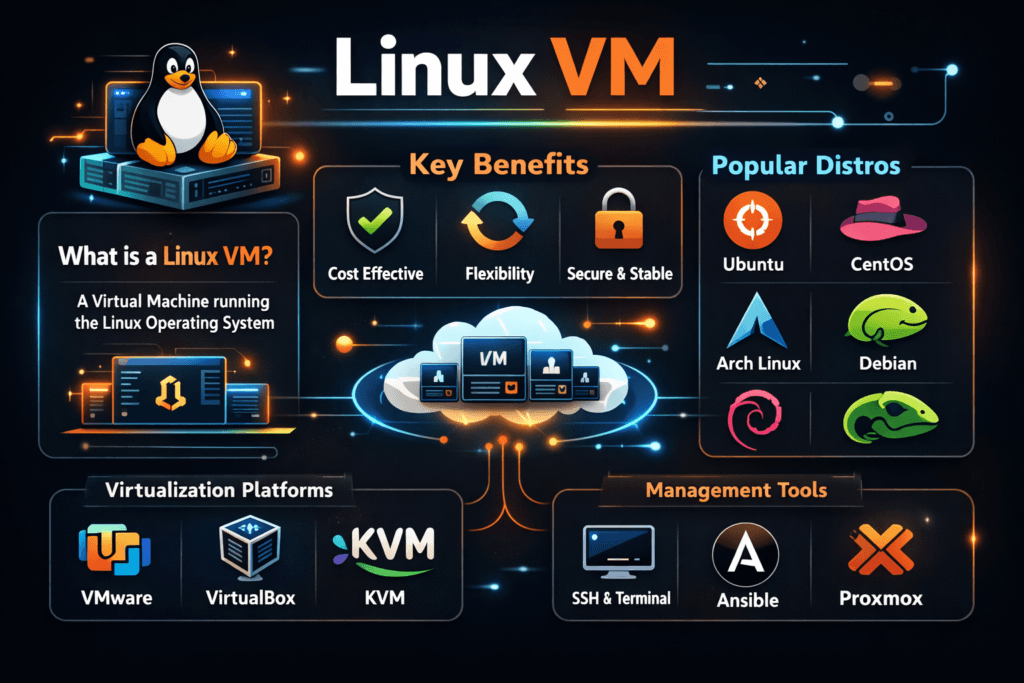
A Linux VM is a virtual machine that runs a Linux guest OS on top of a hypervisor such as KVM. The hypervisor shares CPU, memory, and I/O devices across many guests while enforcing isolation. That isolation comes with overhead in the storage path, especially when the guest uses a virtual disk format and a paravirtual driver stack (for example, virtio + QEMU + host block layer).
Storage often becomes the limiter because a VM turns every “simple” guest filesystem action into several layers of work: guest page cache, guest scheduler, virtual block device, hypervisor queues, host scheduler, host filesystem or LVM, and the backend target. If you want stable VM latency, you need to control queue depth, caching, and noisy-neighbor behavior across that full chain.
Optimizing Linux VM with Modern Solutions
Teams optimize VM storage by reducing copies, cutting context switches, and keeping the data path predictable under load. Fast media alone does not guarantee stable results. The design of the I/O stack matters just as much.
Software-defined Block Storage helps because it separates control from data movement and lets you add policy where it belongs. With the right architecture, you can keep VM disk latency consistent even while you scale hosts, tenants, or mixed workloads. You also get a practical SAN alternative that still fits commodity Ethernet networks.
🚀 Run Linux VMs with Predictable Storage Latency on NVMe/TCP
Use Simplyblock to standardize VM storage, enforce QoS, and reduce I/O jitter at scale.
👉 Use Simplyblock for Proxmox VM Storage →
Linux VM in Kubernetes Storage
VMs increasingly run next to containers, or even inside Kubernetes, to support legacy apps, regulated stacks, or per-tenant isolation. That makes Kubernetes Storage a shared foundation for both pods and virtual disks. In that setup, the storage system needs to handle a wider mix of I/O: small random reads from databases, large sequential writes from backups, and bursty boot storms from VM fleets.
The hard part is not “making storage attach.” The hard part is keeping VM behavior predictable when Kubernetes reschedules nodes, rotates workloads, and changes placement. Your storage layer must enforce limits and priorities across tenants and across time, not just at provisioning.
Linux VM and NVMe/TCP
NVMe/TCP brings NVMe semantics to standard Ethernet and avoids the operational friction of specialized fabrics. For VM fleets, it matters because it can move fast I/O off local disks and still keep latency low enough for transactional workloads.
When you pair NVMe/TCP with an efficient user-space I/O engine, you reduce kernel overhead and keep CPU cycles for the hypervisor and the guest. That also helps VM density. More importantly, it improves tail behavior when many VMs hit the backend at once.
Measuring and Benchmarking Virtual Machine I/O
For VM storage, average latency hides the real risk. You need to measure p95 and p99 latency, plus burst response during boot storms and failovers. You also want to track host CPU per I/O, because hypervisor overhead can eat the gains from faster media.
A solid VM benchmark plan uses both synthetic and workload-driven tests. Synthetic tests help you isolate read/write mix, block size, queue depth, and cache effects. Workload-driven tests validate what matters to the business: login time, database commit latency, and backup windows. Always separate guest metrics from host metrics so you can see where variance starts.
Practical Steps to Improve VM Storage Consistency
Use this single checklist to reduce VM jitter without turning operations into a science project.
- Standardize on a paravirtual disk driver (virtio-blk or virtio-scsi) and keep its queue settings consistent across images.
- Pin noisy workloads with QoS limits so one tenant cannot saturate host queues.
- Align the VM disk block size with the backend block size to avoid write amplification.
- Avoid double-caching by choosing where caching belongs (guest, host, or backend) and sticking to that plan.
- Track p99 latency and host CPU per I/O during peak periods, not just in lab runs.
Linux VM Storage Options Compared
The table below contrasts common Linux VM storage backends based on how they behave under mixed load and how much operational work they add.
| VM Storage Backend | Latency Profile Under Load | Scale Pattern | Ops Burden | Typical Fit |
|---|---|---|---|---|
| Local NVMe (host-attached) | Low average, can spike during contention | Scales with host count | Medium (placement, rebuilds) | Small clusters, edge |
| iSCSI SAN | Stable if sized well, higher protocol overhead | Scales by array upgrades | High (SAN admin, zoning) | Traditional data centers |
| Ceph/RBD (kernel path) | Can vary with cluster health and recovery | Scales out with nodes | High (tuning, upgrades) | General-purpose pools |
| NVMe/TCP Software-defined Block Storage | Low latency with strong tail control (with proper design) | Scales out and disaggregates | Medium (policy + observability) | VM fleets, mixed tenants |
Reducing VM I/O Jitter with simplyblock™
Simplyblock focuses on keeping VM I/O stable by designing the data path for low overhead and predictable tail latency. SPDK-based user-space I/O and a zero-copy architecture reduce CPU burn in the storage path, which helps both VM density and consistency. That approach fits hyper-converged, disaggregated, or mixed deployments, so you can keep the same storage stack while you change your infrastructure model.
Simplyblock also targets the two issues that hurt VM platforms the most: noisy neighbors and uneven queues. Multi-tenancy controls and QoS let you shape I/O per workload so one busy VM does not ruin the p99 latency of the rest. For teams looking to run storage services on DPUs, simplyblock’s architecture maps cleanly to offload goals because it reduces kernel involvement and keeps the fast path tight.
Storage Direction for High-Density Virtualization
VM platforms keep moving toward more automation and stricter SLOs. That raises the bar for storage telemetry, latency enforcement, and failure-domain planning. Expect more environments to mix containers and VMs, which makes one storage layer serve many I/O patterns at once.
You will also see more user-space and offload-friendly designs, because CPUs already carry too much infrastructure overhead. Storage stacks that cut copies, reduce interrupts, and expose clean QoS controls will win VM consolidation projects.
Related Terms
Teams often review these glossary pages alongside Linux VM when they set measurable targets for Kubernetes Storage and Software-defined Block Storage.
Questions and Answers
A Linux VM is a virtual machine running a Linux OS, often used for development, cloud workloads, and containers. It’s popular for its open-source flexibility, performance, and compatibility with Kubernetes-native storage and modern infrastructure tools.
For I/O-intensive Linux VMs, storage using NVMe over TCP offers low latency and high throughput. Simplyblock’s volumes deliver fast, encrypted storage that scales with your virtualized workloads and cloud-native environments.
Yes, Simplyblock supports Linux VMs via CLI, API, or CSI integration. It enables seamless provisioning of encrypted volumes with snapshot support, making it ideal for virtual machines in both bare-metal and cloud deployments.
Storage latency and IOPS are critical for Linux VM performance, especially for databases and stateful services. Using software-defined storage reduces bottlenecks and improves scalability across VMs and containers.
Absolutely. NVMe delivers significantly lower latency than SATA or SAS disks. For Linux VMs running workloads like AI pipelines or databases, NVMe-backed storage ensures faster data access and reduced application lag.