Multi-Cloud Storage
Terms related to simplyblock
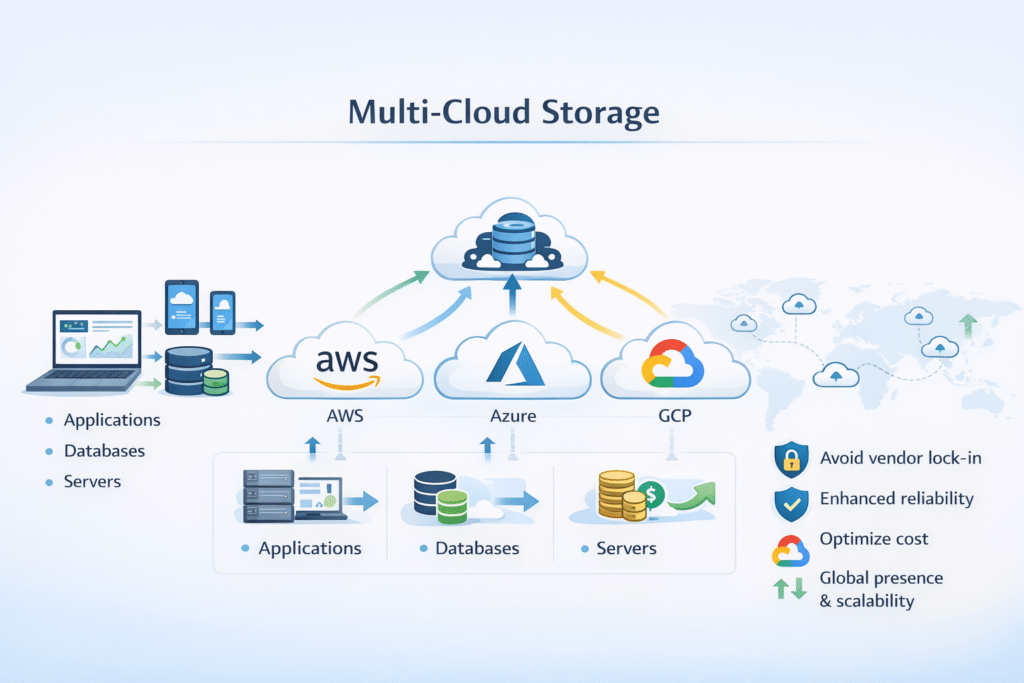
Multi-Cloud Storage means you use storage across more than one cloud provider to meet goals like cost control, region coverage, and compliance. Teams often choose this path to reduce vendor lock-in and place data closer to apps and users.
Done well, multi-cloud storage gives you options. Done poorly, it adds latency, drift in ops, and messy recovery plans.
Why Teams Choose More Than One Cloud
Most teams go multi-cloud for practical reasons: pricing changes, regional needs, and risk limits. One provider may offer cheaper compute, while another has the region or service you need.
A good design starts with clear “must-haves,” like where data can live, how fast apps must read it, and how quickly you must recover after failure.
🚀 Run Multi-Cloud Storage for Kubernetes Without Vendor Lock-In
Use Simplyblock to keep one storage layer across clouds, so you can place data where it fits cost, region, and performance needs.
👉 Use Simplyblock for Hybrid & Multi-Cloud Storage →
Design Rules That Prevent Multi-Cloud Chaos
Start with a small set of rules you can enforce everywhere. Pick one way to name volumes, one way to tag apps, and one way to track latency and capacity. This prevents config drift across clouds.
Next, decide how you will handle data copies. Replication helps keep datasets aligned across zones, sites, or clouds, but it can add write cost and sync traffic.
Multi-Cloud Storage in Kubernetes
Kubernetes makes multi-cloud easier when you standardize on CSI and StorageClasses. The app asks for a PVC, and your platform maps that request to the right backend in each cloud. PV/PVC primitives help you keep the app spec stable even when the storage platform changes.
Still, Kubernetes won’t solve data placement by itself. You must set rules for region pairs, failover, and restore testing, or you will learn the truth during an outage.
NVMe/TCP for Consistent Block Storage Across Environments
Multi-cloud plans often fail due to a performance mismatch. One cloud tier may deliver stable p99 latency, while another swings under load, so your app behaves differently after a move.
A standards-based block path like NVMe/TCP helps you aim for a more consistent I/O model across sites, especially when you run the same storage software in each environment. Simplyblock positions NVMe-first designs for hybrid and multi-cloud setups, with a single architecture across on-prem and public cloud.
Measuring Multi-Cloud Storage Performance
Benchmark the whole path, not just disk speed. Measure p95/p99 latency, throughput, and CPU cost per I/O in each cloud, then repeat the same test during background work like rebuild, rebalance, and snapshot runs.
Also test “day-2 events.” A design that looks fast on day 1 can still fail during node drains, zone loss, or large restores.
Operational Checklist for Multi-Cloud Storage That Stays Predictable
- Set clear targets for p99 latency, recovery time, and max data loss window.
- Standardize StorageClasses and naming so apps behave the same in each cloud.
- Choose a replication mode that matches distance and write needs (sync for zero loss, async for lower latency).
- Enforce storage QoS so one noisy workload can’t crush shared performance.
- Run restore drills on a schedule and record real times, not guesses.
Multi-Cloud Deployment Patterns Compared
Use this table to pick a practical starting pattern. It highlights what usually breaks first: latency, ops drift, or recovery gaps.
| Pattern | What it’s good for | Main tradeoff |
|---|---|---|
| Per-cloud clusters + common CSI model | Simple ops in each cloud | Apps still need a clear failover plan |
| Cross-cloud replication | DR and region coverage | Added write cost and sync traffic |
| Active/active reads (where possible) | Lower read latency for global users | Harder consistency and conflict rules |
| Tiering cold data to object storage | Big cost wins for cold data | High cost wins for cold data |
Keeping Multi-Cloud Storage Consistent with Simplyblock
Simplyblock offers a hybrid and multi-cloud storage approach built around a unified platform, aiming for consistent operations across on-prem, public cloud, and edge. That fits teams who want one way to provision volumes and one way to manage durability.
To keep results stable, combine policy with measurement. Set QoS limits, watch p99, and treat restores as a first-class test, not a hope.
Where Multi-Cloud Storage Is Going Next
More teams now demand a “move-ready” state. That means portable volumes, clear data rules, and automated checks that catch drift early.
You’ll also see more focus on cost controls like tiering, plus tighter observability so teams can compare clouds using the same metrics and thresholds.
Related Terms
Teams often pair Multi-Cloud Storage with these glossary pages when they design portability, recovery plans, and predictable performance across environments.
Questions and Answers
Multi-cloud storage spreads data across multiple cloud providers to reduce the risk of vendor lock-in or downtime. It supports higher availability and business continuity, especially when built with software-defined storage platforms.
Yes, multi-cloud storage can serve Kubernetes stateful workloads using CSI drivers. It allows persistent volumes to be dynamically provisioned across clouds while maintaining data integrity and portability.
NVMe over TCP can be deployed in hybrid or multi-cloud setups to deliver fast, low-latency storage access. It runs over standard Ethernet and works well with containerized workloads that span cloud providers.
By placing hot and cold data across the most cost-effective regions or providers, multi-cloud storage supports advanced cloud cost optimization strategies and helps avoid overpaying for premium tiers.
Challenges include ensuring data consistency, latency, and security across clouds. These can be addressed with modern software-defined storage systems that abstract infrastructure and provide unified data control.