NVMe Performance Tuning
Terms related to simplyblock
NVMe Performance Tuning is the process of shaping the full I/O path so NVMe media delivers the IOPS, throughput, and p99 latency your applications need under real load. Teams often assume the SSD limits performance, but production bottlenecks typically show up in CPU scheduling, NUMA placement, interrupt handling, queue behavior, network congestion, and contention between tenants.
In Kubernetes Storage, those factors multiply because pods move, nodes vary, and multiple teams share the same infrastructure. That is why NVMe tuning works best when paired with Software-defined Block Storage that can enforce QoS, isolate tenants, and keep the fast path consistent as clusters scale.
NVMe also changes how hosts generate parallelism. Multi-queue design can scale efficiently, but only when you right-size concurrency and keep the data path close to the cores and memory that serve I/O.
Modern Architecture Choices for Faster NVMe I/O
High-performance storage stacks reduce overhead per I/O, keep copies to a minimum, and avoid unnecessary context switches. User-space designs based on SPDK can help because they move data-path processing out of the kernel fast path and focus on CPU efficiency. That matters for database workloads where tail latency controls transaction throughput and user experience.
Architecture choices also affect operations. When you run stateful services across multiple clusters, you want repeatable performance profiles that survive upgrades, node replacements, and scaling events. Software-defined designs can standardize those profiles while still letting you choose the underlying hardware and topology.
🚀 Cut NVMe Tail Latency with Practical Performance Tuning
Use simplyblock to run NVMe/TCP-based Kubernetes Storage with multi-tenant QoS and consistent throughput.
👉 Use Simplyblock to Optimize NVMe/TCP Performance →
NVMe Performance Tuning in Kubernetes Storage
Kubernetes adds scheduling and topology into the tuning loop. A pod landing on a different node can shift NUMA locality, NIC proximity, and fabric contention, which can change p99 latency even when the workload stays the same. You can reduce that drift by tying performance intent to placement rules and storage classes.
Treat StorageClass design as a performance contract. Map workload tiers to clear targets, then enforce them through QoS and isolation so batch jobs cannot crowd out latency-sensitive services. Combine that with topology-aware placement so critical pods stay close to the best network path to storage targets.
NVMe/TCP Considerations for Networked NVMe
NVMe/TCP carries NVMe commands over standard Ethernet using TCP/IP, which makes it a practical fit for disaggregated designs and SAN alternative rollouts. It can deliver strong performance, but it shifts tuning attention toward CPU cycles per I/O, NIC queue alignment, congestion behavior, and consistent MTU and routing policies.
NVMe/TCP also simplifies operations compared to RDMA in many environments because it runs on common network stacks and avoids lossless-fabric requirements. When you tune for predictability, focus on stable queueing behavior and avoid driving concurrency in a way that inflates tail latency.
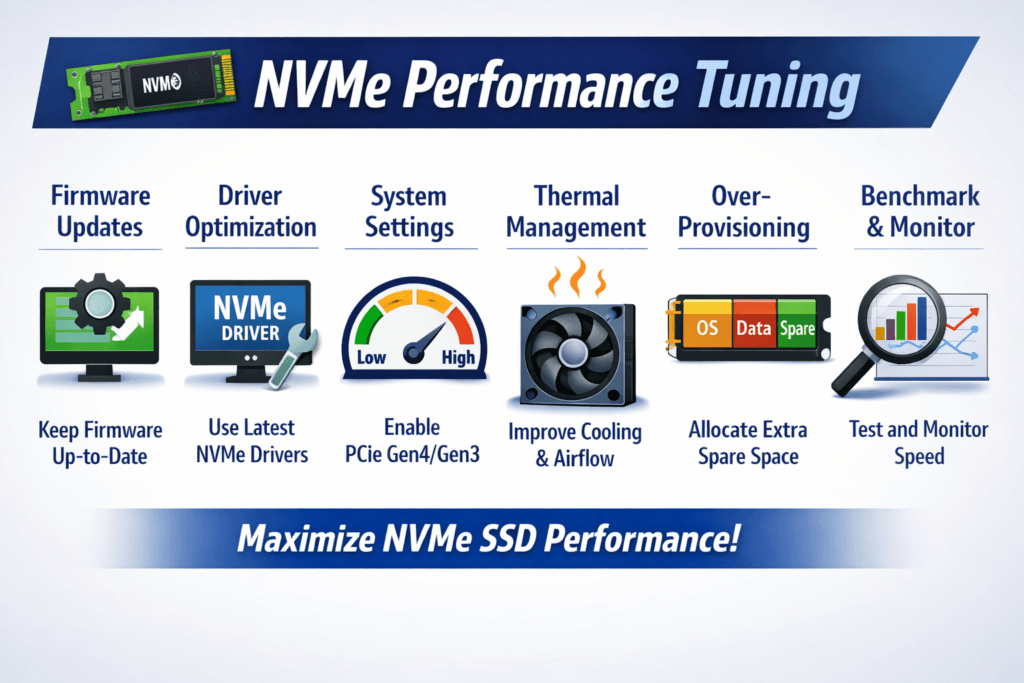
Measuring and Benchmarking NVMe Performance Tuning Performance
Benchmarking must match your workload. Random 4K patterns stress IOPS and latency. Mixed 70/30 patterns resemble many OLTP write paths. Sequential workloads reveal throughput ceilings, PCIe saturation, and network bottlenecks.
Use a repeatable benchmarking method, then validate with an application-level run so you see real tail behavior. Track p50, p95, and p99 latency, and tie those numbers to a fixed configuration: CPU pinning, queue depth, concurrency, dataset size, and run duration. This discipline helps you detect regressions when kernels, NIC firmware, or Kubernetes versions change.
Operational Levers That Raise Throughput and Lower p99 Latency
Most performance wins come from locality, isolation, and a shorter I/O path. Apply changes one at a time, measure, and keep only the changes that improve the metrics you care about.
- Pin I/O processing threads to dedicated CPU cores, and keep them NUMA-local to the NVMe device and NIC.
- Set queue depth and job concurrency to match the workload, and avoid blind over-queuing that inflates tail latency.
- Enforce per-volume QoS to reduce noisy-neighbor impact in multi-tenant clusters.
- Validate multipathing and failover under load, because recovery behavior often changes latency.
- Align Kubernetes placement with topology so critical pods avoid congested or distant paths.
- Tune NVMe/TCP host networking for stable throughput during microbursts and congestion events.
Selecting the Right NVMe Storage Path for Production
The table below summarizes common approaches teams evaluate when they standardize NVMe-backed storage for Kubernetes Storage and disaggregated environments.
| Option | Best fit | What you tune most | Typical trade-off |
|---|---|---|---|
| Local NVMe (direct-attached) | Single-node speed, edge | NUMA locality, IRQ handling, queue depth | Harder pooling, stranded capacity |
| NVMe/TCP | Disaggregated clusters on Ethernet | CPU efficiency, NIC queues, congestion | Higher latency than RDMA in tight budgets |
| NVMe/RDMA (RoCEv2) | Lowest latency targets | Fabric behavior, RDMA NIC settings | More network complexity |
| SPDK-based engine | Stable p99 at scale | Core pinning, polling model, memory setup | Needs careful resource planning |
CPU-Efficient Storage Using SPDK with Simplyblock™
Predictable performance requires control across the full stack: data-path overhead, isolation, and network transport behavior. Simplyblock uses an SPDK-based, user-space architecture designed to reduce CPU overhead and limit extra copies in the hot path. It supports NVMe/TCP and NVMe/RDMA options, and it targets Kubernetes-native operations so teams can standardize storage profiles instead of hand-tuning every cluster.
Multi-tenancy and QoS controls help protect latency-sensitive workloads from background jobs, while flexible deployment modes support hyper-converged, disaggregated, or mixed designs. This approach also supports infrastructure roadmaps that include DPUs, where moving data-path work off the host CPU can improve utilization and stabilize latency under contention.
Improving Tail Latency in Shared Infrastructure
NVMe ecosystems continue to push higher queue scalability, better management, and broader transport adoption. Many teams also move more data-path work toward DPUs and IPUs to protect application cores and reduce jitter in dense clusters.
That shift changes tuning priorities from “host-only settings” toward end-to-end profiles that cover compute, network, and storage as one coordinated system.
Related Terms
Teams use these terms during NVMe Performance Tuning to keep p99 latency stable and prevent I/O contention in Kubernetes.
Questions and Answers
Low-latency workloads benefit from tuning NVMe with high queue depths, optimized interrupt coalescing, and enabling polling mode. Aligning NVMe queues with CPU cores and minimizing context switching are essential for sub-millisecond response times, especially in real-time analytics and database workloads.
On Linux, tuning NVMe includes setting none or mq-deadline as the I/O scheduler, increasing queue depth, enabling multi-queue (blk-mq), and optimizing readahead settings. These changes enhance IOPS and reduce latency. For cloud-native workloads, pair this with NVMe over TCP for even better results.
Yes, NVMe over TCP performs best when TCP stack parameters are optimized. Key settings include MTU size (jumbo frames), CPU affinity for NIC interrupts, TCP window scaling, and zero-copy transmission. These adjustments help reduce protocol overhead and unlock full NVMe potential.
Ideal values depend on the workload, but queue depths of 32–128 and block sizes of 4KiB–16KiB are common for performance testing. Throughput-heavy systems benefit from larger blocks, while IOPS-intensive applications prefer small block sizes and high parallelism. Benchmark with tools like FIO to validate settings.
Absolutely. Binding NVMe I/O queues to specific CPU cores reduces cache misses and increases efficiency. Likewise, tuning IRQ affinity prevents cross-core overhead. These techniques are especially effective in multi-core systems and virtualized environments using NVMe in Kubernetes or VMs.