OpenShift Persistent Storage
Terms related to simplyblock
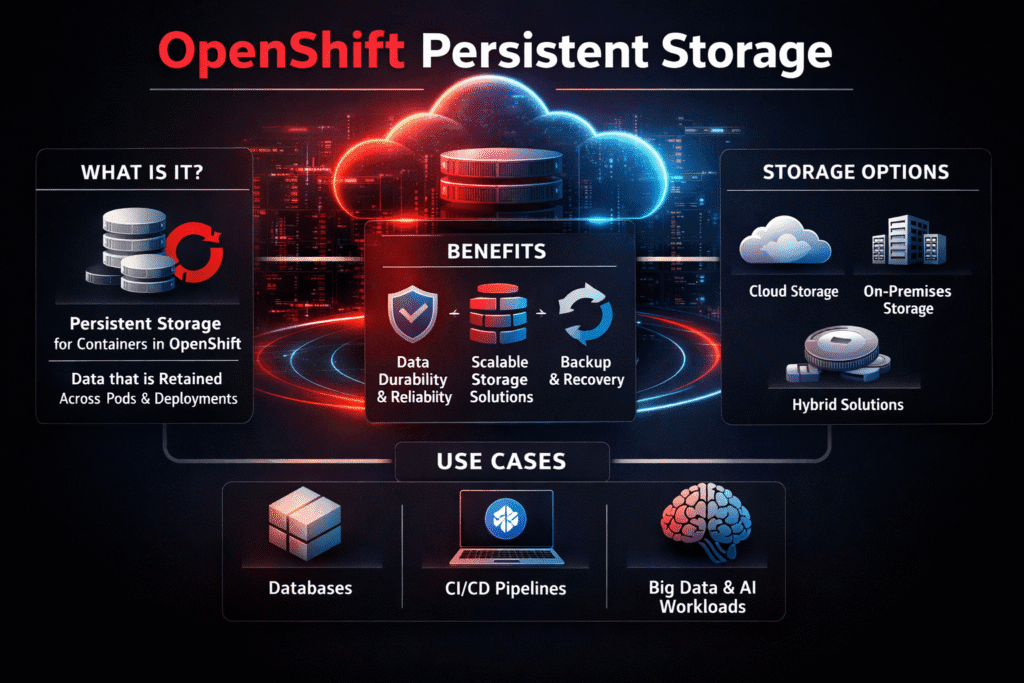
OpenShift Persistent Storage is the set of tools and rules that keep data safe after Pods restart, reschedule, or move during node drains. Teams depend on it for databases, message queues, CI runners, and internal platforms that cannot lose state. When it works well, developers request storage with a claim, and the platform handles provisioning, attaching, mounting, and recovery.
OpenShift adds enterprise guardrails around Kubernetes Storage, but it still follows the same core model: PersistentVolumes represent real capacity, and PersistentVolumeClaims express what the workload needs. Your platform standards matter most in three places: the StorageClass design, the failure-domain plan (zone and node behavior), and the day-2 runbook for upgrades and node maintenance.
What OpenShift Expects from Persistent Volumes
OpenShift Persistent Storage succeeds when the storage backend behaves like infrastructure, not like a special project. The cluster needs predictable attach and mount times, clean handling of node drains, and stable performance when the control plane rolls components.
Stateful workloads also force hard choices about locality. Local disks can deliver strong latency, but they limit rescheduling options. Networked block storage gives you flexibility, but it must hold steady under load and during routine operations. That trade-off shows up fast when operators run upgrades, add nodes, or replace failed hardware.
🚀 Run OpenShift Persistent Storage with Low-Latency NVMe/TCP
Use simplyblock to keep Kubernetes Storage fast, stable, and easier to operate in OpenShift.
👉 Use simplyblock for OpenShift Storage →
OpenShift Persistent Storage and StorageClasses in OpenShift
OpenShift Persistent Storage depends on StorageClasses because StorageClasses define the “contract” between platform admins and application teams. A good StorageClass tells teams what to expect for performance, durability, and access mode, without requiring them to know how you wired the backend.
Most production issues start with mismatched expectations. One class may optimize for throughput, while another targets low latency. Some classes support online resize, while others need a restart to finish filesystem growth. When you standardize class names, default behavior, and quota rules, you cut down the time spent debugging Pending Pods and slow rollouts.
For multi-tenant clusters, treat StorageClasses as a policy boundary. Tie them to clear QoS targets, backup rules, and project-level limits, so one team cannot absorb the best hardware by accident.
OpenShift Persistent Storage Performance on NVMe/TCP
NVMe/TCP helps when you need fast block I/O over standard Ethernet, and you want consistent results across on-prem and hybrid setups. It also fits well when platform teams want to scale capacity without building a separate, specialized storage network.
Performance does not come from transport alone. The storage data path, CPU overhead, and queue handling decide whether your p99 latency stays flat during peak write load and during routine changes like node drains. A user-space, SPDK-based approach reduces kernel overhead and extra copies, which can keep latency steadier when workloads and control-plane tasks overlap.
This matters for OpenShift because upgrades, operator actions, and reschedules happen all the time. If storage adds jitter during those events, application teams feel it as timeouts, slow leader elections, and uneven throughput.
Measuring Latency and Failure-Domain Risk
Measure what applications feel, not only what storage reports. Track p95 and p99 latency, write amplification signals, and error rates during normal load. Then add rollout-focused metrics such as time-to-ready, attach time, and mount time during upgrades and drains.
Test with repeatable I/O patterns that match your real services. Keep a steady profile running, trigger a controlled drain, and watch latency and throughput as Pods move. If performance swings when Pods land on a different node pool, you likely have contention, noisy neighbors, or an uneven storage path.
Techniques to Keep Rollouts Smooth
- Define two or three StorageClasses that cover most needs, and avoid a long tail of “one-off” classes.
- Set clear QoS targets per class, and enforce them, so critical workloads keep their share under load.
- Prefer automation for capacity changes, snapshots, and recovery checks, so operators follow the same safe steps every time.
- Validate upgrades with storage-heavy canaries, not only stateless services, because state exposes weak spots first.
- Separate storage traffic from general east-west traffic when congestion shows up in p99 latency.
Comparison of Common OpenShift Storage Approaches
The table below compares common paths teams use for OpenShift persistent storage, focusing on what breaks first when clusters scale and when day-2 operations ramp up.
| Approach | Strength | Typical risk | Operational burden | Best fit |
|---|---|---|---|---|
| Cloud block volumes via CSI | Fast to adopt | Provider limits and tier variance | Medium | Hybrid and public cloud clusters |
| Hyper-converged storage on worker nodes | Strong locality | Upgrade and drain sensitivity | Medium to high | Smaller clusters with stable nodes |
| External SAN or legacy arrays | Mature tooling | Integration friction and latency variance | High | Existing enterprise storage estates |
| Software-defined Block Storage over NVMe/TCP | Consistent latency on Ethernet | Needs clear policy defaults | Low to medium | Multi-tenant platforms and data-heavy apps |
Operating OpenShift Persistent Storage at Scale with Simplyblock™
OpenShift Persistent Storage gets easier when the storage layer matches the way OpenShift runs: constant change, frequent updates, and shared clusters. Simplyblock provides Software-defined Block Storage built for Kubernetes Storage, with NVMe/TCP support for fast block access over standard networks.
Simplyblock also uses an SPDK-based, user-space data path, which helps reduce CPU overhead and latency swings during upgrades and node drains. Multi-tenancy and QoS controls help platform teams protect tier-1 services from noisy neighbors, even when many projects share the same storage pool.
What Changes Next in OpenShift Storage
OpenShift storage workflows keep moving toward clearer policy, stronger automation, and better observability. Teams want fewer hidden defaults, faster root cause signals, and safer day-2 operations for stateful apps.
Storage platforms that expose clean QoS control, predictable failover behavior, and stable latency under change will keep winning OpenShift estates.
Related Terms
Teams review these pages with OpenShift Persistent Storage to standardize Kubernetes Storage and Software-defined Block Storage.
- What is OpenShift Container Storage
- What is OpenShift Data Foundation
- What is Persistent Storage
- What is Dynamic Provisioning in Kubernetes
- OpenShift CSI Driver Operator
- OpenShift Data Resiliency
- OpenShift StorageClass Templates
Questions and Answers
Persistent storage in OpenShift enables stateful workloads like databases to retain data beyond pod lifecycles. It is managed through PersistentVolumeClaims (PVCs) and StorageClasses, typically backed by CSI drivers. Solutions like Simplyblock support stateful application storage on Kubernetes, making them compatible with OpenShift environments.
OpenShift uses dynamic provisioning with StorageClasses and CSI drivers to automatically create PersistentVolumes when PVCs are requested. This is fully compatible with Simplyblock’s CSI integration, which supports features like snapshots, topology-awareness, and volume expansion for OpenShift clusters.
Yes. With the right backend, OpenShift can run performance-sensitive workloads like PostgreSQL or MongoDB. Simplyblock offers block storage optimized for database workloads that integrates with OpenShift via CSI to provide low-latency, high-throughput persistent volumes.
Absolutely. OpenShift supports encrypted storage volumes via CSI drivers that implement encryption at rest. Simplyblock enables DARE-compliant encryption for volumes provisioned within OpenShift, ensuring secure storage for sensitive data.
Cost and performance can be balanced through appropriate StorageClass settings, volume sizing, and backend selection. Simplyblock provides cloud storage optimization tools that help tune persistent storage provisioning for OpenShift to avoid waste and bottlenecks.