Persistent Storage for Databases
Terms related to simplyblock
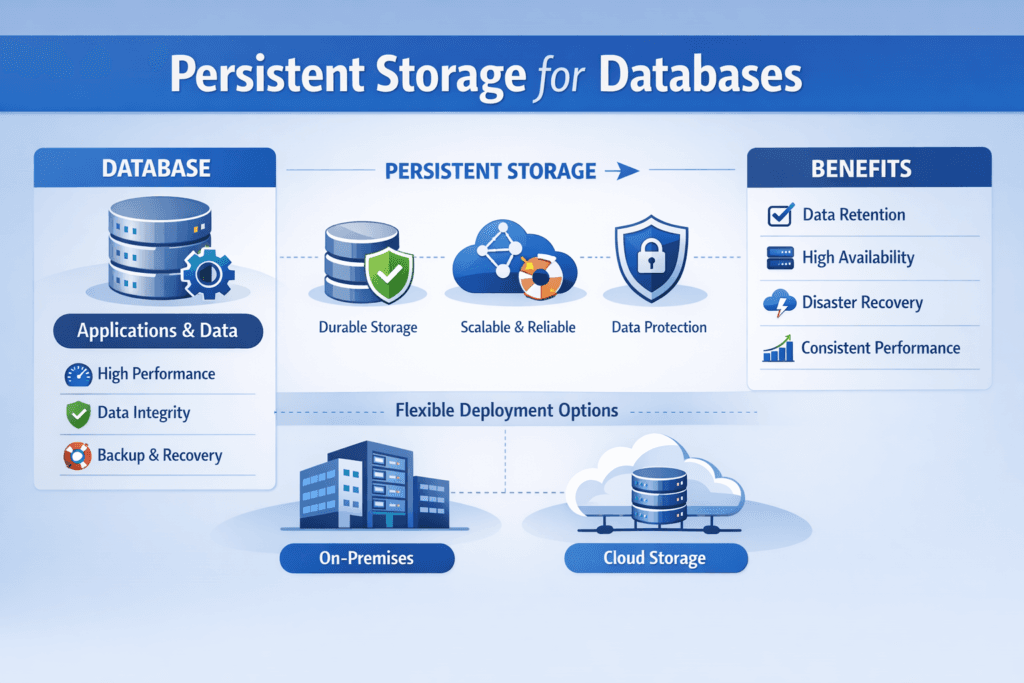
Persistent Storage for Databases means storage that keeps database data safe and usable across restarts, node moves, upgrades, and failures. It must protect three database paths at the same time: the main data files, the write-ahead log or journal, and the metadata that controls crash recovery. If any one of these paths stalls, database latency spikes, and app timeouts follow.
In Kubernetes Storage, “persistent” also means the platform can reschedule pods without breaking data access. A database pod can move, but the volume must stay consistent, mount fast, and meet durability rules. That requires Software-defined Block Storage behavior that the control plane can automate, not a manual storage process that depends on a single expert.
Database-grade storage requirements for real workloads
Database I/O looks simple on paper, but it stresses storage in ways that expose weak designs. OLTP pushes small random writes and frequent fsync calls. Analytics adds large scans that can starve log writes if you do not isolate traffic. Compaction-heavy engines add steady write pressure and amplify background I/O.
Database-grade storage focuses on predictable tail latency, fast recovery, and strict data integrity. It also needs clean failure handling, because a slow rebuild can turn into a long brownout. Strong isolation matters even more in shared clusters, where one tenant’s batch job can drain IOPS from another tenant’s primary.
🚀 Run Databases in Kubernetes with Stable Storage Operations
Use Simplyblock to standardize snapshots, QoS, and recovery for stateful workloads at scale.
👉 Use Simplyblock for Database Storage on Kubernetes →
Persistent Storage for Databases in Kubernetes Storage
Running databases in Kubernetes Storage adds two hard rules: volumes must follow the workload, and operations must stay safe under automation. StatefulSets help with identity, but the storage layer still carries the durability contract.
A good setup supports dynamic provisioning, online expansion, and consistent snapshots that match database recovery needs. It also aligns placement with failure domains, so a node loss does not take out both compute and storage for the same replica set. When teams mix hyper-converged and disaggregated layouts, they can keep low-latency paths for hot databases and scale capacity without tying it to compute growth.
This is where Software-defined Block Storage adds value. It lets platform teams encode intent (replication, erasure coding, QoS, encryption) into policies that Kubernetes can apply per StorageClass, namespace, or workload tier.
Persistent Storage for Databases and NVMe/TCP
NVMe/TCP gives Kubernetes clusters a practical path to high-performance block access over standard Ethernet. For databases, that matters because log writes and checkpoint bursts punish slow stacks. NVMe/TCP also fits teams that want a consistent fabric across baremetal and cloud-like networks, without jumping straight into specialized RDMA setups.
The transport alone does not solve jitter. The I/O path still needs low overhead and stable scheduling under load. Designs that reduce kernel overhead and extra copies help keep CPU cost per I/O under control, which protects p99 latency when concurrency climbs.
Benchmarking Persistent Storage for Databases without misleading results
Database storage tests should mirror database behavior, not only synthetic peak numbers. A single “max IOPS” run can hide tail-latency problems that break transactions in production.
Use fio profiles that include mixed read/write, small blocks, and fsync-like patterns, then track p50, p95, and p99 latency. In Kubernetes Storage, run tests through real PVCs and StorageClasses to include the CSI and networking path. Add failure tests, too. Pull a node, trigger a rebuild, and watch whether latency stays inside your SLO.
Also watch CPU per I/O and network headroom. When storage burns too much CPU, you lose database compute, and you raise the bill at scale.
Practical ways to reduce database latency variance
Most wins come from removing shared choke points and enforcing guardrails that match database priorities.
- Separate log-heavy volumes from scan-heavy volumes when you can, so checkpoint and WAL traffic stays stable.
- Set QoS limits per tenant or workload tier to stop noisy neighbors from driving up tail latency.
- Keep rebuilding pacing predictable, so recovery work does not crush foreground I/O.
- Use snapshots and clones with clear rules, because uncontrolled clone storms can flood backends.
- Measure end-to-end, including mounts, failover time, and restore time, not only steady-state I/O.
Database storage architecture comparison across common options
The table below shows how common approaches behave for database persistence in Kubernetes and at the infrastructure layer.
| Approach | Strengths for databases | Typical gaps | Best fit |
|---|---|---|---|
| Local SSD + hostPath | Low latency on one node | Weak portability, risky ops, manual recovery | Dev and short-lived tests |
| Cloud block volumes | Simple API, managed durability | Cost at scale, noisy-neighbor risk, caps per volume | Small to mid clusters |
| Traditional SAN | Central control, mature tooling | High cost, scaling limits, complex change control | Legacy data centers |
| Software-defined Block Storage (simplyblock model) | Policy-driven, portable, scalable | Needs clear SLOs and tier design | Kubernetes-first database platforms |
Operational confidence with Simplyblock™ for database persistence
Simplyblock™ targets database workloads that need stable latency under load and clear operational controls. It uses an SPDK-based, user-space, zero-copy I/O path to cut overhead and keep CPU usage efficient. That helps protect tail latency when the cluster runs many volumes and mixed traffic.
Simplyblock supports NVMe/TCP and can align pools to workload tiers, so teams can separate log-heavy databases from scan-heavy jobs without splitting operations across tools. It also supports flexible Kubernetes layouts, including hyper-converged, disaggregated, and hybrid models, which help teams scale in the direction that matches their cost and risk targets.
For platform teams, multi-tenancy and QoS features help keep one database team from shaping the performance of the whole cluster. For exec teams, that turns into fewer incidents tied to storage jitter and more predictable growth planning.
Roadmap trends for database persistence in cloud-native stacks
Database persistence is moving toward stronger automation and tighter performance isolation. CSI snapshot workflows keep improving, and more teams rely on clones for CI and data seeding. Storage observability also shifts from “array metrics” to workload SLO views, so teams can link volume latency to database errors in real time.
At the infrastructure level, expect more offload to DPUs and IPUs, plus more policy-driven controls for rebuild pacing and tenant fairness. As clusters grow, the winners will keep operations simple while holding p99 latency steady.
Related Terms
Teams use these terms when setting up Persistent Storage for Databases in Kubernetes Storage with Software-defined Block Storage.
Questions and Answers
Databases running in Kubernetes benefit most from NVMe-based persistent storage due to its low latency and high IOPS. Using CSI drivers with snapshot support and volume replication ensures durability, especially for stateful workloads like PostgreSQL or MongoDB.
Persistent storage directly affects database IOPS, transaction latency, and recovery speed. Poor storage choices can bottleneck even optimized databases. Using block storage with NVMe over TCP ensures consistent performance under concurrent read/write operations.
Remote volumes are preferred for high availability and portability, especially when combined with fast protocols like NVMe/TCP. While local volumes offer lower latency, they lack flexibility. Solutions like Simplyblock provide remote storage with near-local NVMe performance.
Key features include low latency, high throughput, snapshots, synchronous replication, and encryption. CSI-integrated persistent volumes with multi-tenant support help isolate workloads while ensuring backup and disaster recovery options for production-grade databases.
Simplyblock offers encrypted, high-performance block storage with instant snapshotting and replication. Its persistent volumes integrate natively with Kubernetes, providing optimal storage for databases like PostgreSQL, MySQL, and MongoDB through CSI provisioning.