Read Amplification
Terms related to simplyblock
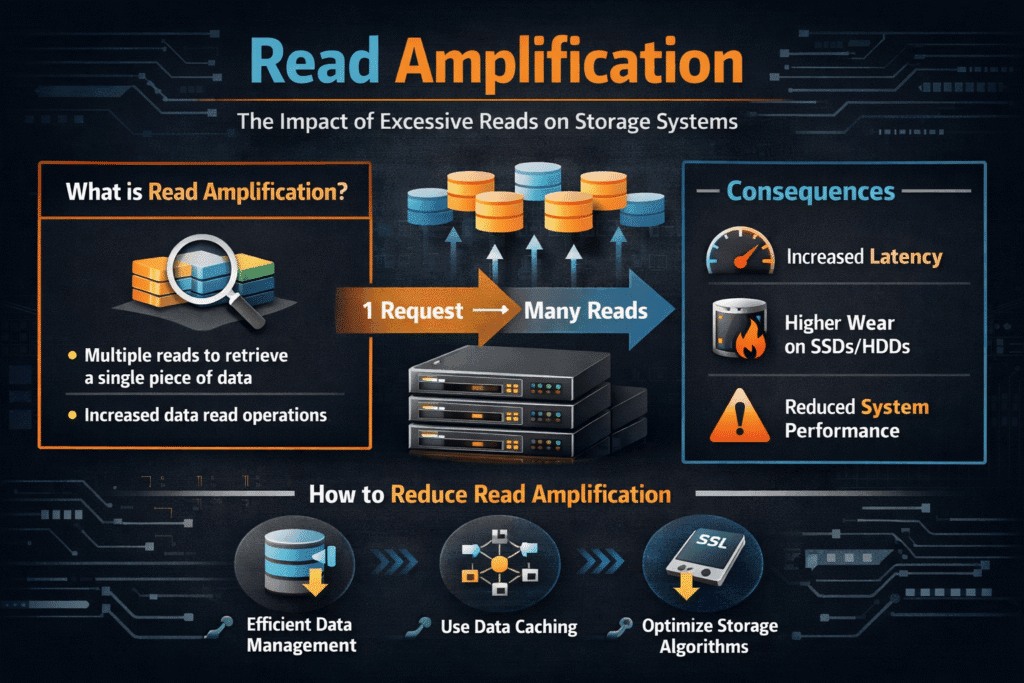
Read amplification happens when a storage system performs more physical reads than the application asked for. If an app reads 4 KB but the backend must fetch 64 KB (or more) because of layout, parity, or metadata, read amplification rises. Teams notice it as higher p95/p99 latency, lower cache hit rates, and wasted bandwidth on NVMe devices and networks.
Read amplification often comes from three sources. Data layout can force larger fetches than the request size. Protection schemes such as replication and erasure coding can require extra reads to rebuild or verify data. Background tasks such as rebalancing and scrubbing can add read load that competes with production I/O.
Reducing Read Amplification with Flash-Aware Design
A flash-aware stack aims to read only what the workload needs, when it needs it. That starts with block sizes and alignment. It also depends on how the platform places data across drives and nodes. Software-defined Block Storage helps because it can control placement, caching, and rebuild behavior without forcing a new array.
Read amplification also ties to CPU overhead and copies in the I/O path. A “tight” path reduces extra memory moves and keeps more cycles available for caching, checksums, and scheduling. This is why user-space, zero-copy designs matter for high IOPS workloads, especially on baremetal clusters where you want predictable results.
🚀 Reduce Read Amplification Spikes in NVMe/TCP Kubernetes Storage
Use Simplyblock to keep reads efficient and p99 latency steady with Software-defined Block Storage.
👉 See How SPDK Improves Read Efficiency →
Read Amplification in Kubernetes Storage
Kubernetes Storage can raise read amplification when the stack adds layers that break locality. Pods may read small blocks, but the volume backend may store data in larger chunks. Snapshots and clones can also push the system into more metadata lookups and indirect reads. When a StatefulSet scales, reschedules, or rebuilds, the cluster may read more data than the application requested just to restore redundancy.
CSI-based platforms can reduce this risk by exposing clear policies for volume type, performance tiers, and rebuild limits. When platform teams align StorageClasses with workload profiles, they reduce surprise read load during node events.
Read Amplification and NVMe/TCP
NVMe/TCP enables disaggregated storage over standard Ethernet, which makes it a strong SAN alternative for Kubernetes clusters that need scale and simpler ops. Read amplification matters more in this model because extra reads consume both device bandwidth and network bandwidth. A small increase in backend reads can turn into a large increase in fabric traffic at peak load.
A good NVMe/TCP design keeps reads efficient through smart caching, stable placement, and controlled recovery behavior. It also benefits from an efficient datapath, so the host spends fewer CPU cycles per I/O.
Measuring and Benchmarking Read Amplification Performance
Measure read amplification by pairing workload-level results with backend counters. Start with a repeatable workload definition: block size, read mix, randomness, queue depth, and run time long enough to reach steady state. Capture p95 and p99 latency, not just average throughput, because amplification often shows up as tail latency.
Then compare what the app requested versus what the storage layer actually read. Many stacks expose per-volume read bytes, backend read bytes, cache hit rates, and rebuild read traffic. If you run in Kubernetes Storage, measure from inside the pod and at the volume backend to spot extra reads from metadata and snapshots.
Practical Ways to Lower Read Amplification
Teams usually reduce read amplification by tightening data layout, raising cache hit rates, and limiting background read bursts:
- Match request sizes to storage chunk sizes where possible, and avoid small, scattered reads for scan-heavy jobs.
- Use caching and tiering policies that keep hot data close to compute, especially for databases and vector search.
- Cap rebuild, rebalance, and scrub rates so recovery work does not flood the read path during business hours.
- Pick protection schemes that fit the workload, because erasure coding can add read work during degraded states.
- Apply QoS so one tenant’s scans do not force extra backend reads for everyone else.
- Use NVMe/TCP designs that keep read paths predictable across disaggregated storage nodes.
Read Amplification Trade-Offs Across Storage Designs
Different architectures handle reads in very different ways. This table highlights common sources of extra reads and what they do to tail latency in real systems.
| Storage approach | Common sources of extra reads | What happens to p99 | Typical fit |
|---|---|---|---|
| Local NVMe on each node | Cache misses, fragmented data, small-block metadata lookups | Spikes during compaction or GC | Single-tenant clusters, edge |
| Traditional SAN | Controller policies, shared cache contention, rebuild reads | Often stable, can bottleneck under mixed reads | Legacy VM estates |
| Distributed storage over Ethernet | Rebalance reads, parity rebuild reads, network fan-out | Higher jitter during node events | Capacity pooling at scale |
| NVMe/TCP Software-defined Block Storage | Policy-driven rebuilds, tuned caching, efficient datapath | More stable when recovery stays controlled | Kubernetes Storage, SAN alternative rollouts |
Predictable Read Paths with Simplyblock™
Simplyblock™ focuses on predictable reads by keeping the I/O path efficient and by shaping background work so it does not overwhelm production traffic. With Kubernetes-native CSI integration, platform teams can standardize volumes and still apply multi-tenant controls that protect latency for critical apps.
The platform also supports NVMe/TCP so teams can run disaggregated storage without adding legacy protocol overhead. That helps clusters scale while keeping read behavior steady across nodes, tenants, and failure events.
Next Steps for Read Efficiency
Expect more storage stacks to push read handling into fast, user-space paths and to offload work to SmartNICs, DPUs, and IPUs. Those shifts can reduce CPU cost per read and free more headroom for caching, checksums, and QoS enforcement.
They also fit NVMe-oF roadmaps, where NVMe/TCP expands disaggregated designs across standard Ethernet.
Related Terms
Teams often review these glossary pages alongside Read Amplification when they tune Kubernetes Storage read paths, NVMe/TCP performance, and Software-defined Block Storage policy.
Tail Latency
Persistent Volume
NVMe Latency
Zero-copy I/O
Questions and Answers
Read amplification occurs when a storage system reads more data than requested, impacting latency and efficiency. In stateful Kubernetes workloads, high read amplification can slow down apps and reduce system throughput.
It’s often triggered by unaligned I/O, small random reads, or copy-on-read behaviors in software-defined storage layers. These inefficiencies result in extra data being fetched from flash memory.
Yes, NVMe over TCP offers low-latency, block-level access over standard Ethernet, which supports more efficient I/O patterns. This can help reduce unnecessary reads in distributed storage environments.
Read amplification is the ratio of physical reads to logical reads. A high ratio means the system is reading more data than necessary, leading to slower performance and wear, especially relevant for cloud cost optimization and SSD health.
Yes, thin clones and snapshots may cause indirect reads, especially if multiple layers of redirection exist. Optimized storage engines mitigate this by consolidating metadata and improving cache efficiency.