SPDK for NVMe over TCP
Terms related to simplyblock
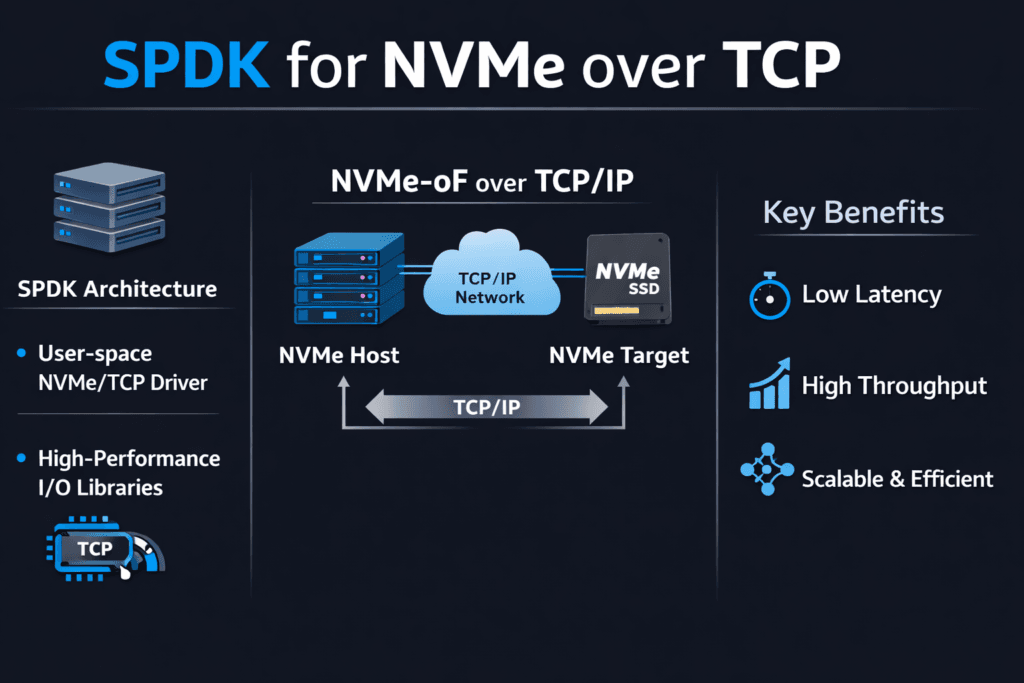
SPDK for NVMe over TCP means you use the Storage Performance Development Kit (SPDK) to run the NVMe/TCP fast path in user space. That design cuts kernel overhead, reduces context switches, and helps the storage stack push more I/O per CPU core. Teams choose this approach when they want high throughput without sacrificing steady latency.
Most performance issues do not come from the SSDs. CPU churn, noisy scheduling, and uneven network queues cause more trouble. SPDK addresses those issues by keeping the I/O loop tight and avoiding extra copies where possible. Good tuning still matters, but SPDK gives you sharper control over the hot path.
Executives care about cost per workload and stability at peak load. DevOps and IT Ops teams care about repeatable behavior during node drains, upgrades, and failures. SPDK supports both goals when you run large fleets, and you demand consistent p99 latency.
Building a Faster User-Space Data Path with Practical Platform Choices
Start with the basics: a fast data path needs stable CPU time, clean memory locality, and a calm network. User-space I/O can win big, but it needs control over the environment. Many teams see great lab results, then lose them in production because they share cores with bursty services or they spread threads across NUMA nodes.
A modern storage platform can reduce that friction. Look for clear CPU pinning controls, queue visibility, and policy-based limits for multi-tenant workloads. Baremetal also helps, because baremetal keeps latency tight and resource use clear. In mixed fleets, automation matters even more, since drift shows up as tail latency spikes.
🚀 Standardize NVMe/TCP and Keep SPDK-Class Performance in Kubernetes
Use Simplyblock Software-defined Block Storage to run NVMe/TCP at scale with multi-tenant QoS.
👉 Use Simplyblock for Kubernetes NVMe/TCP →
SPDK for NVMe over TCP in Kubernetes Storage
Kubernetes Storage adds constant change. Pods move, nodes rotate, and clusters scale every day. Storage must keep up without turning routine ops into a performance event. SPDK can support that goal, but teams must treat storage as their own control plane with protected resources.
Reserve CPU for the storage data path and keep that CPU away from bursty pods. Place the NIC queues, the SPDK threads, and the NVMe devices on the same NUMA node when you can. Track rebuild and resync behavior, because those background tasks often push p99 latency up. Plan for noisy neighbors, since shared clusters amplify small timing problems.
When teams set this up well, they can run hyper-converged, disaggregated, or mixed layouts and still keep volume behavior steady. That flexibility matters when leadership asks for faster scale-out or better cost control.
SPDK for NVMe over TCP and NVMe/TCP
NVMe/TCP brings NVMe-oF to standard Ethernet. That makes it easy to deploy across data centers without special fabrics. The trade-off shows up in CPU cost and jitter from the TCP stack under heavy load.
SPDK improves that trade-off by reducing kernel transitions and by keeping the I/O loop focused. A tuned user-space path can deliver better IOPS per core and tighter tail latency for many workloads. Network design still matters. Latency jumps when the network gets congested, when RSS sends too much traffic to one queue, or when MTU settings drift across the path.
Some orgs mix transports. They run NVMe/TCP for broad coverage and keep RDMA for the smallest latency budgets. That plan works best when one storage layer enforces the same operational model across both choices.
Proving Results with Benchmarks That Match Production
A benchmark should answer real questions. Can the platform hold p99 latency at peak load? Does it keep performance steady during upgrades? How much CPU does it burn per unit of throughput?
Build your test to match the app. Pick the same block size, the same read/write mix, and the same level of parallelism. Run long enough to catch the drift. Warm-cache bursts can hide the real story, so measure steady-state behavior. Then add operational stress, such as node drains, rolling updates, and failure recovery. Those events expose the tail latency that users feel.
Also track efficiency. High throughput does not help if the stack eats CPU and forces you to buy extra cores. Compare IOPS per core, GB/s per core, and p99 latency at a fixed CPU budget.
Practical Ways to Raise Throughput and Reduce Tail Latency
Make changes in small steps and measure after each step. Use this checklist to guide tuning:
- Pin storage-plane CPU cores and keep them isolated from bursty workloads.
- Align NUMA for CPU cores, NIC queues, hugepages, and NVMe devices.
- Tune queue depth and thread counts to match device parallelism without queue bloat.
- Keep MTU consistent and validate RSS so traffic spreads across queues.
- Enforce QoS limits so one tenant cannot crowd out others.
Side-by-Side Options for User-Space NVMe/TCP Deployments
The table below compares common ways teams deploy NVMe/TCP data paths and the trade-offs they usually see.
| Approach | Data Path | Ops Effort | Typical Outcome |
|---|---|---|---|
| Kernel NVMe/TCP | Kernel networking and interrupts | Low | Easy rollout, but higher CPU cost and wider tail under load |
| DIY SPDK user space | User space polling and tight hot path | High | Strong control, but higher tuning burden and drift risk |
| Integrated platform | User space with policy and automation | Medium | More stable p99 behavior with less day-to-day tuning |
Running SPDK and NVMe/TCP at Scale with simplyblock™
Simplyblock™ provides Software-defined Block Storage designed for NVMe/TCP and Kubernetes Storage. The platform keeps tail latency under control by protecting the storage plane, enforcing multi-tenant QoS, and managing background work in a controlled way. That combination helps teams avoid the “fast on average, slow when it matters” problem.
Simplyblock™ also supports flexible deployment models, including hyper-converged, disaggregated, and hybrid setups. That matters when you want to scale compute and storage on different curves, or when you want to move from one layout to another without changing how apps consume block volumes. You get a storage layer that behaves as a shared service, not a collection of one-off builds.
Next-Stage Improvements for NVMe/TCP Datapaths
SPDK for NVMe over TCP will keep moving toward better CPU efficiency and better operational control. Teams will also push for deeper telemetry that ties p99 spikes to a clear cause, such as a hot NIC queue, a noisy CPU neighbor, or a rebuild wave.
Hardware offload will play a bigger role, too. DPUs and IPUs can take on parts of the network and storage work and free the host CPU for apps. That trend fits well with user-space designs that already focus on tight loops and efficient data movement. Over time, winning stacks will focus less on peak charts and more on stable performance across churn.
Related Terms
Teams often review these terms alongside SPDK for NVMe over TCP when they tune NVMe/TCP datapaths for Kubernetes Storage.
Questions and Answers
With SPDK, the NVMe/TCP hot path can stay in user space, cutting context switches and extra copies that often show up as jitter at high queue depth. The practical result is usually better IOPS-per-core and steadier tail latency when concurrency climbs. This design is explained in SPDK Architecture and the NVMe over TCP Architecture.
An SPDK Target exposes NVMe-oF namespaces (including NVMe/TCP) so initiators can access remote NVMe with a thin, high-throughput data plane. The main value is keeping the target-side I/O path efficient and predictable under load, which is why it’s often chosen for Ethernet-based disaggregated storage.
Use workload-shaped tests and track CPU plus p95/p99, not just throughput. Queue depth and block size can make NVMe/TCP look great while hiding CPU saturation on either side. A solid workflow is Fio NVMe over TCP Benchmarking, plus broader Storage Performance Benchmarking to validate real SLO behavior.
SPDK reduces software overhead, but it can’t outrun a saturated fabric. If p99 rises while SSD utilization stays modest, you’re often hitting east–west contention, oversubscription, or packet-loss-driven retries. Confirm it by checking Storage Network Bottlenecks in Distributed Storage and validating your NVMe over TCP design assumptions.
Teams optimize the target but ignore the full Storage IO Path in Kubernetes, so CPU pinning, NUMA locality, or node placement injects latency spikes outside the storage backend. The fix is treating SPDK + NVMe/TCP as an end-to-end pipeline: initiator CPU, target CPU, and network topology must all align.