Storage Rebalancing Impact
Terms related to simplyblock
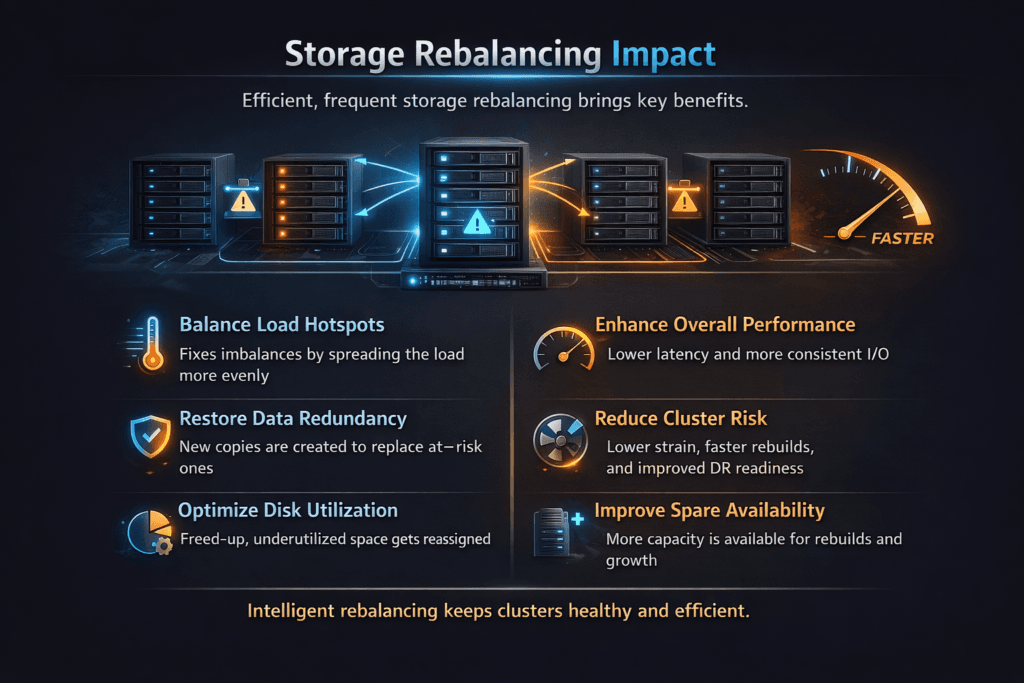
Storage Rebalancing Impact describes what applications feel when a storage system moves data to restore an even layout. Rebalancing often starts after you add or remove nodes, replace drives, change failure-domain rules, or recover from a fault. During that movement, the platform shares CPU, network, and device queues between client I/O and background copy work.
Leaders care about two outcomes: how long the cluster stays “busy,” and how much user latency rises while it heals. Operators care about the mechanics that drive those outcomes, such as placement math, copy bandwidth limits, and QoS rules that protect priority volumes.
Optimizing Storage Rebalancing Impact with modern solutions
Rebalancing does not need to punish production traffic. A well-built system limits movement to the minimum required data, then spreads work across nodes so no single device becomes a hotspot. It also places background copy traffic based on live load.
The data path matters as much as the algorithm. If the storage stack burns too many CPU cycles per I/O, rebalancing steals headroom fast. A user-space approach based on SPDK patterns can cut overhead and keep more cores available for foreground requests. This design also helps when you run NVMe devices at high queue depth, where kernel overhead and context switches add jitter.
The best results come from planning headroom early. Teams that run near full utilization see tail latency spikes when the platform starts moving data. Teams that reserve, rebuild, and rebalance capacity keep steadier service and reduce retries at the app layer.
🚀 Scale Out Kubernetes Storage Without Rebalance Slowdowns
Use Simplyblock to expand clusters and keep NVMe/TCP volumes stable during growth.
👉 Use Simplyblock for Kubernetes Storage →
Storage Rebalancing Impact in Kubernetes Storage
Kubernetes Storage adds churn. Pods reschedule, nodes drain, and autoscaling changes placement. Those events trigger more background work, especially when you combine replication, snapshots, and expansion with normal traffic.
Kubernetes also increases the cost of slow healing. A long rebalance window raises the odds that another change lands mid-recovery, which stacks work and increases risk. A strong storage layer keeps rebalancing bounded, then uses topology rules so it avoids cross-zone moves unless policy requires them.
Multi-tenancy makes the problem sharper. One namespace can trigger large moves through rapid scale changes, then hurt shared performance. Good QoS and per-volume limits keep that blast radius small, even when the cluster runs mixed workloads.
Storage Rebalancing Impact and NVMe/TCP
NVMe/TCP enables scale-out block storage over standard Ethernet. That same network carries rebalance traffic when the system copies data between nodes. If you let rebalance work run free, it can fill buffers, raise retransmits, and push p99 latency up for user I/O.
A practical design treats the fabric as a shared resource. It caps copy bandwidth, favors local moves when possible, and protects latency-sensitive volumes with QoS. It also supports clean path recovery, so a link change does not restart large transfers or strand volumes in a slow state.
This is where Software-defined Block Storage can outperform a classic SAN alternative. It can schedule rebalance work with awareness of workload class, cluster load, and failure domains, instead of applying one global throttle.
How to measure user-visible impact during rebalancing
Benchmarks should include rebalancing, not just clean-room runs. Start with a steady read/write mix that matches your apps. Then trigger a realistic event, such as adding a node, removing a drive, or forcing a placement change. Track latency percentiles, throughput, error rate, and time-to-stable.
Avoid single-number results. Mean latency hides the pain that causes timeouts. p95 and p99 show user impact. CPU per I/O shows efficiency. Network utilization shows whether copy work competes with NVMe/TCP traffic.
Run the same plan after upgrades. Small changes in pacing, queueing, or QoS logic can shift tail latency by a lot. A repeatable test plan catches that drift before it hits production.
Practical steps to reduce rebalance pain under load
- Set explicit limits for rebalance bandwidth and IOPS so background work cannot flood the fabric.
- Reserve headroom on CPU, NIC, and NVMe queues for foreground traffic during recovery windows.
- Apply QoS per tenant and per volume so priority services keep stable latency.
- Use topology-aware placement rules so the system avoids cross-zone moves unless policy demands them.
- Trigger controlled tests after node adds, node loss, and upgrades to validate real behavior.
Side-by-side comparison of rebalancing strategies
The table below compares common approaches teams evaluate when they tune rebalancing for Kubernetes Storage and NVMe/TCP environments.
| Strategy | Strength | Trade-off |
|---|---|---|
| Aggressive rebalancing | Shorter time-to-balance | Higher tail latency risk |
| Paced rebalancing with QoS | Better latency control | Longer recovery window |
| Minimal-move placement algorithm | Less data copied | Needs smarter placement logic |
| Zone-aware rebalancing | Limits blast radius | May leave mild skew longer |
Keeping rebalance overhead low with simplyblock™
Simplyblock™ targets low rebalancing overhead by combining placement logic that avoids unnecessary data movement with controls that protect foreground I/O. It supports Kubernetes Storage operational patterns, including cluster growth, node maintenance, and mixed workload tiers.
The platform also focuses on the data path. SPDK-based, user-space I/O reduces CPU overhead, which preserves headroom during background copy activity. QoS and multi-tenancy controls help keep critical volumes steady when other tenants trigger churn. NVMe/TCP support lets teams scale on standard Ethernet while keeping transport choices simple.
Where rebalancing is headed
Teams want faster healing without higher latency. Expect more systems to use smarter pacing that reacts to live load and per-volume goals. Expect more work on isolating background copy traffic from user I/O, especially on shared NVMe queues and shared fabrics.
Hardware trends will push this further. DPUs and IPUs can offload parts of the storage and networking path, which can reduce host CPU pressure during rebalance periods. Better observability will also matter. When operators see where queues build, they can tune limits with confidence instead of trial and error.
Related Terms
These glossary pages help teams reduce Storage Rebalancing Impact across Kubernetes Storage and Software-defined Block Storage.
Questions and Answers
Rebalancing competes with foreground I/O for CPU, network, and disk queues, so the first symptom is usually a p99 spike, not a throughput drop. It also increases random reads and write amplification during shard/extent movement. The safest approach is throttled, topology-aware movement that respects hot volumes and rebuild budgets, especially in a distributed block storage architecture.
Rebalancing redistributes data to fix skew; rebuilding restores redundancy after a failure; defragmentation rewrites the layout to improve locality. All three move data, but rebuilding is time-critical and often less throttle-friendly, while rebalancing can be scheduled and rate-limited. Confusing them leads to the wrong throttles and surprise QoS drops. Use clear policies tied to fault tolerance targets.
Limit concurrency (number of shards/PGs moving), cap background bandwidth, and enforce per-device IOPS ceilings so hot paths stay stable. The trick is adaptive throttling: slow down when p99 or queue depth rises, speed up when the cluster is idle. This is easier when you track the right storage metrics in Kubernetes and correlate them with movement events.
If placement is already skewed, a single node loss can force massive movement because the system must both restore redundancy and re-spread primaries. That doubles background traffic and can cascade into timeouts. Prevention is proactive: keep replica distribution even, avoid packing, and apply real failure boundaries like storage fault domains vs availability zones so movement is predictable under stress.
Look for rising p95/p99 read latency, increased fsync times, and throttling in application logs that align with data-movement windows. On the platform side, watch Pod readiness delays, and PVC attach/mount timeouts when the backend is saturated. The most actionable view combines workload telemetry with storage metrics in Kubernetes so you can tune movement rates before users notice.