Volume Mount Path in Kubernetes
Terms related to simplyblock
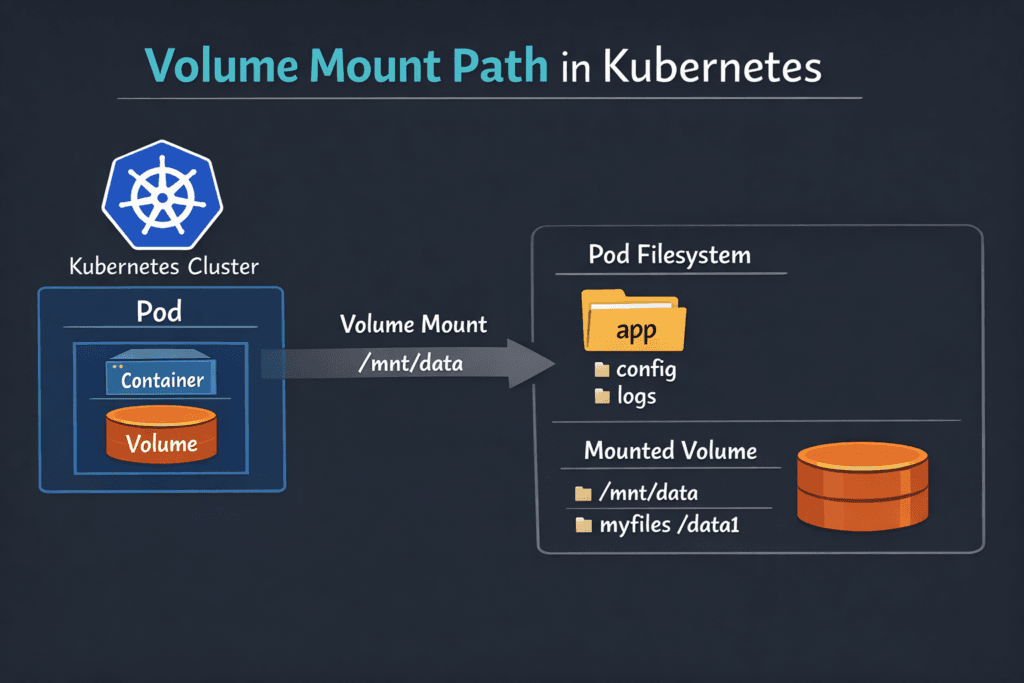
A volume mount path is the folder inside a container where Kubernetes places a volume so the app can read and write files. In a Pod spec, volumeMounts.mountPath sets that location, and the volumes section defines what Kubernetes mounts there. Kubernetes uses the mount path for both ephemeral storage (such as emptyDir) and persistent storage backed by a PersistentVolumeClaim (PVC). Kubernetes documents the core behavior in its volume and Pod configuration guides.
Mount paths look simple, yet they drive real outcomes: startup time for stateful pods, permission safety, backup scope, and how quickly a workload recovers after a node drain. When mount paths fail, teams see pods stuck in ContainerCreating, init containers looping on chown, and apps that boot with empty directories.
Tuning Mount Locations with Kubernetes-Aware Storage Platforms
Mount issues rarely come from one cause. Path ownership, filesystem type, mount options, and the CSI node publish flow all interact. A clean design keeps apps consistent across clusters and prevents “works in staging” surprises.
Kubernetes-first Software-defined Block Storage helps because it aligns the control path (provision, attach, publish) with Kubernetes behavior and reduces retries during churn. If the storage stack also keeps the data path efficient, nodes spend fewer CPU cycles on IO while kubelet mounts volumes during rollouts.
🚀 Fix Volume Mount Path Delays for Stateful Apps, Natively in Kubernetes
Use Simplyblock to reduce mount-time retries, speed up remounts after reschedules, and keep pods reaching Ready faster at scale.
👉 Use Simplyblock for Kubernetes Storage →
Volume Mount Path in Kubernetes Storage
In Kubernetes Storage, the mount path becomes usable only after Kubernetes binds a PVC, attaches the device to the node, and completes the node-side publish step. The CSI flow matters because the kubelet depends on the driver to stage and publish the volume to the target path.
Teams often standardize these rules:
Apps mount durable data at a stable path (for example, /var/lib/app), while caches use a separate path that can be reset. Ops teams also avoid path collisions across containers in the same Pod, especially when they share a volume and use subPath. Mount options can change behavior and performance, which is why many teams document them per StorageClass.
Volume Mount Path in Kubernetes and NVMe/TCP
NVMe/TCP affects what happens behind the mount path: how fast a node connects to remote NVMe targets, how cleanly it reconnects after a reschedule, and how stable performance stays under churn. When a node reconnects quickly, the pod reaches Ready sooner because the kubelet can complete the mount and start the container.
For many organizations, NVMe/TCP also supports a SAN alternative approach that fits standard Ethernet and disaggregated layouts. Simplyblock positions NVMe/TCP as a core transport for its NVMe-oF Software-defined Block Storage, with Kubernetes integration as a primary design goal.
Measuring and Benchmarking Mount-Path Readiness
Benchmarking mount paths means measuring “time to usable storage,” not just raw IOPS. Start with clocks that match what developers feel:
Measure PVC create-to-Bound, pod schedule-to-volume attached, attach-to-mounted, and pod delete-to-detached. Next, replay those tests during node drains and rolling upgrades, since mounts happen most often during change. Finally, pair lifecycle timing with steady-state IO tests to confirm the data path stays healthy after the mount succeeds.
Improving Volume Mount Path in Kubernetes Under Load
Use these actions to cut mount delays and reduce on-call noise:
- Set ownership and permissions for the mount directory up front, and keep UID/GID handling consistent across images.
- Keep mount flags consistent per StorageClass, and validate driver support before you roll changes into production.
- Separate hot data, logs, and caches into distinct mount paths so apps do not mix durability needs in one directory.
- Track kubelet and CSI node timings so you can spot slow publish and unpublish steps during upgrades.
- Apply QoS and tenancy controls in Software-defined Block Storage so noisy neighbors do not stretch mount time during deploy bursts.
Mount Path Tradeoffs by Volume Type
Different volume types change what “mount path” means, especially for security, portability, and troubleshooting. The table below summarizes the patterns most teams rely on.
| Volume type | What the app gets at the mount path | Typical fit | Common failure mode |
|---|---|---|---|
| Filesystem PV via PVC | A directory tree mounted at mountPath | Databases, app state, logs | Permission drift across images |
| Raw block via PVC | A device mapped into the container | DB engines that manage their own IO | App expects a directory path |
| hostPath | A node folder mounted into the pod | Node agents, DaemonSets | Ties pods to specific nodes |
| emptyDir | Ephemeral folder for the Pod | Scratch space, caches | Data disappears on Pod restart |
Consistent CSI Mount Operations with Simplyblock™
Simplyblock™ focuses on Kubernetes Storage, Software-defined Block Storage, and NVMe/TCP, with a design that aims to keep publish and remount timing steady during churn. That stability matters when a cluster drains nodes, replaces instances, or scales stateful sets. The docs page for Install Simplyblock CSI describes how to install the CSI driver for disaggregated deployments, which is the part of the stack that directly controls node publish behavior.
Teams also use simplyblock when they want a platform view of stateful storage across clusters and need consistent behavior across node pools.
Future Directions and Advancements in Mount Semantics
Kubernetes and CSI continue to push toward clearer policy and better visibility. Expect stronger guardrails around mount flags, more lifecycle telemetry tied to StorageClasses, and broader use of offload paths (DPUs/IPUs) to keep host CPUs available for apps.
Storage platforms that already optimize CPU use in the data path will find it easier to scale mount-heavy workloads without adding nodes just to handle overhead.
Related Terms
Teams often review these glossary pages alongside Volume Mount Path in Kubernetes.
- Kubernetes Volume Mount Options
- Kubernetes Volume Attachment
- Kubernetes Volume Mode (Filesystem vs Block)
- Kubernetes Volume Plugin (in-tree vs CSI)
Questions and Answers
Kubelet computes a per-pod target directory under its managed pod volume tree, then passes that target path into the node-side publish step. The path is stable for the pod UID, but changes on reschedule because the pod UID (and node) changes. If the pod is restarted on the same node, the kubelet tries to reuse and reconcile the existing target to avoid remount churn.
Staging is a node-global preparation step where the volume is attached, optionally formatted, and mounted once for reuse. The target path is the per-pod bind mount (or raw device mapping) that exposes the volume inside the container sandbox. Most “already mounted” and “device busy” errors happen when staging/target cleanup drifts after kubelet or node restarts.
The Kubelet Volume Manager drives the workflow and calls the CSI node plugin to execute the mount/publish. The node plugin handles filesystem checks, mount flags, and bind-mounting into the final target path. If the directory exists but isn’t populated, it’s usually a publish failure; if it’s populated but stale, it’s usually an unpublish/cleanup failure.
Mount options control how the kernel mounts the filesystem at the target path: read-only vs read-write, filesystem-specific flags, and performance-related behaviors (like barriers or atime). These options can change tail latency, recovery time, and even whether a mount succeeds under certain node configurations. Use Kubernetes Volume Mount Options to align StorageClass settings with workload expectations.
CSI NodePublishVolume Lifecycle is the step that binds the prepared volume to the pod’s target path (or exposes a raw block device). If this call fails, pods commonly stick in ContainerCreating with mount timeouts, permission errors, or “path already mounted.” Validating the target path and ensuring unpublish runs cleanly is key for predictable restarts.