Zero Copy Clone
Terms related to simplyblock
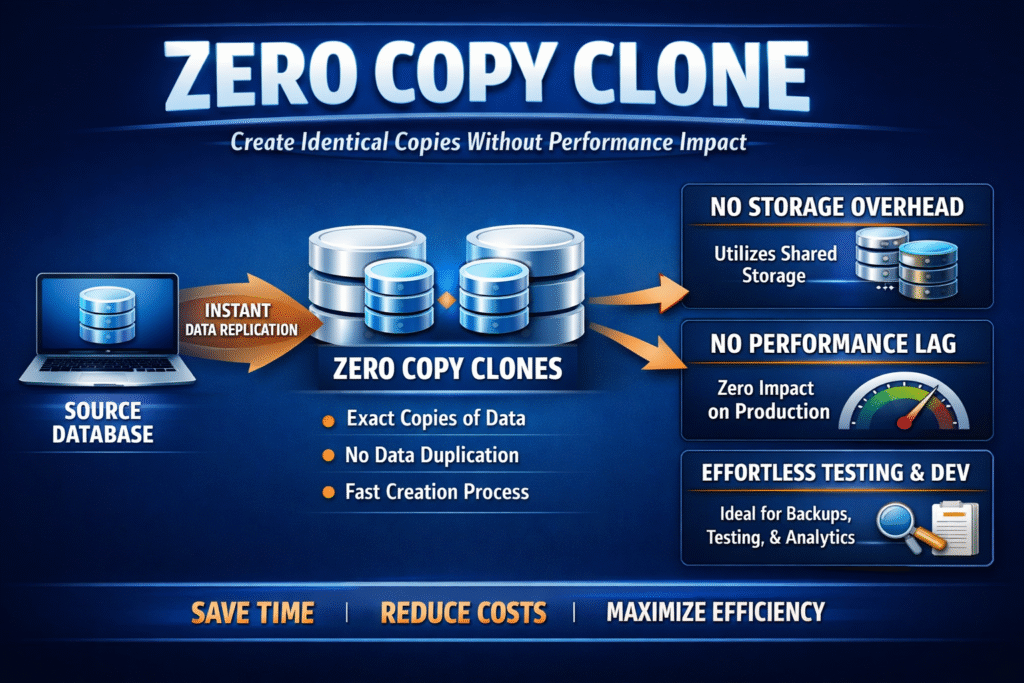
A zero-copy clone gives you a new, writable volume without copying the full dataset at creation time. The system links the clone to existing blocks through metadata, then writes new blocks only when the clone changes data (copy-on-write style). This setup keeps clone creation fast and keeps the first storage bill small.
Teams use zero-copy clones to spin up dev/test environments, safe experiments, and rollback paths in minutes, not hours. The clone stays “thin” until real writes arrive, so you can create many branches without duplicating the baseline right away.
How Metadata-First Cloning Works
Zero-copy cloning starts with pointers, not data movement. The storage layer maps the clone to the same base blocks as the source, so creation stays light and quick. That metadata step often takes milliseconds, even for large volumes.
When the clone receives a write, the system allocates fresh blocks for that clone and keeps the original blocks unchanged. This behavior protects the source volume and keeps clones isolated from each other. As more clones diverge, the platform shifts from shared reads to more unique writes, which changes the load shape.
🚀 Create Zero-Copy Clones for Kubernetes Volumes, Without Full Copies
Use Simplyblock to run copy-on-write snapshots and fast cloning, so teams can branch data quickly while keeping storage growth under control.
👉 Use Simplyblock for Kubernetes Persistent Storage →
Why Teams Use It for Dev, Test, and Rollbacks
Zero-copy clones shorten feedback loops. Engineers can create many environments from one “golden” dataset and run tests in parallel without waiting for full copies. That speed helps CI pipelines, staging refresh, and incident response.
Ops teams also use clones for safer changes. Clone first, run the migration or patch, validate results, and delete the clone if the change fails. This pattern lowers risk because you avoid touching production data until you trust the result.
Zero Copy Clone in Kubernetes Storage
Kubernetes makes zero-copy cloning practical because teams already automate storage with PVCs and StorageClasses. CSI supports volume cloning through standard workflows, so developers can request a clone in the same way they request any other volume. This approach fits fast preview environments, data-heavy integration tests, and quick rollbacks.
Treat clones like first-class volumes in your cluster. Apply quotas, QoS, and cleanup rules early, because clone sprawl can fill pools fast once many clones start writing. Strong naming and lifecycle habits also help, since “temporary” clones often become permanent by accident.
What NVMe/TCP Changes for Clone-Heavy Workloads
NVMe/TCP keeps the block path simple over Ethernet, but clone-heavy patterns can still stress shared resources. A clone storm often starts with a fan-out read peak (many clones read the same base), then flips into a write peak as clones diverge. Those bursts can hit CPU, network, and device queues at the same time.
QoS and pacing matter more than raw bandwidth here. If you protect foreground traffic, the platform can run clone bursts and background work without pushing p99 latency into the danger zone. Good monitoring also helps you spot the moment shared reads turn into heavy write growth.
How to Benchmark Clone Speed and Tail Latency
Don’t stop at “clone creation time,” because many systems only write metadata at creation. Measure what happens when 10, 100, or 1,000 clones start real I/O and diverge under a realistic write rate. That’s where most platforms show their true behavior.
Track p95/p99 latency, steady IOPS, CPU use, and space growth per clone. Then repeat the same test while background work runs (snapshots, rebuild, rebalance) so you can see how stable tail latency stays under pressure. Finally, validate reclaim speed after you delete clones, because slow reclaim can block future growth.
Practical Controls That Keep Zero-Copy Clones Predictable
Zero-copy cloning stays safe when you control burst writes, enforce retention, and watch free space closely. Rate-limit heavy writers so one clone cannot spike p99 for the whole pool, and set clear deletion rules so old clones don’t pin shared blocks forever. Prefer snapshots for “history” and use clones for writable forks, since that split keeps growth easier to predict.
Clone Options Compared – Snapshot vs Zero-Copy Clone vs Full Copy
This table helps you choose the right option based on speed, space growth, and day-2 cleanup. Use it when you design CI pipelines, staging stacks, or rollback plans. The key difference is what stays shared and what becomes unique over time.
| Option | Writable? | Upfront space | What grows over time | Best fit |
|---|---|---|---|---|
| Snapshot | Usually read-only (or controlled RW) | Very low | Grows as source changes | Rollback points, backups |
| Zero-copy clone | Yes | Low | Grows as the clone writes | Dev/test forks, parallel environments |
| Full copy | Yes | High | Normal volume growth | Long-lived independent copies |
Zero Copy Clone Workflows with Simplyblock
Simplyblock supports copy-on-write snapshots and fast cloning, which maps well to zero-copy clone workflows in Kubernetes. That means teams can create new environments quickly while keeping the baseline shared until changes arrive. The result feels “instant” for developers without forcing full-copy costs at creation.
At scale, control decides whether clones stay helpful or turn noisy. Per-volume limits, tenant isolation, and QoS help protect tail latency when many clones diverge at once. With the right guardrails, teams can branch data freely without surprise pool exhaustion.
What’s Next for Fast, Safe Cloning at Scale
Teams want clone workflows that stay simple even with thousands of branches. Platforms increasingly add better lineage tracking, safer deletion, and policy-driven cleanup so teams can remove clones without fear. This direction reduces “clone debt,” where old branches quietly keep blocks alive.
Expect more automation around placement and caching, too. Systems can keep shared baselines close to compute to cut fan-out read pressure, then spread diverging writers to avoid hot spots. Better observability will also make space growth easier to predict before it becomes an outage.
Related Terms
Teams often read these alongside Zero Copy Clone when they design fast copy workflows and control space growth.
Questions and Answers
Zero-copy cloning allows instant volume creation without physically duplicating data. It speeds up persistent volume provisioning in Kubernetes stateful workloads while saving storage space and compute resources.
Zero copy cloning references the same data blocks with no duplication at all, offering even lower overhead than thin cloning. It’s ideal for ephemeral or test environments where speed and efficiency are critical.
Yes, zero-copy clones can be efficiently provisioned on NVMe over TCP backends, combining ultra-low latency with high clone density—ideal for performance-demanding environments like CI/CD pipelines.
Zero copy cloning is generally used for dev/test or analytics workloads, but when combined with fast, resilient storage, it can also support certain production-grade read-heavy database replicas.
By eliminating duplicate data, zero-copy cloning reduces the overall storage footprint. This is valuable in cloud cost optimization strategies where performance and resource efficiency must be balanced.