Zero-Copy I/O
Terms related to simplyblock
Zero-copy I/O is a technique that reduces the number of data copies made between memory and storage during read and write operations. Instead of sending data through multiple buffers inside the OS, zero-copy allows applications and hardware to exchange data directly. This cuts latency, lowers CPU usage, and boosts throughput across demanding workloads.
By avoiding unnecessary memory copies, systems can move data more efficiently—especially in environments dealing with large files, high-speed networks, or intensive database operations.
How Zero-copy I/O Handles Data Movement
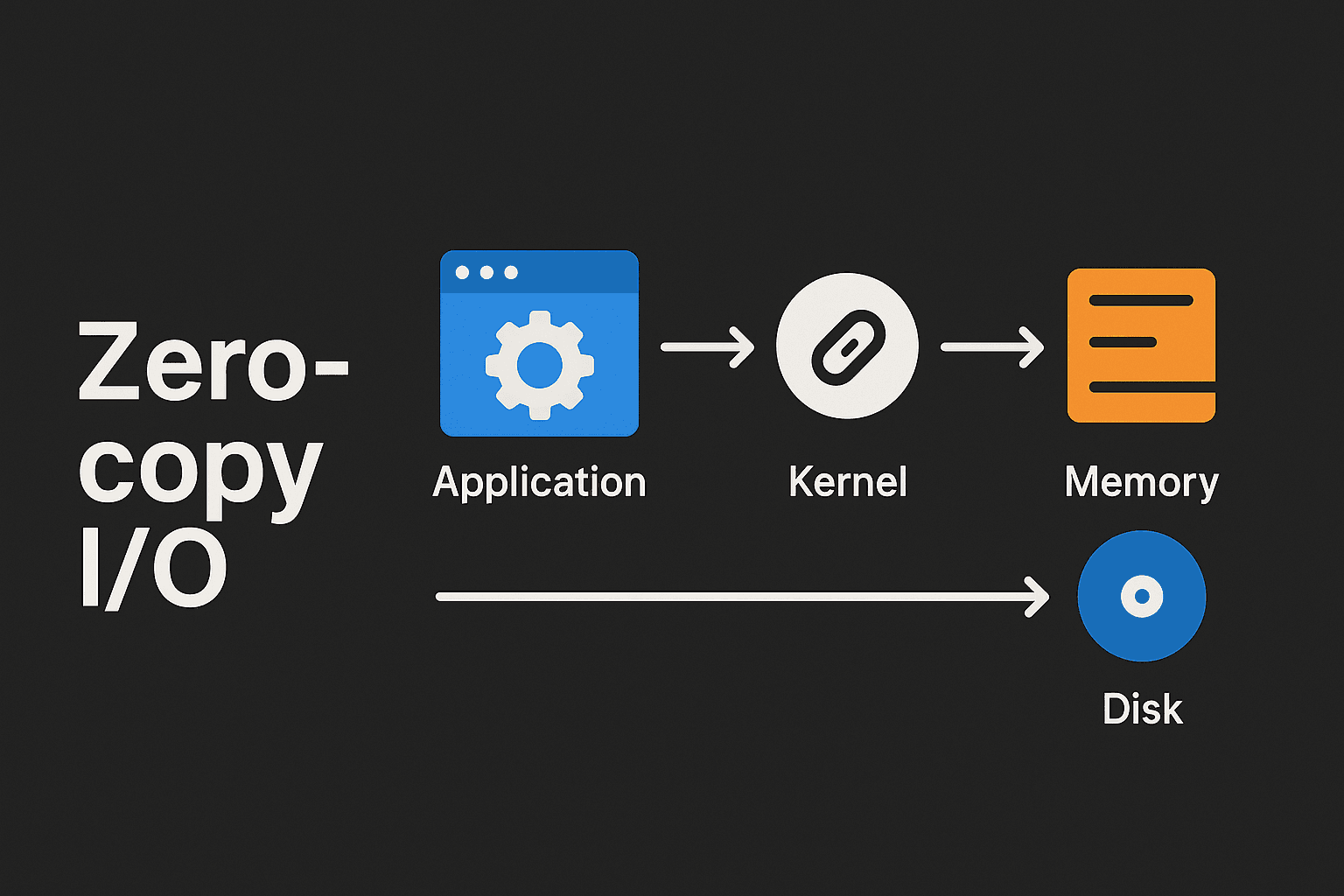
In a traditional I/O workflow, data travels through multiple layers: user space, kernel space, and various internal buffers. Each movement requires CPU work and memory bandwidth. Zero-copy I/O changes that path by letting the application and the kernel share memory regions or offload the transfer to hardware.
This means fewer context switches, fewer buffer copies, and more direct control over how data reaches storage or the network interface. As a result, systems run cooler, faster, and with fewer bottlenecks during heavy I/O activity.
🚀 Optimize Your Storage Performance with Zero-copy I/O
Reduce CPU load, accelerate data paths, and enhance I/O throughput with Simplyblock’s efficient storage platform.
👉 Learn More About Software-Defined Storage Solutions →
Why Zero-copy I/O Matters for High-Speed Systems
Applications that move large volumes of data—databases, analytics jobs, messaging platforms, and streaming services—benefit directly from zero-copy I/O. When the system no longer copies the same data several times, performance becomes more predictable, and resource usage drops.
Fewer copies also mean less pressure on the CPU and memory subsystem. This helps ensure smoother performance during peak usage, making zero-copy I/O valuable for enterprises running mixed or high-load environments.
Key Advantages of Zero-copy I/O
Zero-copy I/O introduces several strong benefits for data-intensive workloads:
- Lower CPU Consumption: By removing needless memory copies, the CPU can focus on application work instead of shuffling data.
- Reduced Latency: Direct data movement cuts delays, making systems more responsive.
- Higher Throughput: With fewer processing steps, storage and networking pipelines can push more data per second.
- Better Resource Efficiency: Less memory traffic and reduced buffer use free up system resources, helping applications run more consistently under load.
These gains are especially important when performance needs to scale with growing datasets.
Where Zero-copy I/O Makes a Real Difference
Many systems depend on predictable, high-speed data movement. Zero-copy I/O is used in:
- High-performance databases that need consistent and fast reads and writes.
- Streaming and media servers that push large data blocks to clients.
- Network applications that handle real-time packets with low latency.
- Big data and analytics platforms that process huge datasets continuously.
- Containerized workloads that rely on efficient I/O paths to keep application performance predictable across shared environments.
These workloads rely on zero-copy to keep performance stable under pressure.
Zero-copy I/O vs Traditional I/O Pipelines
Traditional I/O paths rely on several memory copies before data reaches its destination, which adds overhead and slows down performance. Zero-copy I/O changes this by removing unnecessary steps and letting data move through a more direct path. This difference becomes more noticeable as workloads grow and systems push larger amounts of data.
Here’s how zero-copy I/O compares to conventional buffered I/O workflows:
| Feature | Traditional I/O | Zero-copy I/O |
| CPU Usage | High due to multiple copies | Lower, minimal copying |
| Latency | Increased by extra buffer hops | Reduced through direct movement |
| Memory Overhead | Uses multiple buffers | Shared memory regions, fewer buffers |
| Throughput | Can bottleneck under heavy load | Higher sustained throughput |
| Scalability | Limited by CPU and RAM | Scales better with data growth |
Zero-copy I/O in Scalable Storage Architectures
As systems scale, traditional I/O paths struggle to keep up because each copy consumes time and hardware resources. Zero-copy I/O removes this load, making it easier to add storage nodes, handle large files, or support faster networking interfaces without hitting CPU limits.
This technique helps maintain consistent performance even when infrastructure grows or when applications run in distributed environments that push heavy traffic between nodes.
How Simplyblock Improves Zero-copy I/O Workflows
Simplyblock enhances zero-copy I/O by combining efficient data paths with a storage engine designed for low overhead. Organizations can:
- Improve Data Movement Efficiency: Reduce CPU pressure while handling high-volume operations across nodes.
- Keep Recovery Fast: Optimized data paths help clusters rebuild and rebalance quickly without slowing applications.
- Streamline Storage Operations: Simple controls for tuning and monitoring help teams maintain performance with less manual adjustment.
- Support Mixed Workloads: Handle databases, analytics, and containerized workloads with predictable throughput and lower latency.
What’s Ahead for Zero-copy I/O
As data grows and applications demand faster access, zero-copy I/O will play a bigger role in keeping systems responsive.
With faster networks, high-speed storage, and more distributed architectures, reducing overhead becomes essential. Zero-copy I/O provides a clear path to better performance without major hardware changes.
Related Terms
Teams often review these glossary pages alongside Zero-copy I/O when they reduce memory copies in the data path, control CPU overhead, and keep performance predictable under sustained throughput.
Block Storage CSI
Read Amplification
Write Amplification
Zero Copy Clone
Questions and Answers
Zero-copy I/O avoids copying data between user space and kernel space, allowing data to move directly between buffers. This drastically reduces CPU cycles spent on memory operations, improving performance for high-throughput workloads like storage systems and networking.
Applications that handle large data streams—such as file servers, databases, real-time analytics, and high-performance networking—gain the most. Zero-copy I/O reduces overhead, enabling faster transfers and better scalability under heavy load.
By bypassing unnecessary memory copies, zero-copy I/O shortens data paths and accelerates read/write operations. This leads to higher throughput and lower latency, especially in systems that handle frequent or large block transfers.
Zero-copy I/O often relies on OS mechanisms like mmap, sendfile(), or DMA (Direct Memory Access). These features allow data to move between hardware and applications without CPU-driven copying, improving efficiency.
Zero-copy I/O can introduce complexity, such as managing pinned memory or handling partial writes. It may also increase kernel dependency and require careful buffer control to avoid data corruption or security issues.