Kubernetes Volume Mount Options
Terms related to simplyblock
Kubernetes Volume Mount Options define how a pod attaches storage to containers and how the node treats that storage at runtime. These options shape access mode, path control, permissions, mount flags, and safety limits. Small choices can change launch time, recovery time, and data risk for stateful apps.
A simple example: a read-only mount blocks writes even if the app code tries to write. Another example: a subPath mount targets one folder, which helps multi-app pods, but it can also hide drift if teams reuse the same path across releases. Platform teams should treat mount settings as part of the Kubernetes Storage policy, not as per-app preferences.
Standardizing Kubernetes Volume Mount Options for Production Clusters
Consistency matters more than clever YAML. When every team picks its own mount flags and permission model, troubleshooting slows down. It also raises the chance of a bad default that spreads across namespaces.
A good standard starts with a short set of patterns: read-only mounts for config and reference data, strict permission rules for shared clusters, and a clear split between ephemeral and persistent storage use. Software-defined Block Storage platforms help because they let teams enforce guardrails through StorageClass behavior and QoS, instead of relying on code review alone.
🚀 Reduce Mount Failures and Startup Lag for Stateful Pods
Use simplyblock to run Kubernetes Storage on NVMe/TCP with QoS guardrails that keep mount-time behavior predictable.
👉 Use simplyblock Multi-Tenancy and QoS for Storage Isolation →
Kubernetes Volume Mount Options in Kubernetes Storage Workflows
Mount options do not live in isolation. They interact with provisioning, attachment, formatting, and node-side publish calls. The kubelet and the CSI Node Plugin coordinate the mount steps, so slow mounts often trace back to node pressure, plugin retries, or mismatched filesystem choices.
For stateful workloads, focus on these questions in plain terms.
What controls who can write to the volume? Security context, fsGroup rules, and backend support decide that.
What controls where the data appears inside the container? The mountPath and subPath decide that.
What controls the mount behavior at the node? StorageClass mount flags and CSI driver settings influence that behavior.
When teams align these layers, pods start faster and fail in predictable ways. When teams mix patterns, they get long “ContainerCreating” phases and unclear errors.
Kubernetes Volume Mount Options on NVMe/TCP Data Paths
NVMe/TCP changes the pressure points. The fast data path shifts attention toward CPU headroom, tail latency, and queue behavior. Mount steps still happen before I/O starts, so mount delays can block rollout even if the storage backend runs fast.
Tie mount standards to node design. Put high-IO workloads on nodes with known-good NIC settings and stable MTU. Keep the CSI stack consistent across the fleet. Then use QoS to prevent one workload from spiking write queues and dragging down others. This approach fits Kubernetes Storage teams that run mixed tenants on Software-defined Block Storage, where predictability matters more than peak numbers.
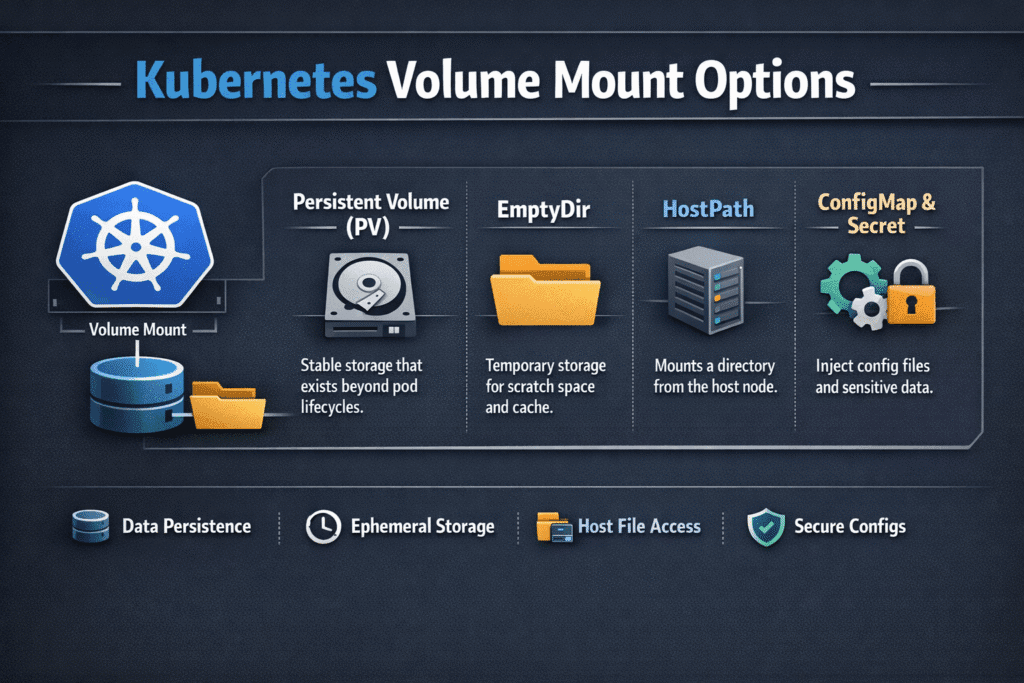
Measuring and Benchmarking Mount-Time Behavior
Measure mount quality with timing and error rates, not with IOPS alone. Track “pod scheduled to ready” time, then break it into phases: attach, stage, publish, and container start. Watch retry counts for mount operations. Review event logs for repeated mount failures, because those failures often point to a permission mismatch or wrong flags.
Run tests that match real change. A rolling update stresses mounts more than a single fio run. A node drain stresses detach and reattach. A scale-out event stresses the control plane and the CSI sidecars. These tests show whether mount options support fast recovery or slow it down.
Practical Guardrails That Reduce Mount Incidents
Use one checklist that applies across teams, and keep it short.
- Prefer read-only mounts for config, reference data, and shared artifacts.
- Avoid subPath unless you can explain why the app needs it.
- Set a clear permission model with securityContext, and document fsGroup rules.
- Standardize filesystem choices per tier, and stop mixing them without a reason.
- Limit hostPath use to controlled platform needs, not app convenience.
- Validate changes with a rollout test and a node-drain test.
Mount Option Trade-Offs for Stateful Workloads
The table below shows common mount choices and what they trade off in day-to-day operations.
| Mount option or pattern | Strength | Risk | Best fit |
|---|---|---|---|
| readOnly: true | Prevents accidental writes | Apps may fail if they expect writes | Config, shared assets |
| subPath mounts | Targets a folder, reduces path sprawl | Can hide drift and increase support load | Multi-container pods with strict layout |
| mountPropagation (default) | Clear boundary between host and container | Wrong setting can leak paths | Most workloads |
| hostPath | Direct access to node files | Weak isolation, harder portability | Platform agents, controlled cases |
| StorageClass mount flags | Central policy control | Bad defaults can affect many apps | Standardized tiers at scale |
Meeting Mount Reliability Targets with Simplyblock™
Simplyblock™ supports Kubernetes Storage with NVMe/TCP and a data path built for low overhead. That foundation helps when clusters run high pod density and frequent rollouts. Mount reliability still depends on clean policy, so simplyblock pairs performance with controls that help teams keep behavior stable across tenants.
Simplyblock also fits Software-defined Block Storage designs that mix hyper-converged and disaggregated layouts. That flexibility matters when platform teams want to place storage services and workloads on the right nodes without having to rewrite application specifications. When you combine consistent mount standards with QoS limits, teams reduce tail latency and avoid “one noisy job breaks everyone” incidents.
Where Mount Semantics Is Heading Next
Kubernetes keeps improving storage signals and lifecycle clarity. Expect better metrics around mount phases and richer policy hooks around security context and driver behavior. Teams will also push more workload isolation into platform layers, because shared clusters keep growing.
Acceleration will shape outcomes, too. As NVMe/TCP adoption rises, CPU efficiency and stable latency will matter even more. User-space I/O stacks and DPUs can free CPU cycles and reduce jitter, which helps both mount handling and steady-state I/O.
Related Terms
Teams often review these glossary pages alongside Kubernetes Volume Mount Options when they standardize Kubernetes Storage and Software-defined Block Storage behavior.
Questions and Answers
Kubernetes Volume Mount Options allow you to specify how a volume is mounted inside the container—such as read-only, filesystem type, or performance flags. These options are passed through the Kubernetes CSI driver to the underlying storage system.
Mount options like noatime, barrier, or filesystem tuning parameters can significantly impact latency and throughput. For performance-sensitive Kubernetes Stateful workloads, using optimized mount flags can improve I/O efficiency and stability.
Mount options are typically defined StorageClass using the mountOptions field. When a PersistentVolume is dynamically provisioned—such as with block storage replacement—these settings are automatically applied during the mount phase.
No, mount options are defined at the volume level through the StorageClass or PersistentVolume spec. For workload-specific tuning, create separate Kubernetes Stateful workloads with unique PVCs and storage configurations.
If the CSI driver or node OS does not support a given mount option, volume mount will fail, and the pod will remain in Pending or CrashLoopBackOff. Simplyblock’s Kubernetes CSI driver ensures compatibility with commonly used options.