OpenShift Elastic Block Storage Integration
Terms related to simplyblock
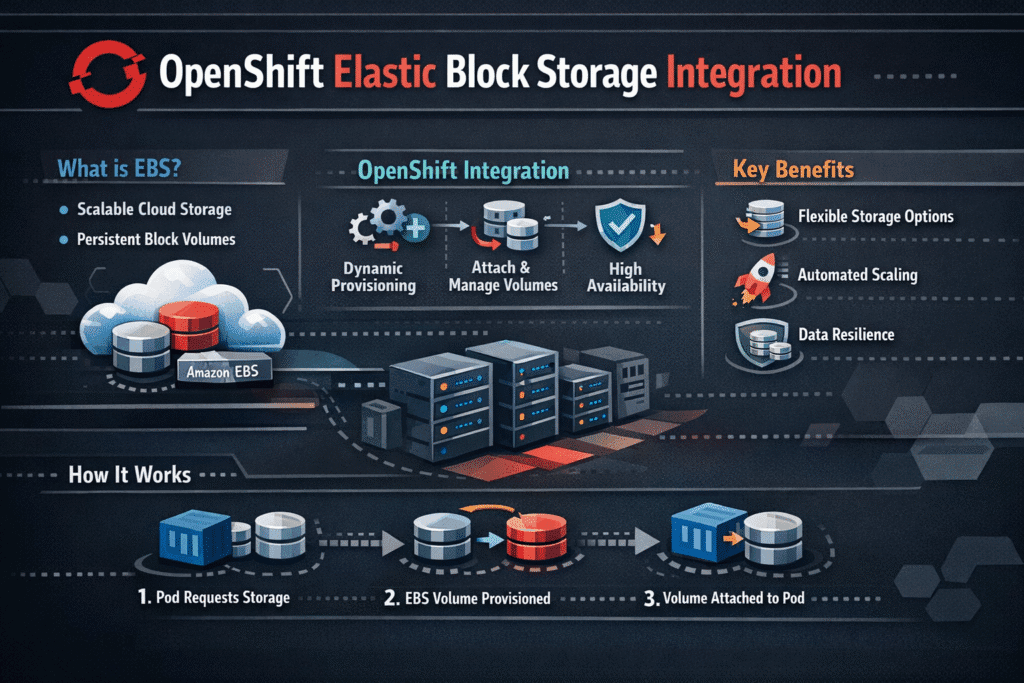
OpenShift Elastic Block Storage Integration connects OpenShift workloads to elastic block volumes through CSI and OpenShift-native lifecycle tooling. Platform teams use this integration to provision storage fast, expand it online, and keep the attach and failover flow consistent when pods move.
This topic matters most for stateful services. Databases, queues, and analytics jobs push steady I/O and punish jitter. A clean integration keeps operations predictable during cluster upgrades, node drains, and autoscaling. It also helps teams standardize storage policies across multiple clusters without rewriting applications.
Optimizing OpenShift storage integration with modern solutions
OpenShift teams often replace legacy array workflows with Software-defined Block Storage that matches cloud-native operations. The software-defined approach fits GitOps change control, scales on standard servers, and reduces storage “special handling” during platform upgrades.
OpenShift also benefits from tighter control over tenancy and performance. A well-designed storage layer supports QoS controls so one workload cannot overwhelm others. It also supports clear policy tiers so executives can map cost to service levels, and operations teams can enforce them with fewer exceptions.
🚀 Integrate Elastic Block Storage with OpenShift on NVMe/TCP
Use Simplyblock to connect OpenShift to elastic block volumes through CSI, and keep latency stable during scaling and upgrades.
👉 Use Simplyblock for OpenShift Storage →
Elastic block volume integration within Kubernetes Storage on OpenShift
OpenShift relies on Kubernetes Storage objects such as StorageClasses, PersistentVolumeClaims, and PersistentVolumes. The integration works best when developers request storage once, and the platform handles the rest. That includes safe provisioning, expansion, snapshots, and predictable re-attachment when OpenShift reschedules pods.
StorageClass sprawl causes trouble in large estates. A small set of classes works better than dozens of app-specific variants. Teams usually define tiers by intent, such as low-latency for databases and capacity-focused for general services. That approach keeps governance intact while still giving teams self-service.
OpenShift Elastic Block Storage Integration and NVMe/TCP
NVMe/TCP gives OpenShift a high-performance block path over standard Ethernet. Many teams choose it because it scales without requiring specialized fabrics on day one. It also supports consistent operations across mixed node pools, which matters when clusters grow fast.
Transport alone does not guarantee stable results. CPU overhead, queue depth, and network cleanliness shape latency and throughput. User-space data paths can help here because they cut kernel overhead and reduce CPU burn under load. Better CPU efficiency often translates into steadier tail latency during busy periods.
Measuring and Benchmarking OpenShift Elastic Block Storage Integration Performance
Benchmarking must reflect real I/O patterns, not only peak IOPS. Teams should measure throughput, average latency, and p95/p99 latency under read-heavy, write-heavy, and mixed tests. Repeat the same tests during node drains and rolling upgrades, because those events reveal variance that normal steady-state runs hide.
Correlate storage metrics with node and network signals. CPU saturation, throttling, retransmits, and packet drops can raise latency even when the storage backend looks healthy. This end-to-end view prevents wasted tuning cycles and helps teams pinpoint the true bottleneck.
Approaches for Improving Elastic Block Storage Performance in OpenShift
Performance tuning works best when the platform policy matches the workload intent. Start with the basics, then tighten the data path.
- Define a small set of StorageClasses that map to clear service tiers, and enforce them through platform policy.
- Use tenancy controls and QoS limits so heavy writers cannot destabilize shared pools.
- Separate storage traffic, keep MTU consistent, and monitor retransmits to protect NVMe/TCP performance.
- Favor efficient I/O paths that reduce CPU overhead when workloads hit high concurrency.
- Validate durability settings against real write patterns, because protection choices change latency behavior.
OpenShift Storage Integration Options Side-by-Side
This table summarizes common approaches and the tradeoffs OpenShift teams evaluate for elastic block storage.
| Approach | Fit for OpenShift operations | Performance behavior | Operational load |
|---|---|---|---|
| Legacy SAN (FC/iSCSI) | Often sits outside cluster workflows | Can bottleneck at scale-out | Heavier vendor processes |
| Cluster storage (Ceph-style) | Aligns with Kubernetes patterns | Strong general-purpose | More in-cluster components |
| Software-defined block with NVMe/TCP | CSI-native and automation-friendly | Low latency on Ethernet | Scales on commodity nodes |
Simplyblock™ Blueprint for OpenShift Elastic Block Storage Integration Consistency
Simplyblock™ integrates into OpenShift through CSI and operator-style lifecycle workflows, so platform teams can manage storage like the rest of the cluster. That alignment reduces drift across environments and lowers upgrade risk.
Simplyblock™ also focuses on performance efficiency. Its SPDK-based user-space design can cut CPU overhead and keep latency steadier under pressure. Teams gain more predictable results when multiple stateful services share the same platform.
This approach supports flexible deployment models. You can run hyper-converged, disaggregated, or mixed layouts as infrastructure constraints change. That flexibility helps when one site has dense NVMe servers and another site needs a smaller footprint.
Modern Design Patterns for OpenShift Persistent Block Storage
OpenShift storage integration is moving toward tighter automation and more deterministic performance. Many teams standardize on NVMe/TCP for broad coverage, then add selective acceleration for the strictest latency targets.
Offload hardware will also matter more. DPUs and IPUs can shift storage work away from host CPUs, which can free cores for applications and improve consistency during peak hours. At the same time, platform teams will push continuous performance checks into CI pipelines, so storage tiers stay verified instead of assumed.
Related Terms
Teams often review these glossary pages alongside OpenShift Elastic Block Storage Integration when they standardize Kubernetes Storage and Software-defined Block Storage.
Questions and Answers
OpenShift Elastic Block Storage Integration enables dynamic provisioning of high-performance persistent volumes using cloud-native or third-party block storage systems. Simplyblock supports seamless integration with block storage replacement for production-grade workloads on OpenShift.
OpenShift uses StorageClass and CSI drivers to provision and manage block volumes. With CSI support, platforms like Simplyblock offer full Kubernetes CSI compatibility for automatic volume attachment, resizing, and secure provisioning.
Yes. OpenShift supports StatefulSets and dynamic PVCs that are ideal for database workloads. Simplyblock provides optimized volumes for PostgreSQL on Simplyblock, enabling low-latency and high-throughput performance using CSI-provisioned elastic block storage.
Absolutely. Through CSI, you can enable encrypted volumes during provisioning. Simplyblock offers full support for encryption at rest, ensuring your block storage volumes meet compliance and security requirements in OpenShift environments.
Simplyblock enhances OpenShift storage by offering fast, scalable, and resilient volumes with native CSI integration. Its supported technologies ensure compatibility across OpenShift clusters, simplifying deployment and improving operational efficiency.