Kernel Virtual Machine
Terms related to simplyblock
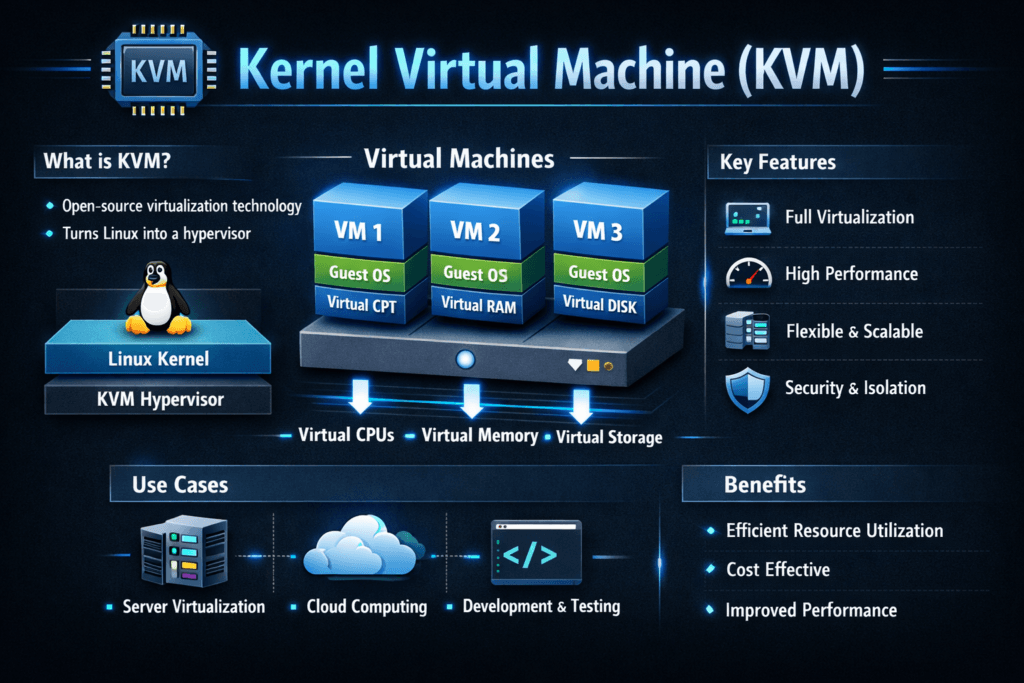
Kernel Virtual Machine (KVM) is a Linux-based hypervisor that lets one host run multiple virtual machines with near-native CPU execution when the hardware supports virtualization extensions. Most deployments pair KVM with QEMU for VM lifecycle control and device modeling, while Virtio drivers reduce I/O overhead versus full device emulation.
Leaders care about KVM when they need higher VM density without losing storage consistency. Storage often becomes the limiting factor first, especially for databases, CI runners, analytics jobs, and VM-based Kubernetes nodes. If your platform misses latency targets, the business impact shows up as slower releases, higher cloud spend, and more incidents.
Optimizing KVM with Practical Platform Choices
KVM performance depends on the full I/O path, not one knob. The guest, the hypervisor, the host kernel, and the storage backend all add cost. When teams treat storage as a shared service, they can stop tying performance to a single host’s local disks and start enforcing policy.
Software-defined Block Storage helps here because it centralizes placement, resilience, and quality-of-service controls. Instead of overbuying hardware to hide variance, you can set clear targets for throughput, IOPS, and tail latency across tenants and clusters.
🚀 Power KVM and Proxmox VM Disks with NVMe/TCP Storage
Use simplyblock to deliver Software-defined Block Storage with snapshots, clones, and stable VM I/O.
👉 Use simplyblock for Proxmox VE Storage →
KVM in Kubernetes Storage
Many organizations run Kubernetes on VMs, and KVM often sits under those worker nodes. That setup raises a simple question: can the storage layer stay stable during node drains, reschedules, and failovers?
Kubernetes Storage adds churn by design. Pods move, nodes rotate, and teams patch constantly. Your hypervisor layer must keep I/O predictable during those routine events. When the storage backend also supports both hyper-converged and disaggregated layouts, you gain flexibility. You can run storage close to compute for some workloads, and you can separate storage and compute for others, all under one control plane.
KVM and NVMe/TCP
NVMe/TCP works well for VM-heavy platforms because it can deliver NVMe semantics over standard Ethernet. That matters when you want scale-out storage without specialized fabrics.
KVM environments produce bursty patterns: metadata writes, journal traffic, cache flushes, and mixed reads and writes under load. NVMe/TCP helps you keep throughput high while you preserve operational simplicity. It also fits Kubernetes Storage designs where you need fast attach, detach, and multi-node access patterns.
Measuring and Benchmarking KVM Performance
Benchmarking works best when you measure from two angles at the same time. Inside the guest, you test the application view. On the host, you capture where the time goes.
Use workload-shaped profiles, not generic peak tests. Focus on 4k random reads and writes, mixed 70/30 patterns, and realistic queue depths. Track p95 and p99 latency, not only averages. Add CPU cost per I/O, because virtualization overhead often shows up as wasted cycles. Finally, test “steady state” and “change events,” such as live migration, node drain, and storage failover.
Approaches for Improving KVM Performance
Treat KVM tuning like an engineering loop: change one thing, retest, and keep the delta. The following actions tend to produce repeatable gains for storage-heavy VMs:
- Use Virtio for storage and networking, and keep guest drivers aligned with your host stack.
- Pin vCPUs for latency-sensitive VMs, and keep memory local to the right NUMA node.
- Reduce noisy-neighbor impact with clear CPU and I/O limits per tenant.
- Align queue depth and block settings to match NVMe behavior, not legacy HDD defaults.
- Standardize on Software-defined Block Storage so you can enforce QoS and placement consistently.
- Prefer NVMe/TCP when you need shared access over Ethernet with fewer operational trade-offs.
KVM vs Alternative Hypervisors for Storage I/O
The table below compares common virtualization options through a storage lens. It highlights how much control you typically get over the I/O path and how cleanly each approach fits Kubernetes Storage and NVMe/TCP at scale.
| Platform | Typical strength | Storage path control | Common Kubernetes-on-VM fit | NVMe/TCP backend fit |
|---|---|---|---|---|
| KVM | Linux-native automation and flexibility | High | Strong | Strong |
| VMware ESXi | Mature enterprise ops tooling | Medium | Strong | Strong, often platform-led |
| Xen | Isolation options | Medium | Medium | Medium |
| Hyper-V | Windows-centric environments | Medium | Medium | Medium |
Performance Isolation for VM Fleets with Simplyblock™
Predictability matters more than peak numbers in VM fleets. If p99 latency swings, applications time out, and teams blame the platform. Simplyblock targets predictability by controlling the storage path, enforcing tenant isolation, and keeping performance stable as the cluster grows.
Simplyblock supports NVMe/TCP for shared storage access over Ethernet, which fits both VM platforms and Kubernetes Storage environments. It also delivers Software-defined Block Storage controls that help teams set guardrails for multi-tenancy and QoS. Under the hood, simplyblock uses an SPDK-based user-space data path that reduces kernel overhead and helps improve CPU efficiency in I/O-heavy deployments, including designs that use DPUs or IPUs for offload.
What’s Next in VM Virtualization and Storage Acceleration
KVM continues to improve through better scheduling, faster virt stacks, and more hardware offload options. Teams also push toward disaggregated architectures where storage scales independent of compute. That shift raises the bar for consistent tail latency and stronger isolation across tenants.
Expect more focus on CPU-efficient I/O paths, better per-VM fairness under load, and broader use of acceleration through SmartNICs, DPUs, and IPUs. Storage teams will also standardize on transport choices like NVMe/TCP to keep deployment simpler while still meeting demanding performance targets.
Related Terms
Teams often review these glossary pages alongside Kernel Virtual Machine when they set measurable targets for Kubernetes Storage and Software-defined Block Storage.
Zero-Copy I/O
SmartNIC vs DPU vs IPU
Infrastructure Processing Unit
Tail Latency
Questions and Answers
KVM offers near-native performance by running directly in the Linux kernel, making it ideal for I/O-heavy workloads like databases or AI pipelines. When paired with NVMe storage and fast networking, it enables scalable, low-latency virtual environments without proprietary hypervisor overhead.
KVM is open source, lightweight, and integrated into Linux, making it ideal for cloud-native and cost-sensitive environments. Unlike VMware, it pairs well with Kubernetes and containerized workloads using tools like KubeVirt to bridge VMs and containers.
Yes, KVM fully supports high-speed storage protocols such as NVMe over TCP. When combined with fast networking and a modern CSI driver, virtual machines running on KVM can benefit from low-latency, high-throughput volumes.
KVM is ideal for running stateful workloads, especially when paired with fast block storage and optimized I/O. It allows for isolation, live migration, and fine-grained resource control—critical for production-grade database deployments
KVM can leverage storage backends via LVM, iSCSI, or NVMe. When integrated with CSI-based storage solutions like Simplyblock, KVM VMs can dynamically provision secure, encrypted volumes with high performance and low overhead.