Kubernetes Capacity Tracking for Storage
Terms related to simplyblock
Kubernetes Capacity Tracking for Storage is the practice of measuring, forecasting, and controlling how much persistent capacity your cluster allocates, consumes, and keeps in reserve. It connects what teams request in PersistentVolumeClaims with what the storage backend actually uses on disk. The gap between those two numbers drives cost overruns, surprise “out of space” events, and messy incident response.
Capacity tracking gets harder as clusters grow. Namespaces share pools, apps expand volumes at different times, and storage systems use thin provisioning, snapshots, and replicas that change real usage. Strong tracking keeps finance, platform, and application teams aligned on growth, risk, and service targets.
Capacity Tracking Controls That Work at Scale
Treat capacity as a shared service, not a per-app afterthought. Start with clear ownership for StorageClasses, default size policies, and expansion rules. Add guardrails that stop runaway claims before they hit the backend.
Smart teams track four layers at once: requested size, provisioned size, used bytes, and free headroom. That view prevents false confidence. A dashboard that shows only PVC requests often hides thin-provisioning drift, snapshot growth, and replica overhead.
Software-defined Block Storage helps because it standardizes quotas, telemetry, and policy across clusters. It also lets you enforce per-tenant limits without rebuilding your app platform.
🚀 Track Kubernetes Storage Capacity Growth, Cluster by Cluster
Use simplyblock with Vela to monitor pool headroom, PVC growth, and prevent “out of space” incidents in Kubernetes Storage.
👉 Track Capacity in Vela →
Kubernetes Capacity Tracking for Storage in Kubernetes Storage
Within Kubernetes Storage, capacity tracking centers on how PVCs map to PVs, how StorageClasses behave, and how CSI reports stats. Your platform should answer simple questions fast: “Who owns the growth,” “Which namespace drives it,” and “How much runway do we have.”
Volume expansion changes the capacity story, too. If teams can expand claims on demand, you need approval paths and alerts that trigger before the backend hits a hard limit. You also need consistent reclaim policies so old PVs do not linger and block reuse.
Good tracking also separates “reserved” from “available.” A cluster can show free space at the node level while the storage pool runs tight. Aligning these views avoids bad scheduling choices and noisy storage incidents.
Capacity Tracking Signals with NVMe/TCP
Capacity tracking improves when performance stays predictable. If storage latency spikes, teams often over-allocate capacity “just in case,” which inflates costs and masks the root cause. NVMe/TCP supports fast, scalable access to NVMe-backed storage over standard Ethernet, which helps keep storage service levels stable across large clusters.
When you combine NVMe/TCP with a clean data path, you can right-size volumes with more confidence. That becomes even more important in multi-tenant environments, where one workload’s burst can push others into retries and timeouts.
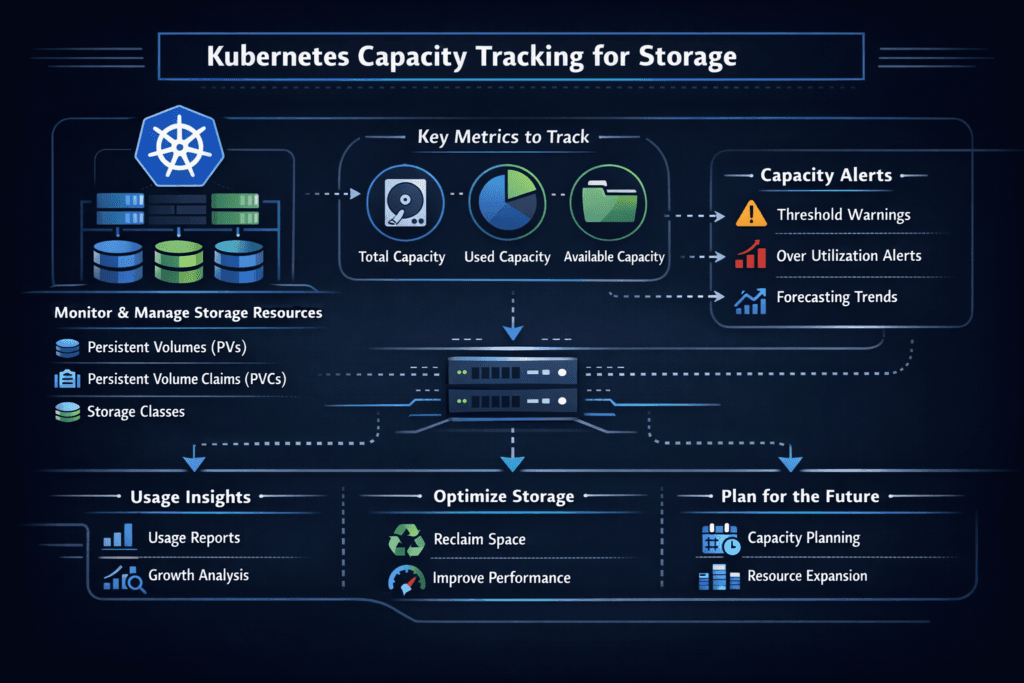
Measuring and Benchmarking Kubernetes Capacity Tracking for Storage
Capacity tracking needs metrics that link Kubernetes objects to backend facts. Measure these consistently, and trend them daily.
Track requested capacity by namespace and StorageClass. Measure provisioned capacity by pool, replica policy, and snapshot usage. Monitor used bytes per volume and each workload’s growth rate. Add burn-down views that estimate days to full at the current rate.
Benchmarking also helps. Run controlled write tests to understand how fast snapshots grow, how replicas affect usable capacity, and how quickly thin provisioning turns into real allocation. Those tests turn guesswork into clear policies.
Ways to Improve Accuracy and Prevent Surprises
Use one consistent model for “capacity,” and apply it everywhere. Most failures happen when different teams use different definitions.
- Set namespace-level storage budgets, then alert on burn rate, not just absolute size.
- Standardize StorageClasses and expansion rules so teams do not invent their own defaults.
- Separate “requested,” “provisioned,” and “used” in dashboards, and trend all three.
- Treat snapshots and clones as first-class consumers, with age limits and review cycles.
- Flag thin-provisioning risk by tracking pool overcommit and peak daily growth.
- Add QoS and tenant isolation so performance issues do not trigger panic over-allocation.
Capacity Tracking Methods Compared
This comparison helps teams choose a tracking approach that matches how they run storage across clusters.
| Approach | What it tracks well | Common blind spots | Best fit |
|---|---|---|---|
| PVC request totals | Quotas and budgets by namespace | Thin provisioning, replicas, snapshots | Quick governance checks |
| CSI volume stats | Used bytes per volume | Backend pool math, replica overhead | App-focused reporting |
| Storage pool telemetry | Real backend usage and headroom | Mapping to owners and namespaces | Capacity planning and risk |
| End-to-end model | Requests + usage + pool runway | Needs setup and discipline | Executive reporting and SLO planning |
Simplyblock™ for Predictable Utilization
Simplyblock™ supports tight capacity tracking by pairing Software-defined Block Storage controls with Kubernetes-native operations. You can manage shared pools, apply tenant limits, and keep a clear view of headroom as workloads expand. That reduces the “guess-first” cycle that causes both outages and waste.
Simplyblock also supports NVMe/TCP, which helps keep performance steady on standard Ethernet. Stable performance makes right-sizing easier because teams stop compensating for jitter by over-allocating volumes. A lean, user-space data path also improves CPU efficiency, which matters when many tenants push I/O at once.
Where Capacity Tracking Is Going Next
Capacity tracking will move closer to policy and automation. Expect more rule-driven actions, such as auto-blocking risky expansions, auto-cleaning stale snapshots, and auto-routing workloads to pools with runway. Storage telemetry will also tie more directly into scheduling, so placement respects both performance and remaining headroom.
DPUs and IPUs will likely help, too. Offload can keep storage services consistent under load, which improves forecasts and reduces panic growth. The teams that win here treat capacity as an SLO-backed service, not as an after-hours cleanup job.
Related Terms
Teams often review these glossary pages alongside Kubernetes Capacity Tracking for Storage when they set storage budgets, alerts, and growth policies.
- Storage Metrics in Kubernetes
- Overprovisioning in Storage
- Kubernetes Volume Expansion
- Kubernetes Secrets for Storage Credentials
Questions and Answers
Kubernetes Capacity Tracking for Storage monitors how much space is available and consumed across storage classes and persistent volumes. This helps prevent overprovisioning and is especially critical for scaling Kubernetes Stateful workloads that rely on predictable capacity.
Kubernetes uses CSIStorageCapacity objects to report available capacity for a given StorageClass and topology. This data is used during PVC provisioning and is supported by CSI drivers like Simplyblock’s Kubernetes CSI implementation.
Yes. By monitoring actual usage vs. provisioned capacity, teams can right-size volumes and avoid wasted resources. This approach is key to optimizing Amazon EBS volumes cost in large-scale Kubernetes clusters.
Absolutely. CSI drivers can report capacity by topology segment, enabling Kubernetes to make provisioning decisions based on zone-level storage data. This improves efficiency in block storage replacement setups that span multiple failure domains.
When a PVC is resized, the system checks if sufficient capacity exists. Accurate tracking ensures safe expansion, especially for apps like PostgreSQL on Simplyblock that may grow rapidly based on workload demands.